· Digital Footprint Check · Content Marketing · 15 min read
Can Your Internet Provider See Your History: What Your Isp
Find out: can your internet provider see your history? Yes, they can. Discover what data they access, even via HTTPS, & protect your privacy in 2026.
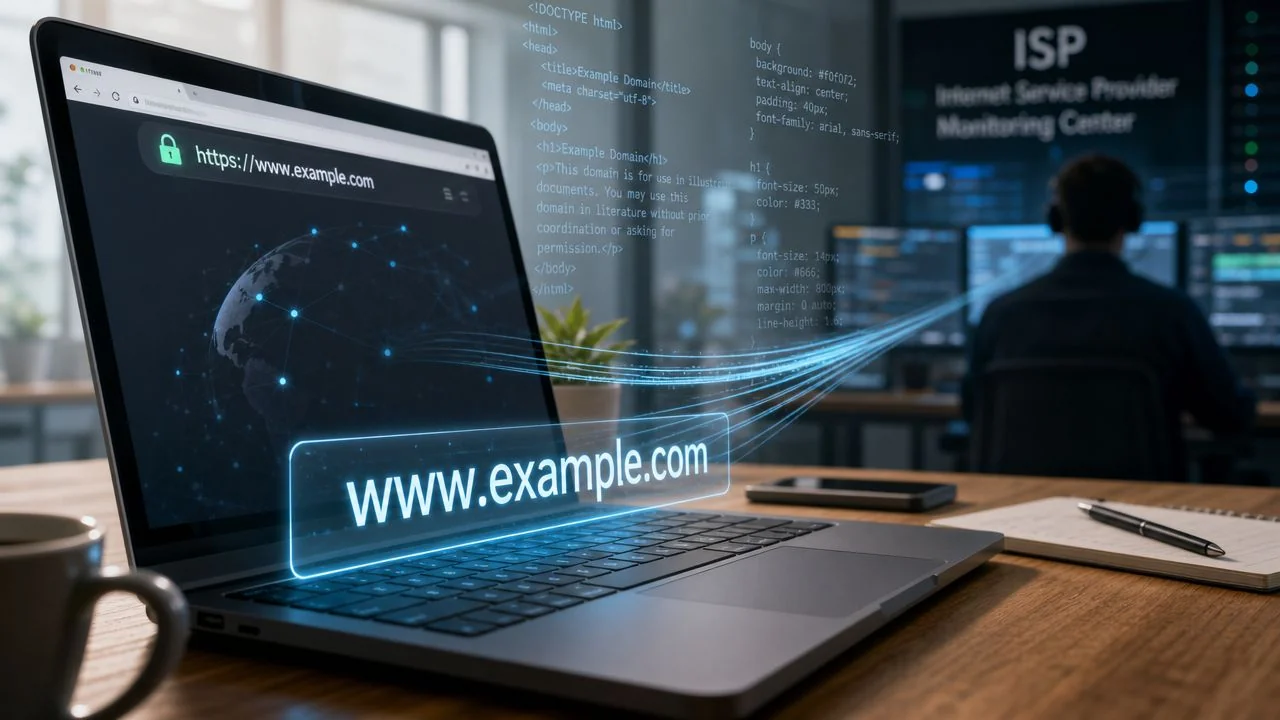
You’re probably reading this on home Wi-Fi, maybe in a browser tab you opened in Incognito mode, assuming that keeps your activity private enough. That assumption is common, and it’s only partly true.
When people ask, can your internet provider see your history, they usually mean one of two things. Can the company that gives me internet see the sites I visit? And can it see what I do on those sites?
The answer is nuanced. Your provider often sees more than people expect, but less than people fear. That distinction matters for everyday privacy, job searching, gaming profiles, online dating, identity theft prevention, and even reputation management. If you’re researching a medical issue, browsing professional opportunities, checking someone from a dating app, or managing a gaming account after a breach, the difference between “they saw the domain” and “they saw the exact page” is important.
The Short Answer to a Complicated Question
Your internet provider can usually see which websites you connect to, but it usually can’t see the exact pages you open or the exact search terms you type on secure sites. As Fidium Fiber explains in its overview of ISP browsing visibility, ISPs can see the full domain names of the websites you visit, even when you use HTTPS, but they can’t see the specific pages or search queries on that domain because HTTPS encrypts the path and query details.
That means if you visit YouTube, your provider can typically tell you connected to YouTube. It usually can’t tell which specific video you watched from the page address alone. If you search on Google over HTTPS, it can generally tell you connected to Google, but not the exact phrase you searched.
Incognito mode doesn’t change that. It helps with local privacy, not network privacy. It stops your browser from saving history on your own device the usual way, but it doesn’t make your traffic invisible to the company carrying that traffic.
Bottom line: Your ISP usually sees the destination, not the contents.
Many people are often mistaken on this point. They see the padlock in the browser and assume total invisibility. What they get is content protection, not full secrecy about where they went.
If you want a simple primer before going deeper, this guide on internet privacy for beginners gives a solid foundation for the terms that confuse most readers the first time around.
What Your ISP Can See by Default
Think of your ISP like the postal service for your internet connection. It has to move your traffic from your device to the wider web. To do that, it needs some addressing information, even when the contents are protected.
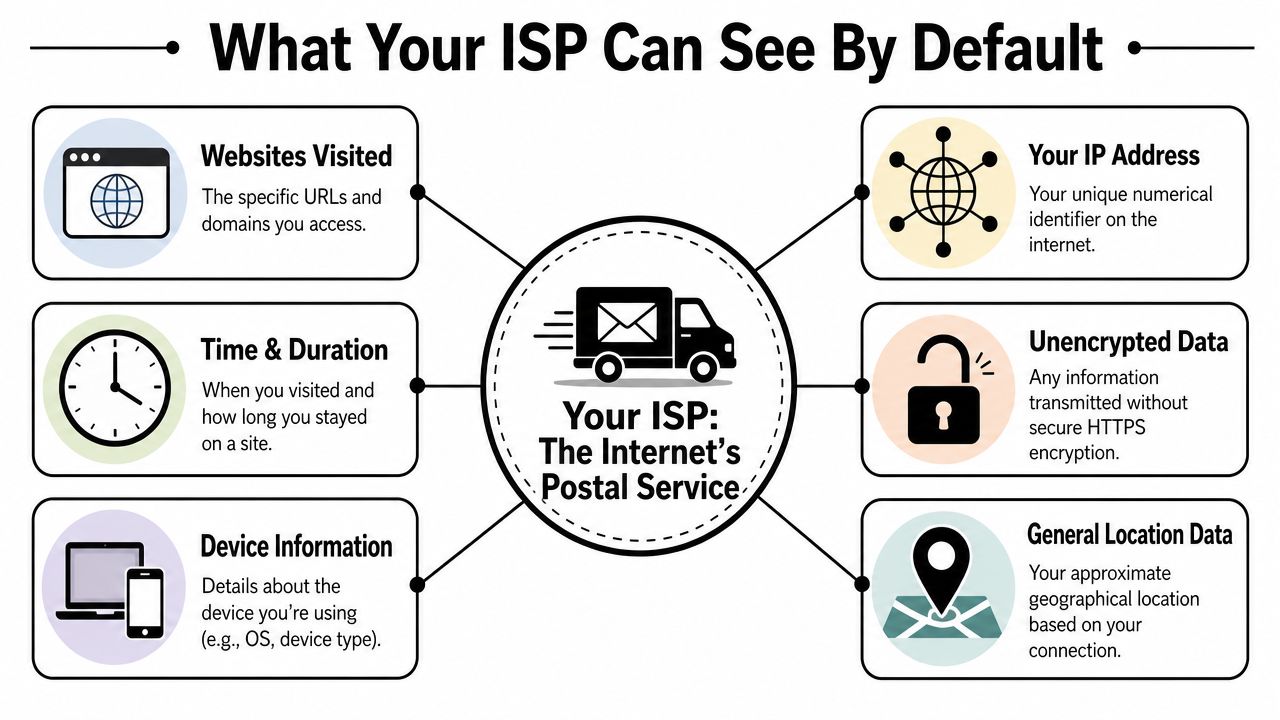
The metadata your provider usually logs
According to this technical breakdown, an ISP can observe the domain names you visit and log metadata such as connection duration, data volume, and timestamps. The same source notes that 95%+ of modern web traffic uses HTTPS/TLS as of 2026, which means providers generally can’t read page paths, typed content, or search parameters on those encrypted connections.
That sounds abstract, so let’s translate it into plain language:
- Domains visited: Your provider can often see that you went to a site like a bank, a streaming platform, a gaming service, a job board, or a dating app domain.
- Time and duration: It can log when that connection happened and how long it lasted.
- Data volume: It can see whether the session used a tiny amount of data or a lot.
- Your connection identity: It knows the internet connection assigned to your household or device on its network.
- Incognito status: It doesn’t matter. Incognito mode doesn’t hide this layer.
What DNS means in everyday terms
DNS is the internet’s phonebook. When you type a website name, your device asks for the numerical route needed to reach it. That lookup often gives your provider another clue about where you’re trying to go.
A simple analogy helps. If HTTPS is the sealed envelope around your letter, DNS is often the moment you ask the clerk, “What address do I need for this place?” Even if the envelope is sealed later, the clerk still learned the destination.
Readers who want a family-focused explanation may also find Premier Broadband’s article on protecting your family’s online privacy useful because it frames these risks in practical household terms.
Your provider may not read your encrypted message, but it can still learn a lot from the address, timing, and size of that message.
Why this matters more than it sounds
People often shrug at metadata because it doesn’t feel personal. But routines are personal. A log that shows repeated visits to job boards late at night, gaming services every afternoon, or dating platforms after work can reveal habits without ever exposing message contents.
That’s why the broader issue isn’t just “did they read my page.” It’s whether your traffic patterns expose parts of your life you assumed were private. This is a useful companion read on how your browsing habits reveal more than you think.
Why HTTPS Is Not a Perfect Invisibility Cloak
You open your bank’s website on your lunch break, then check a job board, then search for a health symptom. The padlock in your browser does protect a lot of that activity. But it does not make you invisible to your internet provider.
HTTPS encrypts the contents of the connection. In plain English, that usually hides the full page you read, the form fields you submit, and the exact search terms inside the site. The Electronic Frontier Foundation explains how HTTPS protects the data between your browser and a website. That protection matters. It keeps your provider from casually reading the text inside many modern web sessions.
The mail analogy still works here. HTTPS is the sealed envelope. Your provider usually cannot read the letter inside. But parts of the outside still matter for delivery, and those parts can reveal more than people expect.
What still leaks with HTTPS
The biggest point of confusion is the website name itself. Your provider may still learn the domain you connected to, such as google.com, linkedin.com, or a medical portal, even if it cannot see the exact page or what you typed there.
One reason is the early setup of the connection. You may see the term SNI, or Server Name Indication, in privacy guides. You do not need to memorize it. The practical takeaway is simple. During setup, some systems still expose which site your browser is trying to reach so the connection can be routed correctly.
That creates a gap between what people assume and what happens online. HTTPS hides a lot of content. It does not automatically hide the destination.
Older HTTP sites are a different story. Without encryption, the connection is much more exposed, and a provider can often see the full URL and data sent across the page. HTTPS fixes a major part of that problem, but only that part.
A quick way to test your own assumptions
If you want a practical before-and-after check, start with the sites you use most. Notice whether your browser shows HTTPS, then compare that with what your provider could still infer from the domain name alone. A visit to a generic news site says one thing. Repeated visits to a bankruptcy attorney, a competitor’s careers page, or a niche health clinic say much more, even without page-level details.
This is also why private browsing causes confusion. Incognito mode mainly stops your browser from saving local history on your device. It does not hide network-level information from your provider. If you want that distinction explained clearly, this guide on how to use private browsing separates local privacy from network privacy in practical terms.
HTTPS protects the message inside the envelope. It does not always hide the address on the outside.
Real-World Risks of ISP Data Collection
Privacy conversations get dismissed when they stay theoretical. The risk becomes clearer when you attach it to ordinary life.

A job seeker spends weeks applying for roles, researching employers, checking salary forums, and reading about workplace disputes. Another person spends evenings on health-related websites, support communities, and pharmacy portals. A third person uses gaming forums, Discord communities, and account-recovery pages after a credential scare. In all three cases, metadata paints a story about what matters to them, even if the exact page text stays encrypted.
Career, safety, and profiling risks
For professionals, browsing metadata can intersect with reputation in subtle ways. Repeated visits to controversial forums, gambling domains, adult domains, or politically charged sites can become part of a broader profile if data is retained, analyzed, or shared. That doesn’t mean every provider is individually reviewing people’s logs by hand. It means metadata can be collected, stored, and used in systems that influence advertising, profiling, or investigations.
This matters beyond office workers. Parents may worry about a teenager’s exposure to risky communities. People using dating apps may not want their domain-level activity to reveal sensitive parts of their private life. Anyone dealing with romance scams, catfishing concerns, or identity theft cleanup may be researching topics they don’t want tied neatly to their household connection record.
The legal landscape isn’t the same everywhere
As Norton explains in its discussion of who can see search history, ISPs retain the legal and technical ability to monitor, log, and potentially sell browsing metadata, and the rules vary by country. In the United States, CALEA and FCC rules have historically allowed collection and retention of customer browsing data, and the 2017 FCC rollback removed mandatory federal limits on data retention. In the European Union, ePrivacy and GDPR require user consent for processing browsing data, but metadata like visited domains and connection duration can still be exempt in some situations and may be retained for up to 12 months for network management or legal compliance.
Here’s a useful explainer if you want more context before thinking about privacy at work or in a company setting.
Metadata can still reveal sensitive patterns
Even without reading message contents, metadata can point to categories of behavior.
- Health research: Visits to condition-specific domains can suggest medical concerns.
- Financial stress: Repeated traffic to debt help, loan, or bankruptcy domains can imply pressure.
- Relationship issues: Dating platforms, divorce resources, or infidelity forums can expose personal situations.
- Gaming and account recovery: Sessions with gaming services and support portals can reveal active platforms and habits.
Privacy isn’t only about secrecy. It’s also about reducing how easily other parties can build a profile of your life.
Your Complete Privacy Toolkit to Block ISP Spying
No single tool solves every privacy problem. The right choice depends on whether you want convenience, stronger anonymity, or a targeted fix for one kind of leak.
Comparing ISP privacy tools
| Technology | What It Hides from ISP | Best For | Potential Downsides |
|---|---|---|---|
| VPN | Usually hides the websites and services you access by routing traffic through an encrypted tunnel. Your ISP can still see that you’re connected to a VPN and how much data is moving. | Most people who want simple, broad protection at home, on mobile data, or on public Wi-Fi | You’re trusting the VPN provider instead of your ISP. Some services can slow connections or trigger extra verification on apps and websites. |
| Tor Browser | Hides destination websites by routing traffic through the Tor network. Your ISP can typically see Tor usage, but not the final sites visited inside the network. | High-privacy browsing, research, whistleblowing, or situations where anonymity matters more than speed | Slower browsing, more CAPTCHAs, and some sites block Tor exit traffic. Not ideal for streaming, gaming, or routine logins. |
| Encrypted DNS | Helps hide DNS lookups from the ISP, which can reduce visibility into the domains you request. | People who want a lighter privacy improvement without sending all traffic through a VPN | It’s narrower protection. It doesn’t automatically hide all traffic patterns, app usage clues, or every domain exposure path. |
| Encrypted DNS plus newer encrypted handshake protections | Can reduce domain exposure further by protecting more of the connection setup | Privacy-conscious users who want a more surgical setup and are comfortable checking browser and service support | Support varies by browser, website, and network environment. Setup is less straightforward than a VPN. |
When a VPN is the practical default
For most readers, a VPN is the easiest all-around option. Instead of your provider seeing a list of sites you visit, it mainly sees an encrypted connection to the VPN server.
That doesn’t make you invisible to everything. The VPN company becomes a trust point, and websites can still identify you through logins, cookies, browser behavior, or account activity. But for the specific question of ISP visibility, a VPN is usually the most direct answer.
If you’re tightening home security more broadly, not just hiding traffic, it also helps to understand network basics like understanding firewall security so you don’t confuse traffic privacy with device protection.
When Tor makes more sense
Tor Browser is different. It’s built for anonymity, not convenience. It can be a strong choice for investigative research, sensitive browsing, or situations where linking activity back to your connection matters more than speed.
It’s usually not the best fit for everyday streaming, gaming, work logins, or shopping. Many services dislike Tor traffic, and the browsing experience can be slower and clunkier.
When encrypted DNS is enough, and when it isn’t
If you don’t want a full VPN, encrypted DNS is a meaningful upgrade. It can reduce the visibility of the website lookups your device sends out. In plain terms, it helps hide the “asking for directions” part of browsing.
Still, this is not a full replacement for a VPN. It helps with one category of exposure. It doesn’t guarantee broad anonymity across all traffic.
A good rule of thumb:
- Use a VPN if your goal is broad, simple protection from ISP domain tracking.
- Use Tor if anonymity matters more than convenience.
- Use encrypted DNS if you want a lighter privacy improvement and are comfortable with partial coverage.
If you also want to reduce how websites and third parties identify you, this guide on how to hide your IP address is a useful next step.
How to Verify Your Own Online Exposure
Privacy advice becomes tangible. Don’t just install a tool and assume it works. Test it.
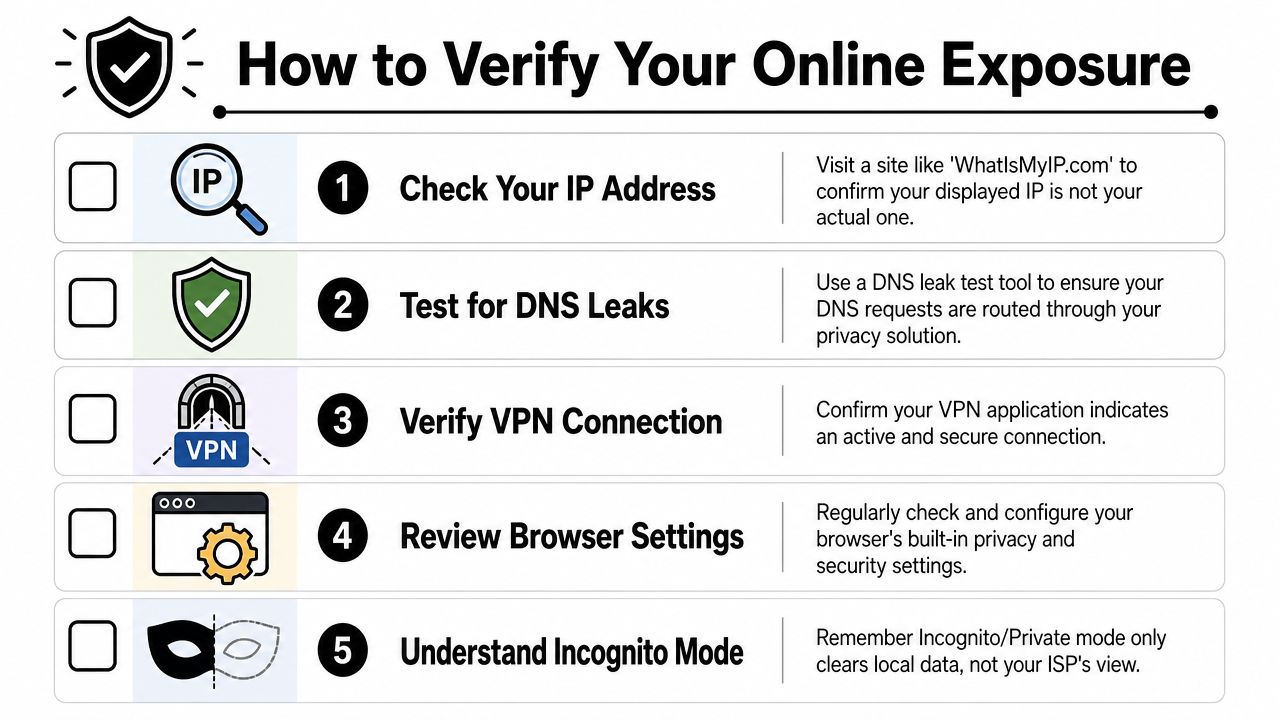
A simple before-and-after check
Run these checks once before you turn on your protection, and once after.
Check your visible IP Visit a service such as WhatIsMyIP.com and note the location and connection identity it shows. After enabling a VPN, check again. You want the displayed connection to reflect the VPN, not your ordinary household connection.
Run a DNS leak test Use a tool like DNSLeakTest.com or BrowserLeaks.com. If you’re using a VPN or encrypted DNS, the results should point to that setup rather than your normal provider handling those requests directly.
Confirm the privacy tool is connected A VPN app should show an active secure connection. If it disconnects and falls back to your regular connection, your provider regains normal visibility.
What success looks like
You’re not looking for total mystery. You’re looking for a clear reduction in exposed signals.
- For a VPN: Your visible IP and DNS results should align with the VPN service.
- For encrypted DNS: DNS requests should no longer appear to go through your ISP in the same way.
- For Incognito mode: Nothing meaningful changes at the ISP level. This is a useful control test because it proves the point for yourself.
Test privacy tools the same way you’d test a smoke alarm. Don’t assume they work because you installed them.
Keep a small privacy checklist
A practical monthly routine helps more than a one-time setup.
- Review browser settings: Check privacy and security options after major browser updates.
- Retest after app changes: VPNs, browsers, and operating systems can change defaults.
- Separate local and network privacy: Clearing browser history is not the same as hiding traffic from your provider.
If you want to think beyond browsing and look at your broader online exposure, this guide on how to check your digital footprint is a strong next move.
Take Control of Your Entire Digital Footprint
Hiding browsing activity from your provider is useful, but it’s only one layer of digital privacy.
Your ISP may see parts of your traffic in transit. Other parties may see something else entirely: old social media posts, exposed gaming profiles, data breach records, forum accounts, public records, leaked usernames, dating app traces, or business-related mentions connected to your name, email, or phone number. That public-facing footprint can affect job prospects, personal safety, scam risk, and reputation long after a browsing session ends.
This matters for individuals and companies alike. A parent might want to know what information about a child is publicly searchable. A gamer may need to audit old accounts tied to a reused username. A professional may want to clean up public traces before applying for a role. A business owner may also need a broader grasp of business data privacy because employee exposure and company reputation often overlap.
The big takeaway is simple. Your provider’s view is only part of your risk surface. The rest of the internet may already know more about you than you think.
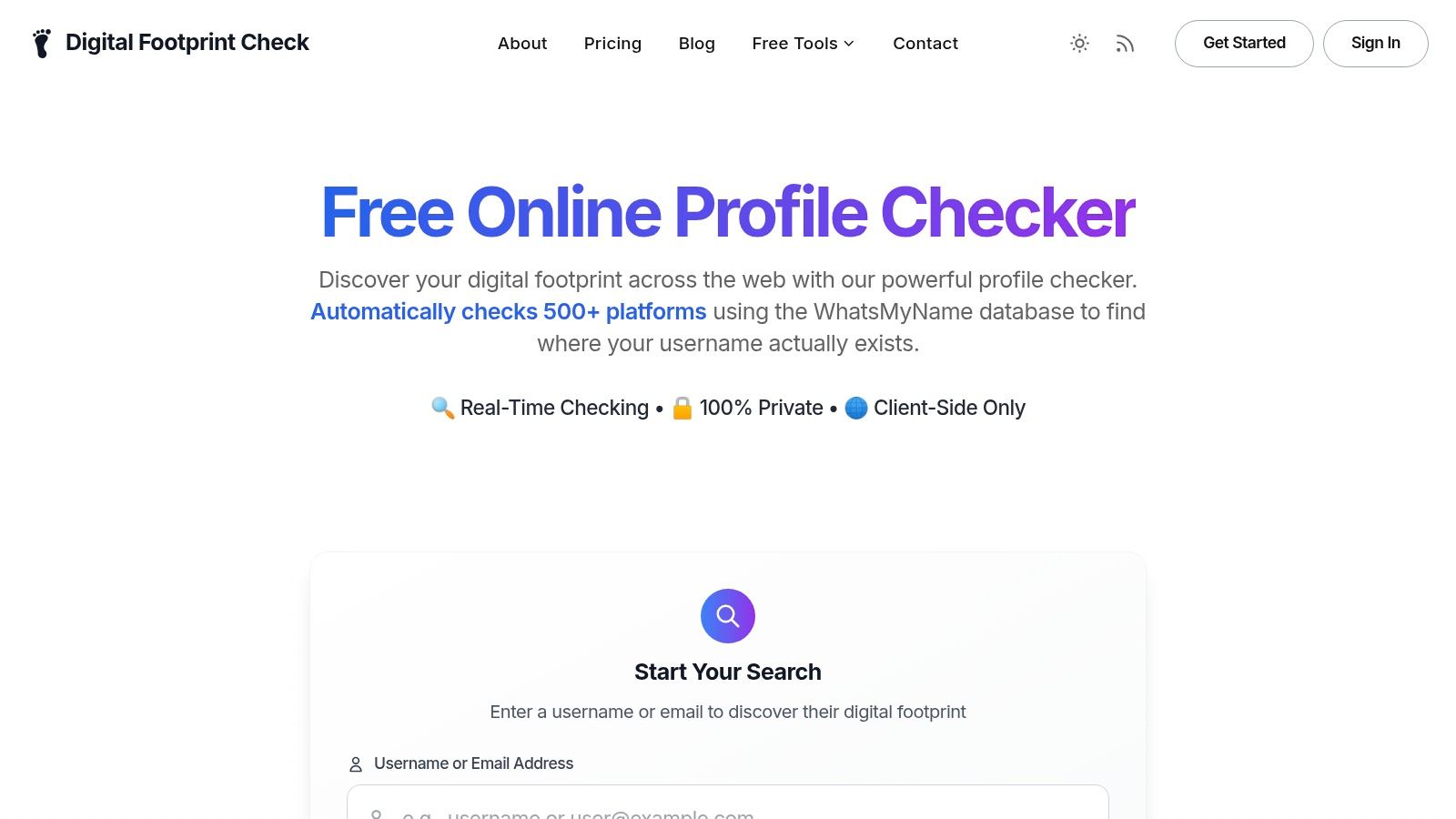
If you want to see what personal information is publicly exposed beyond your ISP connection, try the free checker from Digital Footprint Check. It’s a practical way to audit your wider online presence, spot reputation risks, review exposed profiles, and find public traces that could affect your privacy, job search, dating safety, gaming security, or identity theft prevention.