· Digital Footprint Check · Content Marketing · 15 min read
How to Perform an Email Lookup Facebook in 2026
Master every method for an email lookup facebook using OSINT tools and search tactics. Find profiles easily while protecting your digital privacy in 2026.

You got an email address from a dating app profile, a freelance marketplace, or a message request. Before you reply, you want to know whether the person behind it is real, consistent, and safe to engage with.
That’s where email lookup facebook usually enters the picture. People search Facebook because it often reveals a less polished version of someone’s online identity. A LinkedIn profile can be carefully staged for work. A Facebook profile may show interests, groups, events, old photos, business pages, and sometimes contact details that connect the dots.
The goal matters. Used ethically, this kind of lookup helps with fraud checks, romance scam prevention, pre-meeting safety, business verification, and reputation review. Used carelessly, it crosses into invasive behavior fast. The right approach is simple: verify identity, confirm context, and stop when you’ve learned enough to make a safe decision.
Why You Might Need to Find a Facebook Profile from an Email
You get an email from someone who wants to move fast. They want to take a conversation off-platform, send a deposit before a call, or continue a personal chat somewhere with less oversight. Before you reply, it makes sense to check whether the address connects to a real Facebook identity and whether that identity matches the story you were given.
That check is useful in a few very normal situations. Online dating is one. So is freelance work, local buying and selling, tenant screening, alumni outreach, and basic contact verification after a cold email. The point is not to gather every detail you can find. The point is to answer a narrower question: does this email tie back to a consistent, believable person?
Facebook can help because it often shows social context that an email address alone does not. A profile, page, public comment history, or visible friend network can reveal whether the name, city, work history, or interests line up across sources. Sometimes the lookup confirms a real person. Sometimes it surfaces an abandoned account, a business-only presence, or nothing at all. All three outcomes tell you something, but none should be treated as proof by themselves.
That trade-off matters.
A Facebook match can reduce uncertainty. It cannot establish trust, intent, or safety. Scammers use stolen photos. Real people leave old profiles untouched for years. Privacy-conscious users lock down search settings or use different emails for different parts of their lives. Good verification work is cumulative. You compare signals, keep your scope tight, and stop once you have enough to decide whether to engage.
There is also a defensive reason to care. Recruiters, clients, journalists, and strangers sometimes test an email address against social platforms before they ever send a reply. If that search leads to an outdated account, a public family profile, or posts you forgot were visible, it can shape how they read your credibility or your boundaries. Running a periodic check on what information is online about me is a practical privacy habit, not an overreaction.
If your goal includes presenting a professional public presence, it also helps to optimize your Facebook link so the profile or page people find is the one you want associated with your email.
Finding Profiles with Facebook’s Built-in Tools
A practical Facebook email lookup starts with restraint. Use the platform’s own search and public profile fields first, because they are low-risk and easy to verify. Treat any match as a lead to check, not a conclusion.

Search the email directly in Facebook
Paste the full email address into Facebook’s search bar while logged in. If the account is discoverable by email, Facebook may return a personal profile, a Page, or an older account tied to the same person or business.
Results are uneven. Privacy settings, account age, and whether the email was ever exposed publicly all affect what appears. In practice, direct email search works best as a quick filter.
Use a few controlled variations:
- Search the full email first exactly as you have it.
- Search the username portion if it is distinctive and likely reused elsewhere.
- Combine a known name with a city or employer if the direct search returns nothing useful.
- Check People, Pages, and Posts instead of relying on the default results view.
That last step matters. A personal profile may stay hidden while a public Page, comment, or post still exposes a matching name, photo, or business identity.
Review the About section for public identifiers
If you find a likely match, open the profile or Page and check About and Contact and Basic Info. This is often more useful than search itself.
Public Facebook pages still commonly show contact routes that help with verification, especially for local businesses, freelancers, and creators. Look for:
- Public email addresses listed on a Page
- Website links that lead to a contact page or staff bio
- Linked Instagram, LinkedIn, or personal sites that confirm the same identity
- Location, business category, and posting history that show whether the account is active and legitimate
This cuts both ways. The same fields that help you verify someone can also expose more of your own profile than you intended. If you run a Page, review what is visible and optimize your Facebook link so people can find the right professional profile without being pushed toward personal details.
Avoid using recovery flows as a lookup shortcut
Some people test Facebook’s password recovery prompts to see whether an email is tied to an account. Facebook may reveal a partial name or a masked recovery option. That can confirm too much, too fast, and it edges into account interference.
A simple rule works well here. If the method depends on login, recovery, or access prompts meant for the account owner, do not use it for research.
There is also a practical limit. Facebook no longer gives much room for broad public extraction through official channels, and its API is restrictive for profile discovery. For built-in lookup work, stick to visible search results and public profile details. If you need to verify a person across platforms after that, use a dedicated user search tool for cross-platform identity checks and compare the overlap carefully.
Advanced Search Methods for Deeper Lookups
A stalled email lookup does not end the investigation. It changes the job. At this point, Facebook works better as a place to verify identity clues than as a direct email-to-profile finder.

The practical goal is simple. Build confidence from several weak public signals instead of forcing a match from one email address. That is standard OSINT work, and it only holds up when each clue can be checked against another source.
Build a profile from public context
Start with what you can defend if someone asks how you reached the conclusion. An email, first name, city, employer, old username, or business niche is often enough to begin. Search those details in combinations on Facebook and on the open web, then look for overlap that makes sense together.
This method tends to work best with people who leave a public trail for work or community reasons:
- Small business owners with active Pages
- Freelancers and creators who reuse the same handle or profile photo
- Local service providers tied to city pages, events, or reviews
- People with linked accounts in bios, About sections, or page descriptions
A careful workflow usually looks like this:
- Check public communities tied to the person’s city, industry, school, or employer
- Use search engines with queries like
site:facebook.com "name" "company"orsite:facebook.com "email@example.com" - Compare linked properties such as websites, Instagram profiles, or LinkedIn pages
- Test for consistency across names, photos, work history, branding, and location
One matching detail is weak. Four matching details that align across platforms are often enough to make a reasonable call.
Use tools to verify, not to collect more than you need
Third-party lookup tools can speed up parts of this process, especially when you are checking business identities, public records, or contact details tied to a domain. They also create noise. Old addresses, shared inboxes, scraped data, and recycled profile images show up all the time.
That is why I treat every tool result as a lead, not a conclusion.
If you move beyond Facebook and need stronger confirmation, it helps to rely on sources that return verified owner contact information when available. That is usually more useful than squeezing one more ambiguous clue out of a social profile, especially if you are dealing with a business contact or a public-facing brand.
Keep the process ethical and narrow
Good OSINT work has a stopping point. The aim is to answer a real question such as whether a profile belongs to the person you expect, whether a seller is legitimate, or whether a business page connects to a real operator. It is not a reason to map someone’s private life.
Two rules keep this section of the process clean:
- Stay with public information
- Stop once the identity question is resolved
For readers building a safer workflow, this primer on OSINT tools for beginners is a good place to sharpen the verification side of the process. The skill that matters is correlation. Find a clue, test it, and keep only what you can support.
Why Your Email Lookup Might Fail and What to Do
You have an email address, a reason to verify who is behind it, and Facebook gives you nothing useful. That usually points to a mismatch in data, not deception.
Facebook lookups fail for a few common reasons. The person may have locked down profile discoverability, signed up with a different email, changed addresses years ago, or used a throwaway inbox for the account. Old accounts create their own problems too. People abandon them, rename them, or leave just enough public detail behind to confuse a search.
Platform changes also matter. Facebook is far less friendly to email-based discovery than it used to be. As noted in ScaleList’s analysis of Facebook email search decline, direct email search now misses a large share of private or stale profiles. That matches what I see in practice. Email is a starting clue, not a reliable identifier by itself.
What failure usually means
A failed lookup rarely proves much on its own. It can mean the account is private. It can mean the email belongs to a side project, a shared business inbox, or an address the person no longer checks.
The pattern of failure is what matters.
- No result at all usually means privacy settings blocked discovery, or the email was never tied to the Facebook account you are trying to find.
- A weak or outdated result often points to an abandoned profile, an old login address, or stale scraped data.
- Only a business page appears can mean the person separates public work identity from personal social activity.
- Several near-matches show up calls for verification, not guesswork. Nicknames, middle names, and rebrands create false confidence fast.
That last point is where people make mistakes. They stop at the first plausible profile and start filling in gaps with assumptions.
What to do instead
Treat a failed Facebook search as a prompt to verify the input before you widen the search.
A practical sequence looks like this:
- Check the email itself. Is it personal, role-based, temporary, or tied to a custom domain?
- Review context around the address. Where did it come from, a marketplace message, company site, newsletter signup, or forwarded thread?
- Look for public corroboration elsewhere. Company bios, author pages, and professional directories usually give cleaner identity signals than a half-public Facebook account.
- Match multiple details before you conclude anything. Name, city, profile photo, employer, and timing should line up.
- Stop if the identity question is answered. Good verification has a boundary.
For personal security, check whether the address has been exposed before. An email tied to old breaches, spam signups, or reused credentials can explain strange search results and expose real risk beyond Facebook. Running an email breach lookup for that address often tells you more than retrying the same Facebook query with minor variations.
One more privacy point matters here. If email lookup can fail because someone protected their profile, that is not an obstacle to defeat. It is a reminder to respect the limit and make your own account harder to find the same way.
Beyond Facebook Using OSINT Tools for a Fuller Picture
A Facebook lookup often gets you one clue, not an answer. An email address might connect to a quiet personal profile, a public business page, an old forum handle, or nothing visible at all. If the goal is identity verification, safety, or a privacy check on your own exposure, Facebook should be one checkpoint in a wider OSINT process.
That wider view matters because email addresses travel. People reuse them for social accounts, newsletters, app logins, domain registrations, and page administration. Public traces from those uses can help confirm that two profiles belong to the same person. They can also show that a match is weak and should be left alone.
What manual search misses
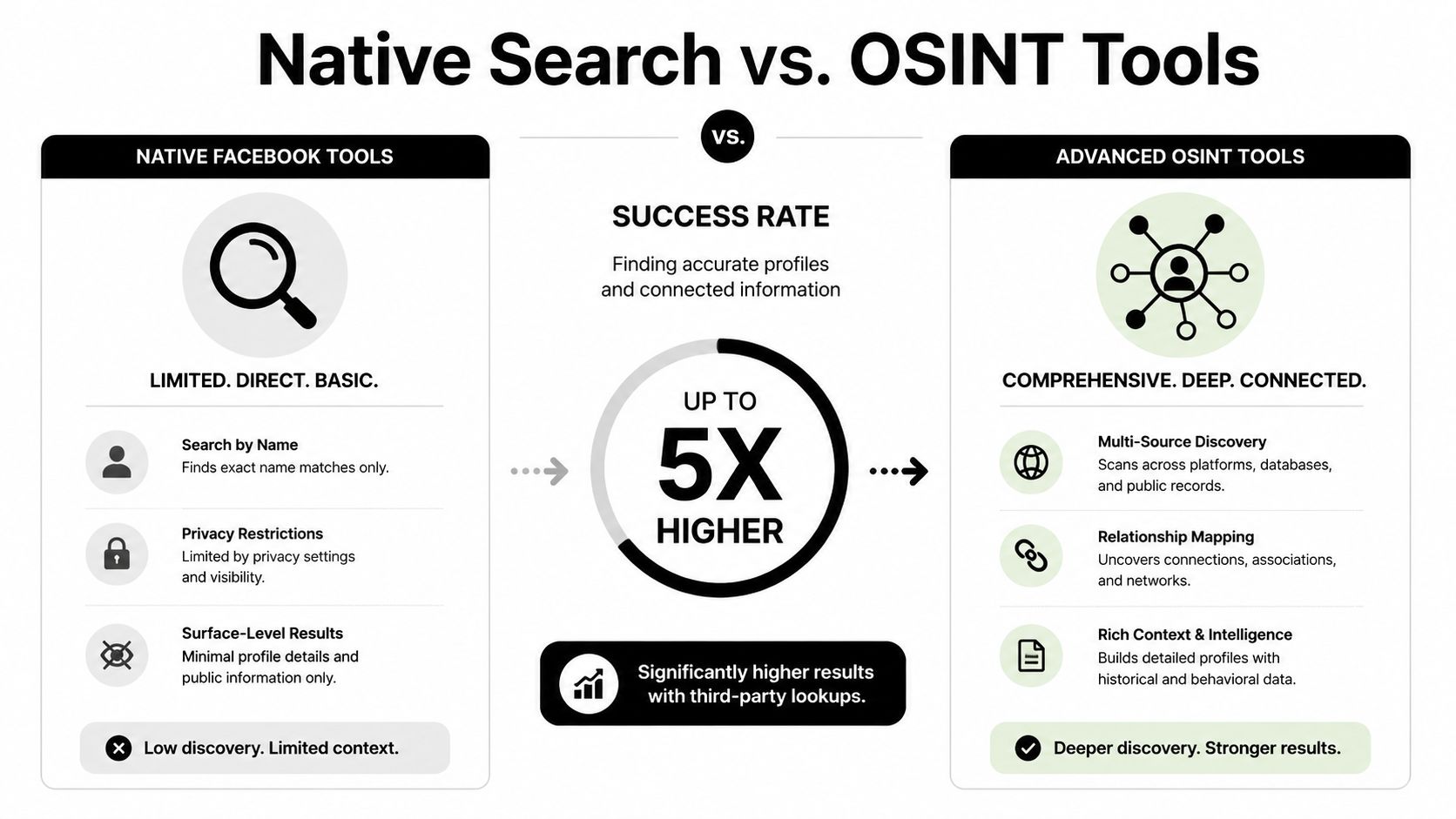
Manual Facebook review is still useful. I use it first because it is fast and gives context, such as profile photos, page activity, and public friends or work history. The limit is that Facebook only shows what that platform exposes to you, and many of the strongest identity signals now sit elsewhere.
A better OSINT check asks whether the same email leaves a consistent public pattern across platforms. That usually means checking for:
- Social profiles tied to the same identifier
- Public breach exposure or old data leaks that explain unusual results
- Usernames on forums, gaming platforms, or creator sites
- Shared location, employer, profile image, or naming patterns across accounts
One option for that broader review is Digital Footprint Check’s social profile finder, which looks for public account traces linked to an identifier across multiple platforms. That helps with verification and with self-audits. If you can find your own accounts this way, other people may be able to as well.
Manual Search vs. Multi-Platform OSINT
| Feature | Manual Facebook Search | Digital Footprint Check |
|---|---|---|
| Search scope | Limited to what Facebook shows publicly to you | Checks for broader public account and footprint connections across platforms |
| Best use case | Quick first-pass profile check | Multi-platform identity verification and privacy review |
| Data context | Mostly profile, page, group, and About-section clues | Wider digital footprint view tied to the identifier |
| Verification strength | Weak if Facebook returns little or outdated info | Better suited for cross-referencing findings from multiple sources |
| Speed at scale | Slow and repetitive | More efficient for repeated lookups and broader checks |
| Privacy value | Helps you spot what is visible on one platform | Helps you understand what’s exposed beyond one platform |
When a broader check makes sense
Use a wider OSINT workflow when the stakes are real and you need confirmation, not hints. That includes fraud screening, marketplace safety, contractor vetting, or checking what your own email reveals in public. Repeating the same Facebook search rarely improves a weak lead. Cross-checking other public sources often does.
There is a trade-off. Multi-platform tools save time and surface patterns that are hard to spot manually, but they also make it easier to over-collect and over-interpret. Good practice is simple: verify only what you need, match more than one signal before drawing a conclusion, and stop once the question is answered. If your work touches business pages, admin records can expose extra identity links too, which is one reason teams should review page access carefully with guides like how to add Facebook Page managers.
How to Stop Others From Finding Your Facebook via Email
If you’ve ever searched someone this way, assume someone may do the same to you. That isn’t paranoia. It’s basic digital hygiene.
The good news is that reducing your exposure is straightforward if you stay inside your own settings and account details.

Lock down searchability and clean up old contact details
Start with the setting that controls whether people can find you by email. Set it to the most restrictive option you’re comfortable with. Then review every email attached to the account. Remove old addresses you no longer use, especially ones that have appeared in older leaks or public business records.
Use this checklist:
- Restrict email lookup settings so strangers can’t search your profile by the email you provided.
- Remove legacy addresses that still point back to your identity.
- Review your About section for public contact fields, websites, and page links.
- Check business pages separately because page contact info often exposes more than personal profiles do.
- Audit who manages your page if you run one. For teams, clear admin structure matters, and this guide on how to add Facebook Page managers is useful for keeping access organized without sharing personal logins.
Think beyond Facebook settings
Your Facebook privacy may be solid while your broader footprint is not. A public Instagram bio, old forum account, or breached email can still help someone connect your identity. Privacy isn’t one switch. It’s a chain of small exposures.
The safest profile isn’t invisible. It’s intentional.
If you want to know what a stranger, recruiter, scammer, or casual searcher could piece together, run your own check before someone else does.
Try the free check from Digital Footprint Check to see what public accounts, exposure points, and identity clues may already be connected to your email. It’s a practical way to audit your online footprint, spot privacy risks early, and decide what to clean up next.