· Digital Footprint Check · Content Marketing · 14 min read
How Do I Find Someone by Email Address
Learn how do i find someone by email address with reverse lookup, search operators, social media pivots, breach checks, and ethical privacy tips
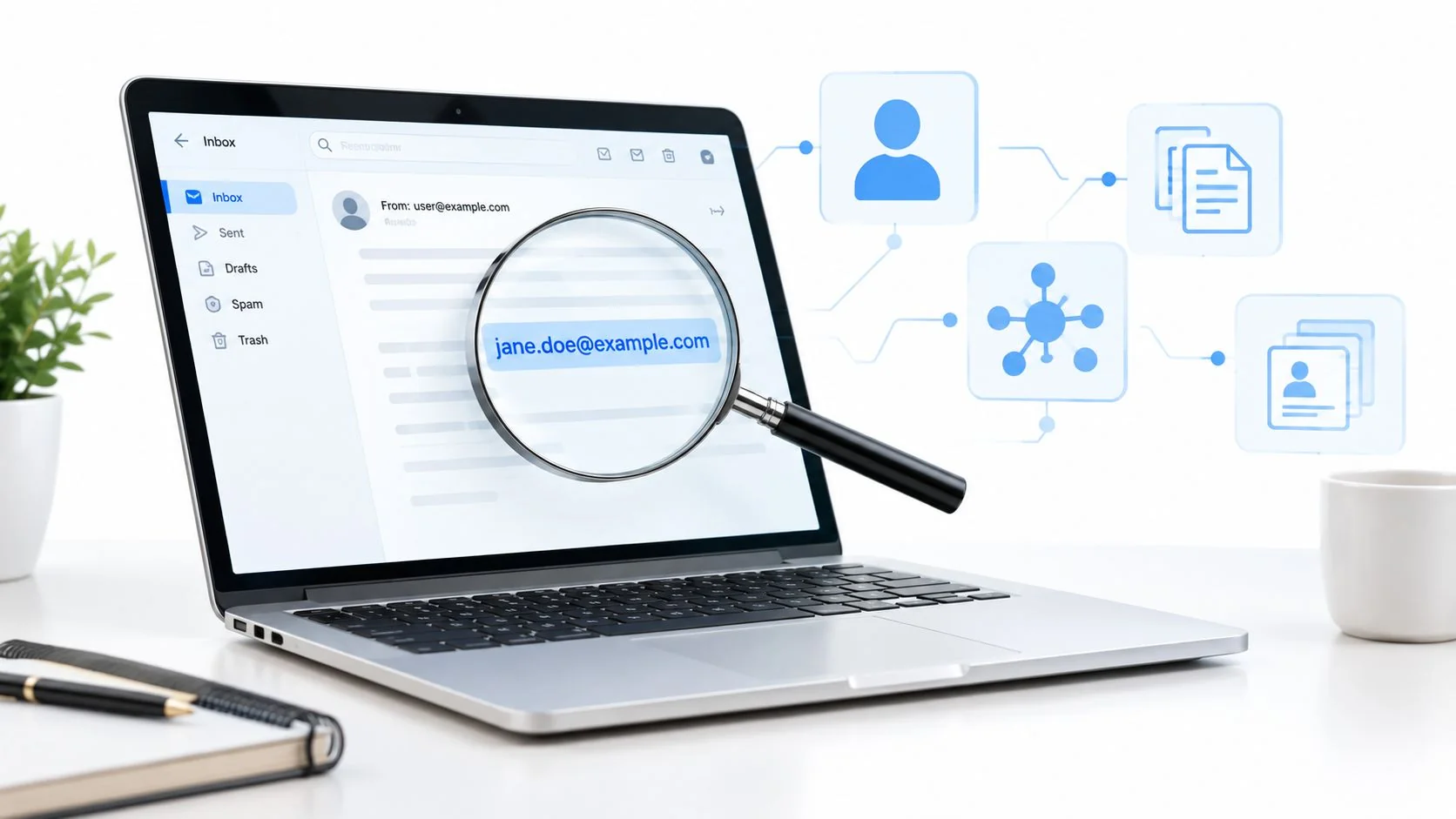
A freelance designer receives a job inquiry from a Gmail address with no surname, portfolio, or company signature. The sender wants to wire a deposit, but the message includes a link and asks for bank details. Before replying, the designer needs to know whether the address belongs to a real client, a recruiter working on someone else’s behalf, or a recurring advance-fee scammer.
That’s the practical meaning behind “how do I find someone by email address”. An email address can be a useful investigative pivot, but it’s rarely a complete identity by itself. It may lead to public profiles, usernames, documents, breach records, and domain information, yet every result still needs context and corroboration.
The right approach changes with the situation. Dating verification calls for personal-safety judgment. Hiring requires lawful, proportionate screening. Fraud triage prioritizes sender authenticity and financial risk. Reconnecting with an old contact may justify only a light public search. Threat assessment may require preserving evidence and involving the right authority rather than investigating alone.
This guide follows a practical workflow, from preparing the address and searching public traces to handling breach leads, recognizing shared inboxes, and knowing when the ethical answer is to stop.
When You Only Have an Email and Need a Real Identity
The designer starts with the address exactly as received. A quoted web search produces no useful result. A profile lookup returns an avatar associated with one name, while another service shows a different name tied to the same string. Neither result proves who wrote the message.
That uncertainty is normal. Email addresses are reused, forwarded, aliased, exposed in old databases, and sometimes controlled by teams instead of individuals. The address may belong to a company role, a temporary project, a disposable mailbox, or a person using separate identities for work and private life.
A careful search therefore asks a narrower question than “Who owns this email?” It asks, “What public evidence is associated with this address, and does that evidence consistently point to the person or organization involved in my situation?”
Typical reasons for starting a search include:
- Dating verification: Checking whether a person’s public story is consistent before meeting or sharing personal information.
- Recruiter or client due diligence: Confirming that a professional contact has a credible employer, portfolio, or business presence.
- Fraud triage: Comparing the sender’s identity claims with public company pages, domains, and known warning signs.
- Lost-contact reconnection: Finding a public route to someone you already know, without probing into private records.
- Threat assessment: Preserving messages and identifying safe escalation paths when communication becomes threatening.
A public-footprint search can help with the first layer of each problem. It shouldn’t become a pretext for collecting a home address, private phone number, health information, or details about relatives.
For a broader account-oriented starting point, use find all accounts linked to an email as one possible public-data check, then verify any result independently. The objective isn’t to force a name onto an address. It’s to determine whether the available evidence is consistent enough to support a proportionate next step.
Preparing Before You Search an Email
An email address can point in several directions, but it does not identify a person by itself. Prepare the search before opening lookup services. Otherwise, you may repeat the same queries, miss address variants, or reveal your own identity and browsing activity.
Normalize the address first
Check the syntax and domain, and preserve the original address exactly as received. Then record meaningful variants, including plus-addressing, dots, underscores, hyphens, obvious typos, and alternate domains.
For example, name+newsletter@gmail.com may route or filter mail differently from name@gmail.com. Search both forms, but do not assume every provider handles dots or plus tags identically. Aggregators index these versions inconsistently, so searching only one can create a false negative.
Separate role addresses from personal addresses. info@, support@, admin@, and press@ commonly represent a function or team rather than one employee. For these addresses, investigate the organization, website, staff pages, domain records, and public contact routes.
Record the domain category as well. A corporate domain can support an employer-related hypothesis, while a free mailbox offers less context. A disposable domain warrants caution, but it does not establish fraud.
Define purpose and exposure
Write one sentence that states why you are searching. “I need to verify whether this prospective client represents the company named in the message” sets a defensible boundary. “I want to know everything about this person” does not.
The purpose determines what information is proportionate. Dating safety, hiring, suspected fraud, and reconnecting with someone require different limits. Without consent, stay with information that is clearly public and directly relevant to the immediate decision.
Use an isolated browser profile for research. For outbound contact, consider a separate account that does not expose your personal address, workplace, bookmarks, or browsing history. Do not click links in a suspicious message merely to collect more evidence.
Keep an evidence log:
- Source: The exact page, service, or message where the result appeared.
- Timestamp: When you observed it.
- Claim: What the source appears to show.
- Confidence: Whether it is a lead, corroboration, or contradiction.
- Action: Whether you will verify, contact, escalate, or stop.
Practical rule: A matching name is a clue. A matching email, username, current profile, and consistent context create a stronger hypothesis, but they still require independent corroboration.
An email remains a useful investigative pivot because account-creation systems often require an address that can receive confirmation messages. People also reuse, forward, or alias addresses across services, leaving possible traces in public profiles, Git commit metadata, PDF author fields, domain-registration records, forum posts, and exposed datasets. These traces generate leads, not proof of ownership.
The scale of exposure is substantial. Surfshark’s breach-monitoring dataset reports about 23.8 billion breached accounts since 2004, including roughly 7.9 billion unique email addresses, with an average of 2.5 additional data points appearing alongside each email address, according to the breach-monitoring research cited earlier.
Email works as an anchor because it travels across systems, not because it stays private. That portability can reveal useful connections, while the same exposure makes your own address worth checking. A defensive email hacked check can indicate whether an address appeared in known breach exposure. Treat that result as a lead about exposure, not confirmation that a current account is compromised.
The Core Reverse Email Lookup Workflow
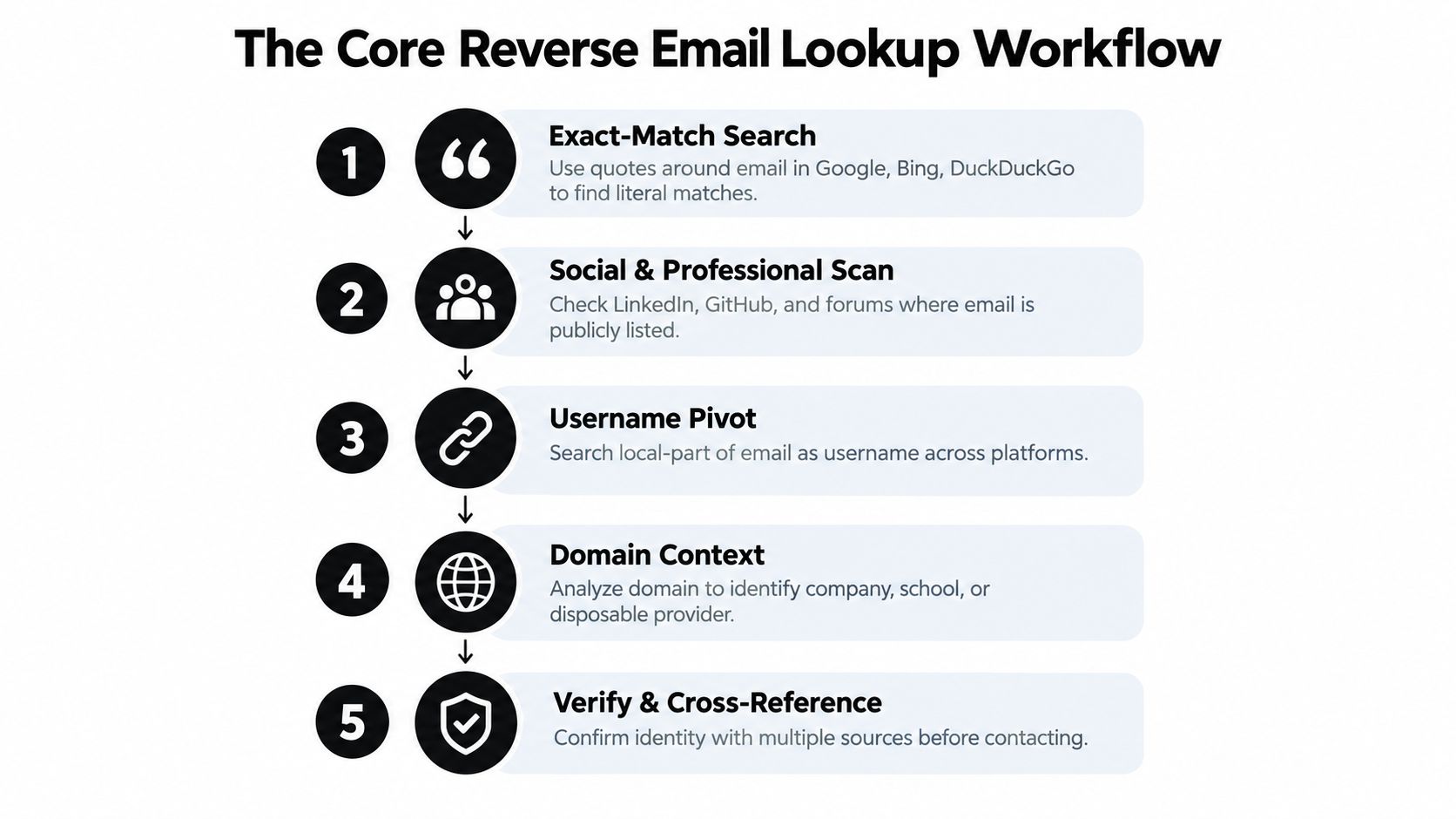
Run the public search from broadest to narrowest, saving each useful result as you go.
Start with literal matches
Put the complete address in quotation marks and search Google, Bing, and DuckDuckGo. This can surface public bios, forum registrations, author pages, PDFs, support threads, or old profile pages that print the address directly.
Next, check public profile aggregators such as Gravatar and About.me. Legacy Skype references may appear in older material, but availability and coverage vary. An avatar can provide a useful pivot, especially when you run it through a reverse-image search, but a reused image still isn’t identity confirmation.
Expand through usernames and documents
Strip the local part before the @ and search it as a username. Then check public usernames with services such as Namechk, and inspect relevant social or professional pages. GitHub commit metadata can connect a public email to a name, but confirm that the commit belongs to the same person rather than a copied configuration or shared account.
Search public Pastebin pages, Google Docs, and PDF indexes for document mentions. Look for consistency in names, employers, locations, writing style, and dates. A useful chain might begin with a Gravatar avatar, continue through a Namechk username match, and end with GitHub commit history that independently matches a public name and employer.
The reverse email lookup workflow is strongest when every pivot is recorded with its source and timestamp.
A short visual walkthrough can help reinforce the order of operations:
Free Versus Paid Lookup Paths Compared
Free research is usually the right first move because it lets you understand the address before sharing it with a commercial provider. Exact-match searches, Gravatar, public social pages, WHOIS records for corporate domains, and username enumeration can reveal enough context for a scam check or a cautious reconnection.
Paid tools can consolidate information that would otherwise be scattered. People-finder services such as Spokeo, BeenVerified, Pipl, and Intelius may present broader reports, while commercial data providers such as Hunter.io and Clearbit focus more on professional or business information. Those reports can be useful leads, but they may contain stale, copied, or incorrectly merged data.
| Approach | Cost | Best For | Limitations |
|---|---|---|---|
| Exact-match web search | Free | Public mentions, documents, and profiles | Misses private pages and unindexed content |
| Public profile and username checks | Free | Dating safety, reconnecting, and basic identity context | Coverage varies by platform and privacy settings |
| Domain and WHOIS research | Free or limited | Corporate contacts and organization context | Privacy protection can hide registrant details |
| People-finder reports | Paid | Broader lead generation and identity pivots | Data may be stale, merged, or disproportionate to the purpose |
| B2B data services | Paid | Professional outreach and company verification | May process personal data and require responsible handling |
A paid report shouldn’t decide a hiring outcome, relationship decision, or fraud accusation by itself. Follow data-security principles such as those discussed in Steel City IT’s guidance on data security, especially when a service asks you to submit personal identifiers or stores lookup activity.
Choose the path according to the question. A scam check often needs sender verification and public company corroboration. Dating safety calls for a limited, consent-aware search. HR screening requires a documented lawful process. Reconnecting with an old contact usually doesn’t justify a dossier. A curated list of people-finder websites can help compare options, but treat every provider’s output as a lead rather than a verdict.
Pivoting Through Breaches and Data Leak Records
An email search may return three different names across three services. That does not establish three people. The results can reflect an old breach, a shared mailbox, reused credentials, a merged commercial record, or an address that changed hands.
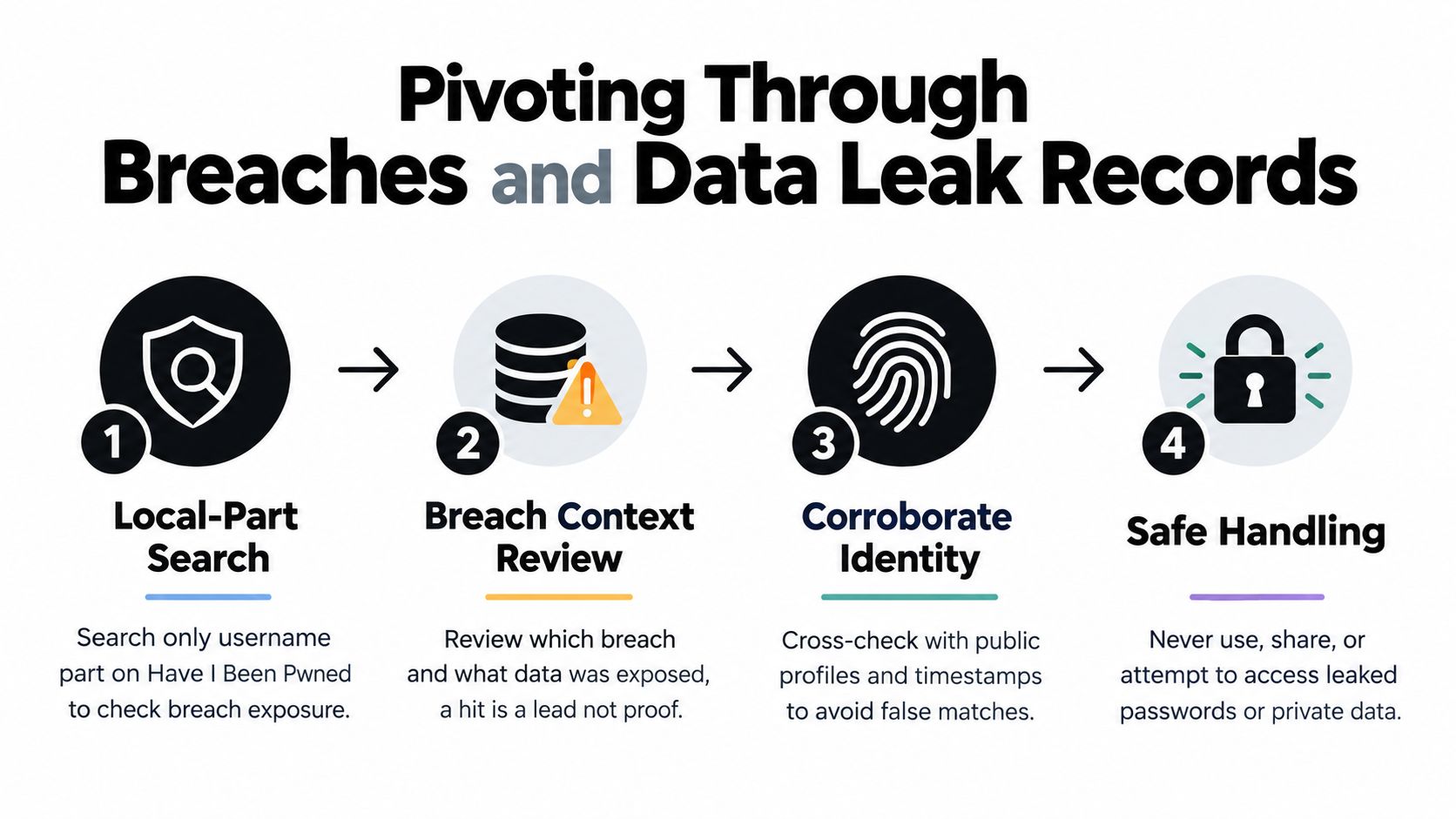
Breach records can support exposure checks and investigative pivots, but a breach hit is not proof of current ownership. Surfshark’s breach-monitoring research records a large historical volume of exposed data points and shows how rapidly searchable breach records can grow. Treat those figures as context for the scale of exposure, not as evidence that a particular person currently controls the mailbox.
Use exposure as a lead
For personal defensive verification, check whether the address appears in reputable breach-notification services such as Have I Been Pwned. Commercial services including DeHashed may offer broader searches, but review their terms, collection practices, and treatment of sensitive data before submitting an address.
Avoid leak forums, Telegram channels, and unknown combolists as casual research sources. They can expose you to malware, phishing, stolen credentials, and unlawful material. Never test leaked passwords, access private accounts, or download sensitive records. Record only the minimum context needed, such as the breach name, approximate age of the record, and category of exposed data.
XposedOrNot reports 779 cataloged breaches, with every listed breach containing email addresses, and says 75% paired email with three or more other data types. Its email exposure analysis explains why email often serves as the anchor field. The result still describes a record, not necessarily a person.
Test the one-address assumption
Interpret the address type before assigning a name:
- Role inboxes:
info@,support@, andpress@may rotate among staff. Check whether the organization presents the address as a department, then treat the organization as the subject. - Forwarding aliases: One alias may deliver to several people. Multiple unrelated public profiles, inconsistent signatures, or different response names should keep the identity unresolved.
- Plus-addressing: Strip the plus tag and search both the tagged and base forms. A
name+newsletteraddress may be only an inbox filter, not a separate identity. - Disposable mailboxes: Short-lived addresses may serve signups, scams, testing, or temporary projects. Compare the apparent first-seen context with the dates of public activity.
For role accounts, a harmless bounce or delivery check may indicate whether the address is active. Do not send deceptive messages or pressure a team to reveal private information. Public domain records and company pages can clarify the setting for corporate addresses. Before assigning an address to one person, check whether it resolves to multiple unrelated profiles on LinkedIn or GitHub.
Test a breach hypothesis against two independent public sources. A leaked username that also appears in a public GitHub commit is more informative than either result alone. A leaked name matching a current LinkedIn profile photo may support the same hypothesis, provided the records are not copied from one another and their dates align.
The email breach lookup can help identify exposure associated with an address. Keep the conclusion narrow. A shared mailbox may point to a department, company, or alias, rather than an individual. Stop when the remaining steps would require deception, access to private accounts, or collection of sensitive records.
Legal and Ethical Lines You Should Not Cross
A legitimate verification question can become invasive without a clear stopping rule. Searching a public company bio to confirm a client’s business identity is materially different from pursuing a home address, financial information, health status, sexual orientation, political affiliation, union membership, or a minor’s identity.
When an email context reveals sensitive categories such as religion, health, or politics, the ethics become stricter. One reverse-lookup ethics guide notes that explicit consent is required under GDPR Article 9 when the lookup exposes such sensitive categories. Read the guidance on privacy and ethics in reverse email lookup and get jurisdiction-specific legal advice when necessary.
Four purposes can sometimes justify a limited search:
- Safety: Check public inconsistencies before meeting someone, while avoiding private-location research.
- Fraud prevention: Verify a sender’s domain, employer, and message context before sending money or credentials.
- Professional due diligence: Use a documented, lawful process relevant to the role, with appropriate notice where required.
- Incident response: Preserve messages and provide evidence to a security team, platform, regulator, or law-enforcement agency.
Curiosity, grudges, romantic obsession, and informal debt chasing rarely justify escalating a search. Scraping behind logins, bypassing captchas, evading access controls, or trying credentials found in a leak can violate platform rules and computer-misuse laws in several jurisdictions. If the search requires hacking, impersonation, harassment, or social engineering, stop.
Read evidence like an analyst
Suppose a breach record shows a name, a public LinkedIn handle matches the email’s username, and a domain WHOIS line connects the address to the same business. That is meaningful correlation, especially if the sources have different origins and current dates.
Now suppose the name and handle align, but the public profile operates in a time zone that conflicts with the person’s claimed location and the old breach record is the only name evidence. The mismatch may defeat the identification. Don’t resolve contradictions by collecting more sensitive data. Record the conflict and reduce confidence.
Use four habits:
- Require independent sources: Aim for at least two sources that weren’t copied from each other.
- Weight provenance: A first-party company page carries different evidentiary value from an anonymous aggregator.
- Check freshness: An old breach can explain historical use without proving current ownership.
- Write a confidence statement: Label the result high, medium, low, or contradicted before acting.
A username match is a hypothesis. A current public profile matching the username, employer, city, and writing context is closer to confirmation, but it still isn’t automatically suitable for every purpose.
Stop rule: If the only reason to keep searching is curiosity, stop the search.
For threats, stalking, suspected coercion, or domestic abuse, preserve the original messages and seek help from law enforcement, a licensed investigator, HR, a platform safety team, or a domestic-violence advocate. Don’t confront a dangerous person with your findings or reveal that you’ve been tracing them.
Commercial reverse-email services also create privacy obligations of their own. One provider’s privacy policy states that it processes submitted email addresses to return linked B2B data and logs lookup requests with IP addresses and timestamps. Review the provider’s privacy policy before submitting an address, particularly when the lookup concerns someone else.
Practical Checklist and Protecting Your Own Address
Use this ten-step checklist before you act:
- Confirm the purpose: Keep the search relevant and proportionate.
- Validate the address: Check syntax, domain, and obvious typos.
- Capture variants: Record plus-tags, dots, underscores, and aliases.
- Run exact-match searches: Find public pages that print the address.
- Pivot by username: Search the local part across public platforms.
- Cross-check profiles: Compare names, avatars, employers, dates, and context.
- Review breach exposure: Treat every hit as historical evidence or a lead.
- Require two independent sources: Avoid trusting copied aggregator data.
- Score confidence: Mark the result high, medium, low, or contradicted.
- Choose an action: Act, escalate, request consent, or stop.
Protect your own address with the same discipline. Use a distinct alias for sensitive services, plus-addressing for segmentation, and removal requests where data brokers expose information. Monitor breach exposure through a reputable service, and keep personal signups out of your work inbox. The less one address connects across your life, the less useful it becomes as a universal identity pivot.
Digital Footprint Check can help you audit linked public profiles and breach exposure associated with an email address. Visit Digital Footprint Check to run a privacy-focused check, review what your address may reveal, and decide which exposed accounts or traces deserve protection.