· Digital Footprint Check · Content Marketing · 13 min read
How to Block Spam Across Email, Calls, Sms, and Social Apps
Discover how to block spam in email, calls, SMS, and social apps with step-by-step guides, privacy settings, and monitoring tools.
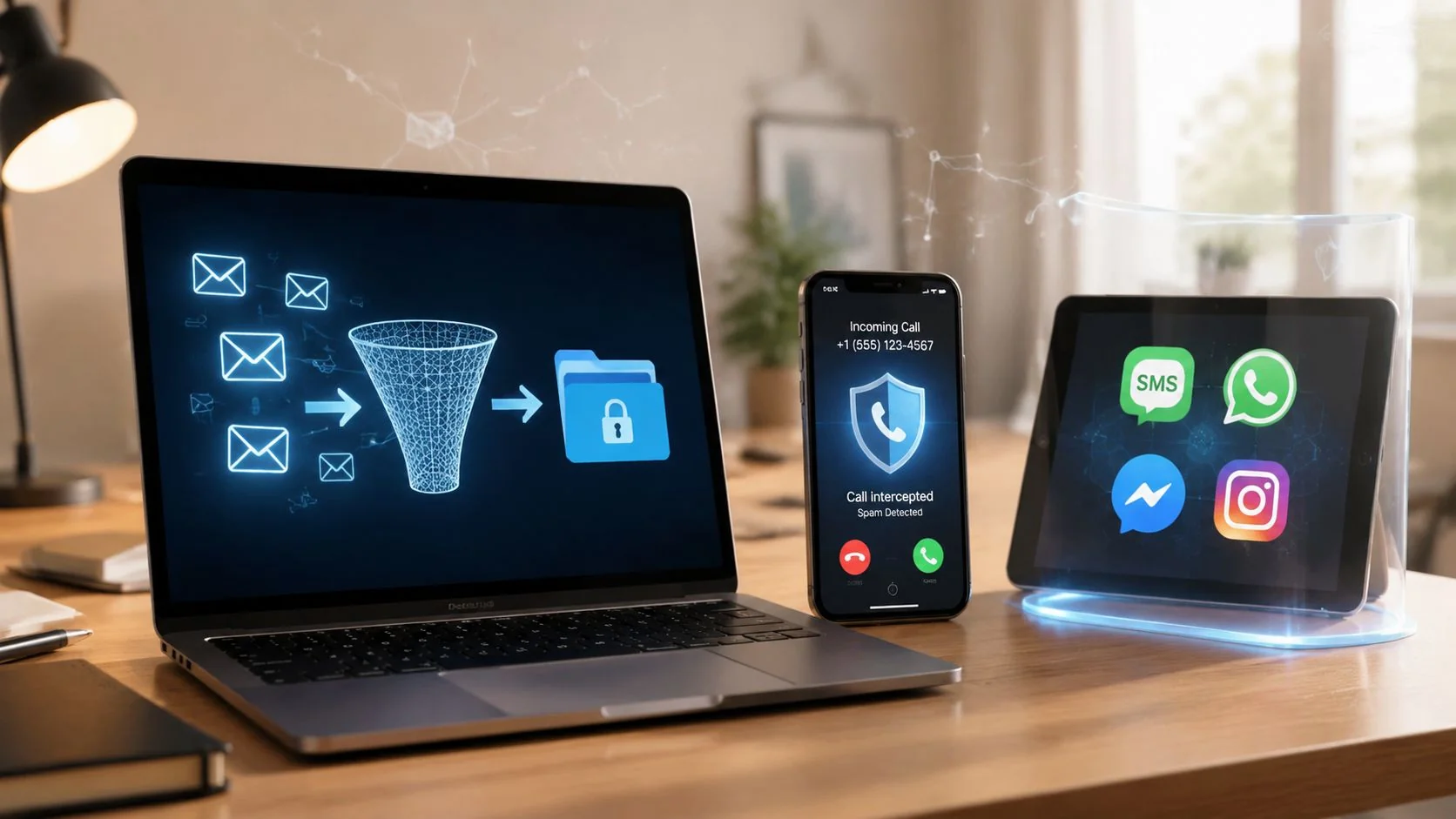
Your inbox has junk. Your phone rings from numbers that look local. A text claims a package is waiting. A stranger sends a DM with a shortened link. It's common to treat those as separate annoyances. They aren't.
Spam is usually one problem with multiple delivery methods. Once your email, phone number, username, or social profile gets exposed, attackers reuse that data everywhere they can. That matters for privacy, identity theft prevention, gaming account security, dating app safety, job prospects, and plain day-to-day sanity. If you want to learn how to block spam in a way that lasts, you need filtering, reporting, and better data hygiene working together.
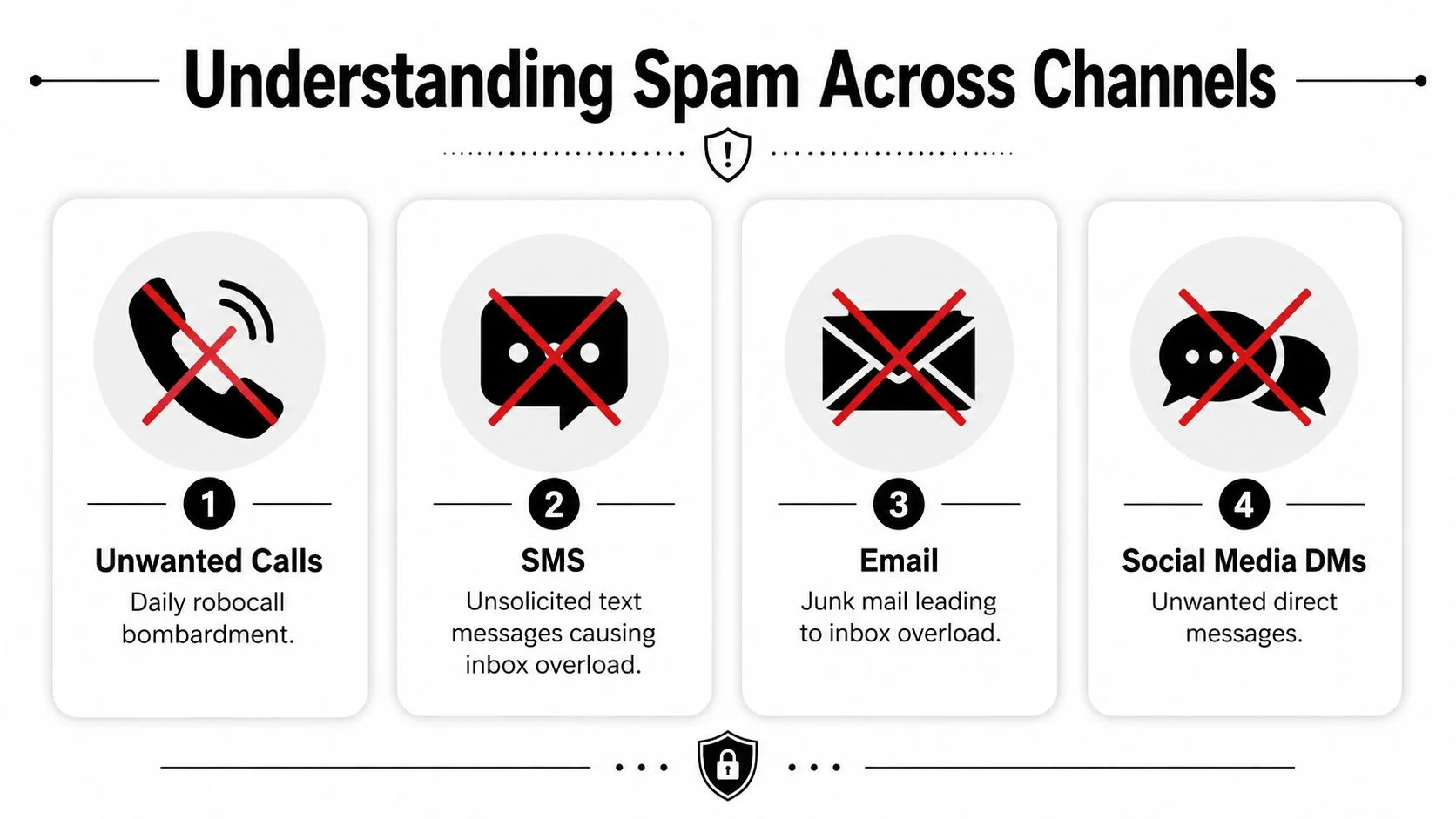
Understanding Spam Across Channels
Spam doesn't stay in one lane anymore. A leaked email can trigger phishing messages. The same breach can expose a phone number that starts attracting robocalls and SMS scams. A reused username can invite spam on gaming platforms, social apps, and professional networks.
That overlap is why simple sender-by-sender blocking feels ineffective. Attackers rotate domains, spoof caller ID, and create new accounts faster than individuals can react. Email remains the biggest volume problem. Globally, email spam accounts for approximately 45% of all email traffic, with 3.3 billion spam messages sent daily in 2024 according to this spam email analysis.
Why single-channel blocking fails
If someone only blocks a spam email address, the next message may come from a different domain. If they block one robocall number, the next call may arrive from a nearby variation. If they lock down Facebook but leave Instagram or LinkedIn open, spammers move sideways.
A better way to think about it is exposure mapping. Ask:
- What data is public and easy to collect
- Which account identifiers repeat across platforms
- Where attackers found you first, such as a breach, public profile, or scraped website mention
For businesses and creators, public contact pages can add another layer. If you want to understand how widely emails can be harvested from the open web, this guide to website email extraction is useful context because it shows how exposed addresses become easy targets.
Spam gets easier for attackers when your contact data is visible in more than one place.
The root issue is exposure
Most spam guides stay at the interface level. Tap block. Mark as junk. Delete the message. Those steps matter, but they don't explain why the attacks keep coming back.
Your digital footprint is usually the missing piece. Public records, old forum accounts, gaming handles, breached credentials, and social profiles all create paths back to you. If you need a baseline on how that works, this overview of what a digital footprint is helps connect the dots.
Strengthening Email Defenses and Using Aliases
Email is where spam is often first noticed, but it's also where you can build the strongest layered defense. Good filtering catches junk. Domain authentication stops spoofing. Aliases reduce the damage when one address gets burned.
Start with mailbox rules that do real work
Most inboxes already have decent defaults. The problem is that people stop there.
In Gmail, create filters for recurring patterns, not just specific senders. Filter by domain fragments, suspicious subject lines, or messages sent to older addresses you only use for signups. Route those to spam, trash, or a review folder. If a shopping alias starts getting junk, archive it away from your main inbox instead of letting it mix with personal mail.
In Outlook, use the built-in blocked sender controls for persistent junk. Outlook treats that list aggressively. Adding a sender or domain to Blocked Senders keeps future messages from reaching the inbox, and you can reverse that choice later from the Junk Email settings, as explained in Kaspersky's Outlook spam guidance.
Yahoo and similar providers usually offer filters based on sender, subject, and keyword. Keep those rules narrow at first. Overly broad rules can hide legitimate password resets, recruiter emails, or account alerts.
Use authentication if you control a domain
If you run a personal domain, a family domain, or a small business domain, mailbox rules aren't enough. You also need SPF, DKIM, and DMARC configured correctly. Implementing DMARC, SPF, and DKIM reduces spoofed email delivery by 92%, according to Google Postmaster Tools data, as summarized in this domain-level spam mitigation article.
That matters for more than convenience. Spoofed email can damage your reputation, interfere with hiring outreach, hurt customer trust, and create openings for identity theft.
A practical rollout looks like this:
- Begin with observation. Start DMARC in monitoring mode so you can see who is sending mail that claims to be from your domain.
- Review reports before enforcement. Legitimate tools often get missed, especially marketing platforms and CRM systems.
- Tighten gradually. Move from monitoring to quarantine, then to reject after you've verified authorized senders.
Practical rule: Don't enforce DMARC before you inventory every service that sends mail on your behalf.
If you want a broader checklist for keeping accounts and mailboxes safer, this guide to email security best practices is worth keeping handy.
Aliases beat cleanup after the fact
Aliases are one of the most underused defenses in personal privacy and account security. Instead of giving the same primary address to every retailer, game publisher, newsletter, and dating app, separate them.
Here's a simple model that works:
| Use case | Better address strategy | Why it helps |
|---|---|---|
| Banking and legal notices | Primary private address | Keep critical mail isolated |
| Shopping and coupons | Dedicated alias | Easier to mute or replace |
| Gaming accounts | Separate gamer alias | Limits spillover into personal mail |
| Dating apps and temporary signups | Burner or disposable alias | Reduces long-term exposure |
| Job search | Professional alias | Protects reputation and keeps recruiter mail clean |
Aliases also help with attribution. If one alias starts receiving junk, you learn which service likely leaked, sold, or mishandled your data.
What works and what doesn't
What works:
- Marking spam consistently so providers improve filtering
- Blocking domains when junk comes from the same source family
- Separating signups with aliases before exposure spreads
- Auditing rules monthly so false positives don't pile up
What doesn't:
- Unsubscribing from obvious phishing mail
- Using one address everywhere
- Relying on inbox search after the damage is done
- Ignoring old accounts tied to forums, gaming clans, and abandoned subscriptions
Blocking Calls and SMS Effectively
Phone spam is harder emotionally because it interrupts you in real time. It also creates urgency fast. A fake bank alert by text or a spoofed support call can push people into bad decisions before they've had time to think.
Built-in tools should be your baseline
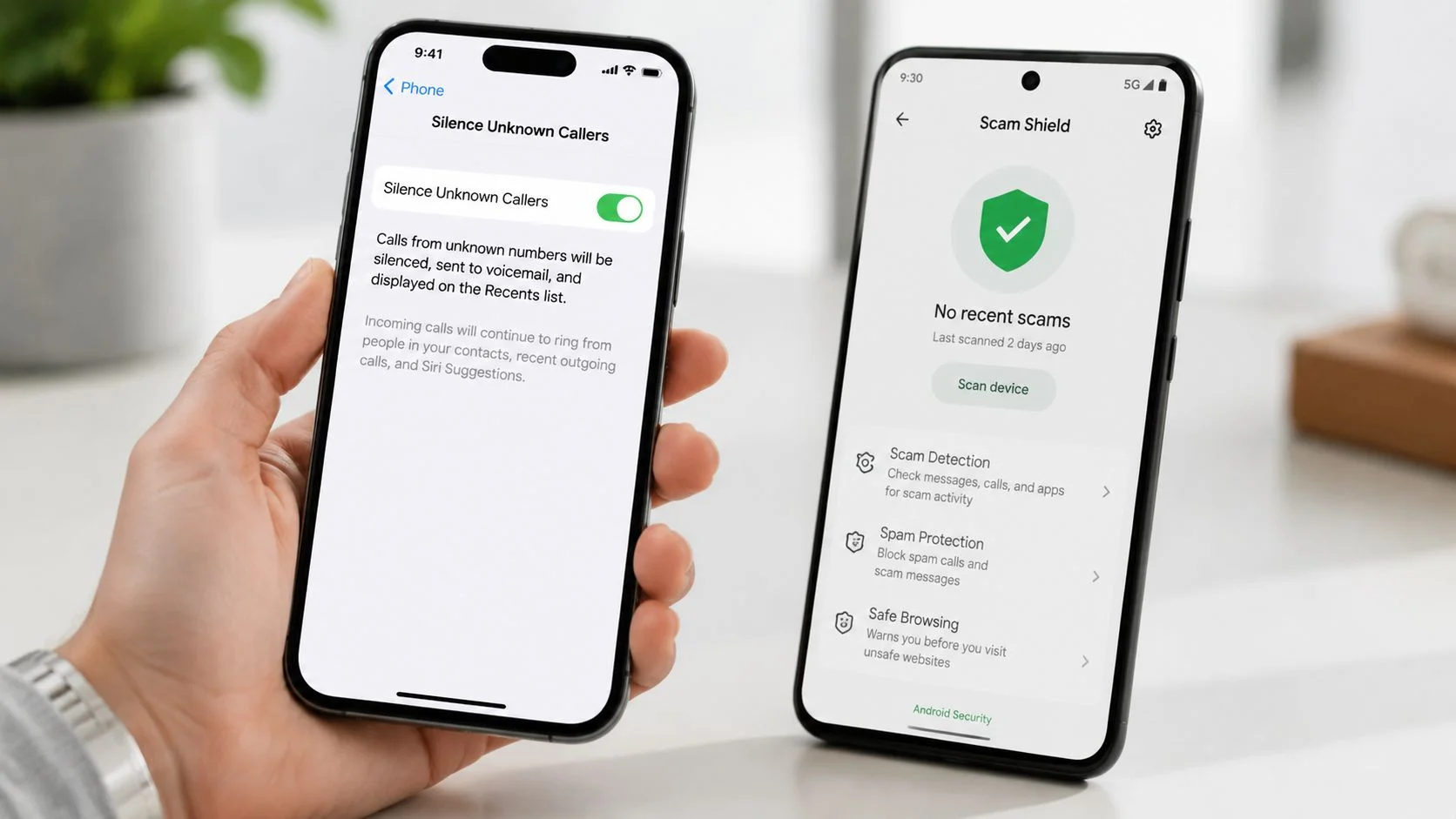
On iPhone, enable call silencing for unknown or junk callers in Phone settings. In Messages, turn on filtering for unknown senders so random texts don't sit beside legitimate conversations.
On Android, open the Phone app and enable caller ID and spam protection. In Google Messages, turn on spam protection and report junk texts instead of replying.
Those controls help, but they don't solve spoofing. 70% of robocalls use number spoofing that changes slightly with each dial, meaning static block lists alone stop less than 30% of spam calls, according to RingCentral's analysis of spam call blocking.
Pattern-based blocking matters
A common tactic is number neighboring. You block one call from a local-looking number, then the next one arrives from a nearly identical number. That's why people feel like blocking never works.
Use this decision model:
- If calls come from one obvious repeat number, block it manually.
- If calls come from slight variations, rely more on carrier filtering and spam detection than manual blocks.
- If texts repeat the same lure, report and delete them. Don't answer, even with “stop.”
- If the pattern matches a known scam campaign, document it and check scam-specific references such as this breakdown of 877 area code scams.
Don't judge your phone defenses by whether they stop every call. Judge them by whether dangerous calls still reach your attention.
A practical routine
Use a short routine instead of constant tinkering:
- Enable filtering first on the device and with your carrier
- Send spam texts to 7726 if your carrier supports it
- Block only persistent repeat sources
- Review recent calls weekly for obvious spoofing patterns
- Keep voicemail active so legitimate unknown callers can still reach you
The trade-off is simple. Aggressive filtering lowers noise, but it can also silence some legitimate first-time callers such as recruiters, delivery drivers, or schools. Generally, that's still a better risk than answering every unknown call.
Securing Social and Messaging Privacy
Spam in social apps looks casual, but it often serves the same end as email phishing. The attacker wants a click, a reply, a profile view, or enough trust to move the conversation elsewhere. That matters on Facebook, Instagram, LinkedIn, WhatsApp, Telegram, dating apps, and gaming chat platforms.
Tighten who can find and contact you
The best privacy setting is usually the one that reduces unsolicited reach. Start with discoverability.
On Facebook, limit who can send friend requests, who can look you up by email or phone, and who can see your friends list. On Instagram, review message request controls and hide your activity status if you don't need it. On LinkedIn, be careful with public profile visibility if you're job hunting, because open contact data can invite both recruiter outreach and spam.
For a broader walkthrough, keep this guide to social media privacy settings bookmarked.
Platform-by-platform controls that matter
Try this checklist:
- WhatsApp. Restrict profile photo, about info, and status visibility to contacts. Silence unknown callers if that option is available in your version.
- Telegram. Limit who can add you to groups and who can see your phone number.
- Instagram. Turn on Hidden Words for message requests and comments if you're getting repetitive junk.
- LinkedIn. Reduce public profile fields if strangers keep using your work history to craft believable pitches.
Short privacy reviews matter on dating and gaming platforms too. Public usernames, open friend lists, and visible activity windows can create a path for catfishing, romance scams, account takeover attempts, and reputation issues that spill into real life.
Blocking is useful, but profile hardening is better
Many individuals block only after a bad message arrives. A better sequence is:
- Lower discoverability
- Restrict inbound messages
- Enable two-factor authentication
- Block and report repeat offenders
If TikTok is one of the platforms attracting junk, this step-by-step guide on how to block users on TikTok is a practical reference for cleaning up repeat contact.
A scammer doesn't need access to your whole profile. One visible email, one public handle, or one trusted-looking mutual connection is often enough.
The trade-off here is visibility. Open profiles help networking, dating, and audience growth. They also give attackers context they can weaponize. If you need public presence for work, keep the public-facing account lean and move private communication to separate channels.
Reporting Spam and Leveraging Legal Tools
Blocking protects you. Reporting improves the system around you. Carriers, mailbox providers, and regulators can't act on patterns they never see.
Consumers received 4.3 billion spam and robocalls in Q1 2024, prompting FCC enforcement of SHAKEN/STIR to authenticate caller IDs and reduce spoofing by up to 90%, according to Community Phone's spam call statistics summary. That doesn't mean every bad call disappears. It means authentication gives carriers a stronger way to flag and challenge spoofed traffic.
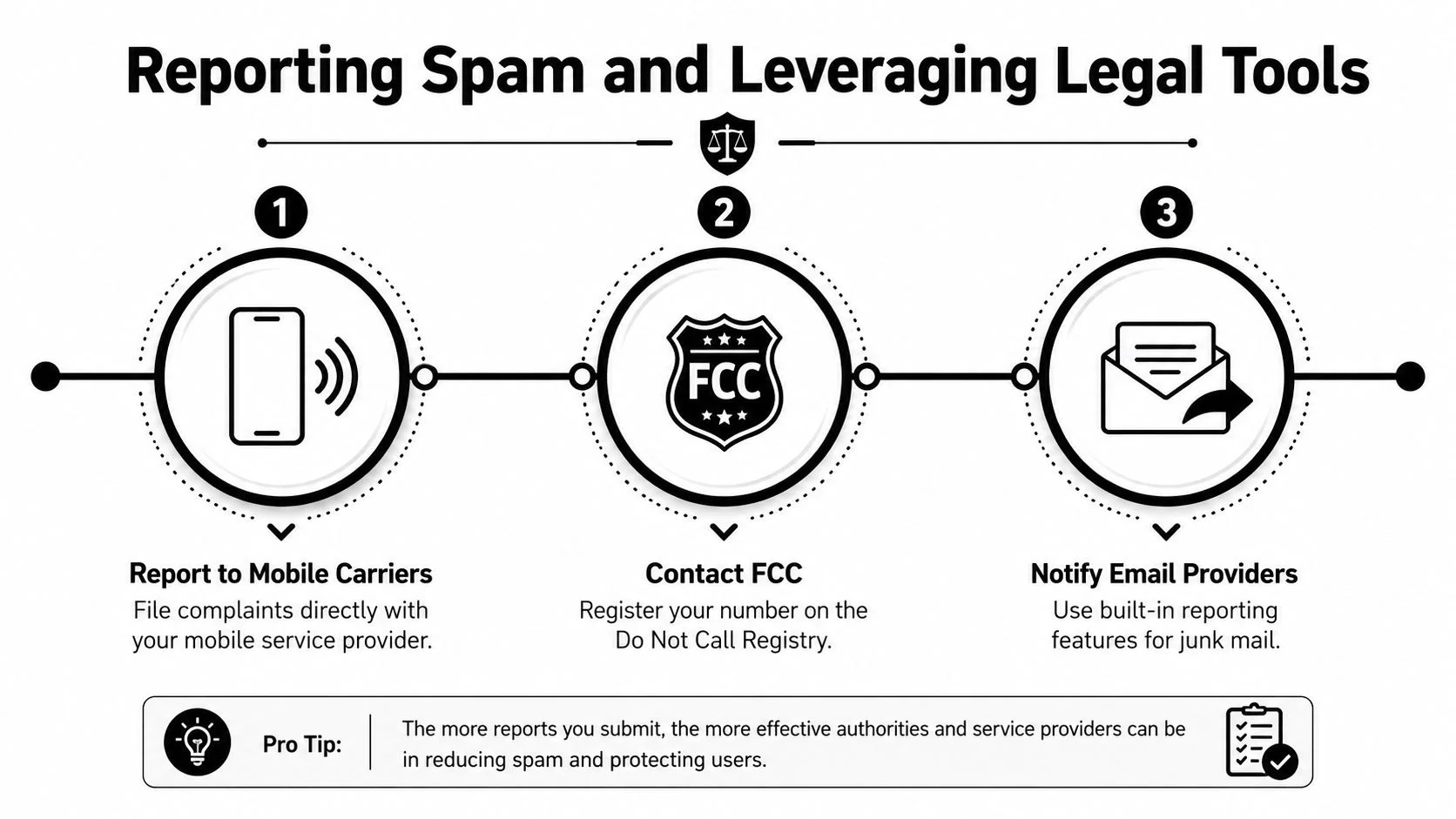
Where to report each type of spam
Use the native report tools first. They're faster than commonly assumed.
| Spam type | Best first report path | Why it helps |
|---|---|---|
| Email phishing | Report spam or phishing in your provider | Trains provider filters |
| Spam text | Forward to carrier or mark as spam | Improves SMS filtering |
| Robocall | Carrier app or call log report option | Adds number and pattern intelligence |
| Repeat call abuse | FCC and Do Not Call complaint channels | Supports broader enforcement |
| Social spam | In-app report and block | Removes accounts and flags behavior |
Reporting habits that are worth keeping
A few habits make reports more useful:
- Keep screenshots of texts, DMs, or caller details before deleting
- Don't engage first just to gather proof
- Use built-in phishing reports instead of only deleting messages
- Escalate repeat patterns to your carrier or regulator when the same scam theme keeps showing up
Why SHAKEN and STIR matter
SHAKEN/STIR is a caller authentication framework. In plain terms, it helps carriers verify whether a call is really coming from the number it claims to be from. That matters because spoofing is what makes scam calls look local, official, or familiar.
It's not a magic shield. Attackers adapt. Some calls still get through, and not every nuisance call is blocked. But authenticated calling makes it easier for carriers to identify bad traffic and label it earlier.
Reporting one spam event feels small. Reporting repeated patterns gives carriers and providers something actionable.
Practicing Data Hygiene and Monitoring Your Digital Footprint
If spam keeps returning after you filter, block, and report it, the source problem usually isn't your phone or inbox. It's your exposed data.
Over 60% of spam volume targets users whose emails have appeared in breach databases, making proactive discovery and scrubbing of exposed addresses critical, according to FTC-linked guidance summarized here. Once an address is exposed, attackers can rotate domains, spoof senders, and keep testing new lures against the same person.
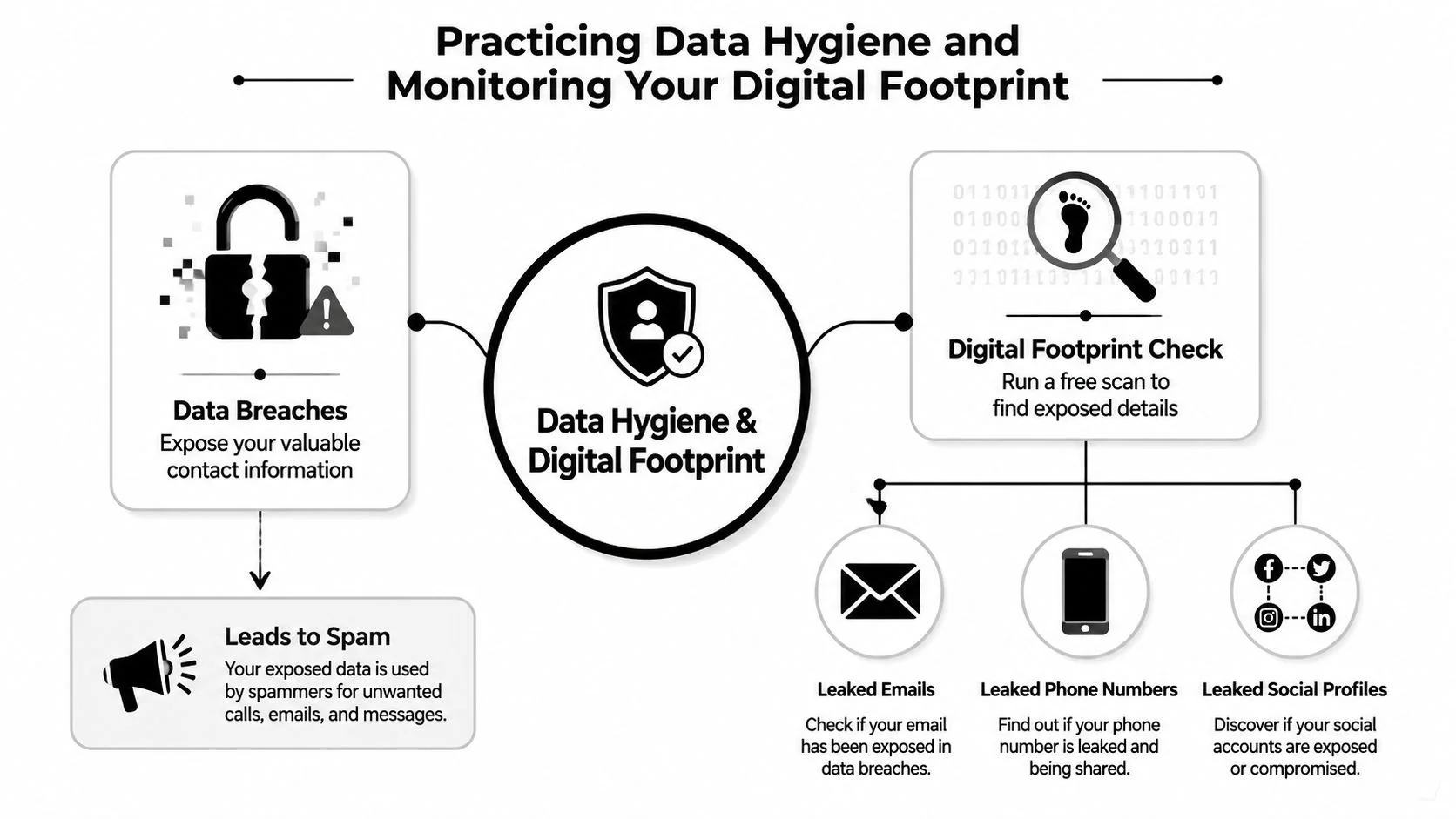
Audit what's exposed
Start with an inventory. Check which email addresses, phone numbers, usernames, and social handles you've used over time. Include:
- Current primary email
- Old school or work addresses
- Gaming aliases
- Dating app usernames
- Public-facing business or creator accounts
- Phone numbers tied to old registrations
Then look for where they appear publicly. People are often surprised by old forum profiles, cached bios, breached signups, marketplace listings, and abandoned social accounts.
A useful starting point is a dedicated digital footprint check so you can see what data is circulating before you try to clean it up.
Scrub and separate
Once you know what's exposed, take action in this order:
- Change passwords on affected accounts, especially if an exposed email is still active.
- Turn on two-factor authentication for email, social, gaming, and finance-related services.
- Remove or reduce public contact details on old profiles and business listings where possible.
- Retire burned addresses from non-essential use and shift signups to aliases.
- Watch for impersonation on social and professional networks if the spam becomes personalized.
Spam prevention intersects with identity protection and reputation management. A leaked address doesn't just create inbox clutter. It can expose job seekers to fake recruiter messages, gamers to account recovery scams, and people on dating apps to targeted catfishing or romance fraud.
Set a monitoring rhythm
Data hygiene isn't a one-time cleanup. Use a recurring schedule.
- Monthly. Review aliases, spam rules, and public profiles.
- After any breach notice. Change credentials and check where else that email appears.
- Before major life changes. Audit your footprint before a job search, public launch, new dating profile, or high-value gaming purchase.
- After unusual spam spikes. Treat a sudden increase as a sign that a data point may have resurfaced.
Clean filters manage symptoms. Clean data reduces the attack surface.
If you've been searching for how to block spam and nothing seems to stick, this is usually the missing layer. Attackers don't need the exact same channel every time. They just need the same exposed identity.
Final Tips and Next Steps
The most effective spam defense is layered. Filter what you can. Block what repeats. Report what looks malicious. Reduce what's publicly exposed.
Keep the practical order straight:
- Harden email first with rules, aliases, and domain authentication if you control a domain
- Turn on phone and SMS filtering before wasting time on endless manual blocks
- Lock down social messaging settings so strangers can't easily pivot into DMs
- Report phishing, robocalls, and repeat scam patterns
- Audit your digital footprint regularly so spam doesn't regenerate from old exposure
People often focus on the visible symptom. The junk email. The robocall. The weird DM. The better question is why the attacker could reach you in the first place.
If you want a cleaner inbox, fewer scam calls, safer dating and gaming profiles, and less exposure that can affect your reputation or personal safety, start at the source instead of the last message you received.
Run a free scan with Digital Footprint Check to see where your emails, phone numbers, usernames, and public profiles may be exposed, then take action at www.digitalfootprintcheck.com/free-checker. It's the fastest way to find the leak points that keep feeding spam across email, calls, SMS, and social apps.