· Digital Footprint Check · Content Marketing · 19 min read
How to Find People on Twitter: Master Search Tactics
How to find people on twitter - Discover how to find people on Twitter using basic & advanced OSINT. Our guide covers search operators, reverse lookups, and

You search a name on Twitter, now X, and get five parody accounts, three inactive profiles, one fan page, and no confidence that you’ve found the right person. That’s the normal experience. Twitter is fast, noisy, and built for conversation, not identity verification.
That’s also why how to find people on twitter matters for more than curiosity. People use it to vet a new date, check whether an applicant’s public online presence matches a résumé, trace a gaming username across platforms, or audit their own exposure before someone else does. The same search skills that help you locate a profile can also show you what strangers, recruiters, or scammers might learn about you.
Why It Can Be Difficult to Find People on Twitter
You search for a person you know is active on Twitter and get a wall of noise. A fan account ranks first. An inactive profile from 2018 looks plausible. The actual account is there, but it sits behind a nickname, an old gamer tag, or a bio that says nothing useful.
That happens because Twitter was built for conversation, not identity resolution. Search works well when a user gives the platform clear metadata. Many people do the opposite. They shorten names, swap handles, scrub bios, protect posts, or use one identity on Twitter and another everywhere else. Even public accounts can be hard to verify if the searchable clues are weak.
The practical problem is false negatives. A failed search often means the query was weak, not that the person is absent.
Why basic search misses people
Twitter search depends on identifiers, and identifiers drift over time. Someone may keep the same face across platforms but change a handle twice, drop their surname, and replace a city with an inside joke. If you only search the legal name, you miss the trail.
A few patterns cause most failures:
- Handle drift: old usernames disappear from obvious view, even though traces may still exist in mentions, replies, and third-party indexes.
- Thin profiles: blank bios, no location, and generic display names give search very little to work with.
- Common-name collisions: a search for a frequent name can return dozens of plausible accounts with no fast way to separate them.
- Privacy settings: protected tweets limit what you can confirm directly, while leaving partial clues elsewhere.
- Cross-platform mismatch: the identifier that matters may be an email fragment, phone number, Discord name, Etsy shop name, or reused username, not the Twitter handle itself.
I treat this as an OSINT problem, not a social search problem. The goal is not to guess better. The goal is to collect stable identifiers and test them carefully.
Practical rule: Start with what persists across platforms. Old usernames, profile photos, niche interests, location clues, and repeated phrasing usually outlast a display name.
That is the logic behind a digital footprint audit. People rarely leave one neat profile. They leave fragments that can be correlated, misread, or abused if you do not check what is visible.
Why this matters beyond curiosity
Finding the right Twitter account is often a verification task with real consequences. A hiring manager may be trying to confirm whether a public profile belongs to an applicant. A parent may be checking whether a teen has a second public account. A person going on a first date may be looking for consistency between a claimed identity and public posts. A creator or executive may be auditing what a client, journalist, or scammer could piece together in ten minutes.
The trade-off is simple. The same methods that help you verify identity also show how exposed your own identity may be.
That is why ethical method matters. Use public evidence. Confirm with multiple signals. Stop once you have enough confidence for the legitimate purpose at hand.
For native search mechanics, operator syntax, and account filtering, guides that search advanced Twitter are useful. They help with the platform layer. They do not solve the harder problem, which is that the strongest clue is often outside Twitter itself.
From Basic Search to Advanced Twitter Queries
It’s common to type a name into the top search bar and stop there. That leaves a lot on the table. Twitter’s native search can be precise if you use the right operators, and for many cases it’s still the fastest first pass.

Start with the obvious, but tighten it fast
Begin with the simplest possible checks:
- Search the full name in quotes if it’s distinctive.
- Search likely username variants. Include initials, underscores, birth years, gamer tags, and shortened surnames.
- Add one context keyword such as employer, city, school, sport, niche, or fandom.
- Check whether the person appears in the People tab, not just the default mixed feed.
If “John Smith” gets you nowhere, “john smith architect chicago” or a known username fragment often works better. Search is strongest when identity and context appear together.
Use Advanced Search like an investigator
Twitter’s Advanced Search page supports much tighter filtering than the top bar. You can filter by words, phrases, hashtags, language, dates, and minimum engagement. Account operators matter most when you’re looking for a person rather than a topic.
A few of the most useful operators:
- from:@handle for tweets posted by a specific account
- to:@handle for replies sent to that account
- @handle for mentions of that account
- since:YYYY-MM-DD to cut away old noise
- min_faves: and related filters to surface tweets that drew attention
- lang: to separate multilingual clutter
A practical query can look like this:
(marketing OR analytics) london lang:en min_faves:50 since:2025-01-01
According to Bellingcat’s guide to Twitter advanced search, investigators using Boolean operators and account filters can narrow results by 80-90% compared to basic search. That’s why advanced search is often the difference between browsing and finding the right person.
If you want another walkthrough of query building, this guide on search advanced Twitter is a useful companion because it shows how to think in search operators rather than plain language.
Boolean logic that actually helps
The term ‘Boolean’ often sounds technical. It isn’t. It’s just a way to control what must appear, what may appear, and what should be excluded.
Use it like this:
- AND when both ideas must be present
designer AND berlin - OR when either term could be used
doctor OR physician - NOT when one term creates junk
jaguar NOT car - Parentheses when several terms belong together
(music OR producer OR dj) manchester
Search gets better when you remove ambiguity. A broad query gives you volume. A structured query gives you signal.
Account-focused searches reveal relationships
If you already know one account linked to the person, search around it instead of only searching for it.
Try these patterns:
| Query type | Example | What it reveals |
|---|---|---|
| Posts by a user | from:@exampleuser | Writing style, topics, active dates |
| Replies to a user | to:@exampleuser | Frequent contacts and conversational network |
| Mentions of a user | @exampleuser | Who references them publicly |
| Combined topic plus account | from:@exampleuser cybersecurity | Topic-specific activity |
| Date-limited account search | from:@exampleuser since:2025-01-01 | Recent behavior only |
People often become easier to identify through their interactions than through their profile. A vague bio may tell you nothing. Their replies to local events, niche communities, or known friends can tell you a lot.
What works and what doesn’t
A few trade-offs matter in practice:
- Works well: niche terms, city names, profession terms, usernames, and date filters.
- Works poorly: generic names, broad keywords, slang with many meanings, and searches without time limits.
- Works surprisingly well: searching for a phrase the person repeats, especially from their bio or old posts.
- Fails often: assuming the first matching profile is the right one.
For self-audits or ethical people searches, it also helps to check how discoverable your own accounts are. Searching your own name, nicknames, bios, and old usernames through a dedicated user search workflow often reveals how easy you are to connect publicly.
Using Google Dorks to Uncover Twitter Profiles
Twitter search only sees what its interface chooses to surface. Google sees indexed pages differently. That’s why Google dorks are one of the simplest OSINT upgrades you can learn.
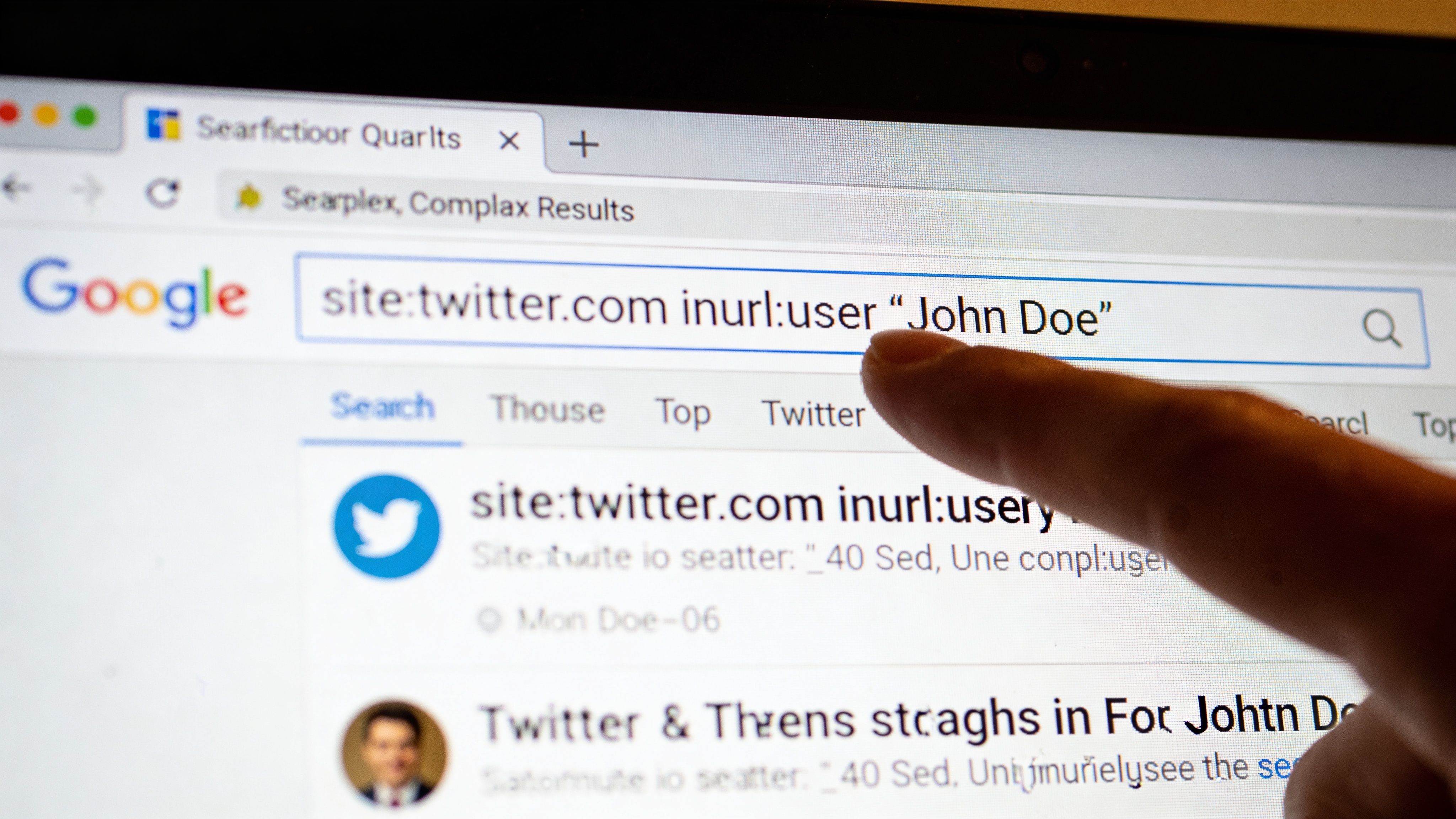
A “Google dork” sounds exotic, but it just means using operators such as site: and quoted phrases to force more precise results. When you’re trying to find someone on Twitter, the core move is restricting Google to X domains and then combining that with identifiers.
The base operator that matters
Start with:
site:x.com "name"site:twitter.com "name"
Both can still be useful because older pages, cached results, and references may appear under different domains depending on indexing and age.
Then add context:
site:x.com "john doe" "software engineer"site:x.com "john doe" "leeds"site:x.com intext:"gamerhandle123"site:x.com "firstname lastname" "company name"
This is especially helpful when Twitter’s own search under-ranks a profile, the handle is unusual, or the identifying clue lives in tweet text rather than the bio.
What Google can find that Twitter search may miss
Google is often better at these tasks:
- Exact phrase matches: bios, tweet text, or self-descriptions in quotes
- Username tracing: especially odd usernames reused across platforms
- Old references: profile pages, mentions, and third-party mirrors
- Cross-context matching: a name plus employer, school, city, or fandom
Twitter is better at live activity. Google is often better at finding the doorway.
If you know one unusual identifier, search that first. A rare username beats a common real name almost every time.
Practical query patterns
Use these when standard search is failing:
Name plus role
site:x.com "alex turner" "recruiter"Username in text
site:x.com intext:"nightowl94"Location plus interest
site:x.com "birmingham" "trail running"Name plus likely bio wording
site:x.com "sara khan" "product designer"Name plus another platform clue
If you found “retrohealer” on Instagram, try:site:x.com "retrohealer"
A dedicated find someone by username check is helpful when the strongest clue you have is a recurring handle rather than a real name.
Limits you need to respect
Google dorks are useful, but they aren’t magic.
- Protected profiles won’t expose protected tweet content.
- Indexing is uneven. Some pages vanish from results or take time to appear.
- Common names still produce clutter.
- Deleted content may linger in fragments, but not reliably.
That means Google should support your search logic, not replace it. Use it to discover candidates, then verify through profile details, interaction patterns, and cross-platform consistency.
A short walkthrough can help if you haven’t used search operators much before:
A quick verification checklist
Once Google turns up a likely profile, verify before you assume it’s the right person:
| Clue | What to compare |
|---|---|
| Username | Does it match a known handle variant? |
| Bio language | Does it reference the same job, city, age range, or interests? |
| Posting pattern | Does it align with the person’s timezone or public activity? |
| Profile image | Is it consistent with other public accounts? |
| Network | Do mutuals, replies, or mentions fit the expected community? |
People searching ethically often make one mistake here. They stop at “probably.” For privacy checks, hiring review, or dating safety, “probably” isn’t enough. You need a cluster of matching signals.
Advanced OSINT with Reverse Lookups and Cross-Platform Tools
Once you move past names and keyword searches, the process changes. You’re no longer asking Twitter to hand you a profile. You’re starting with one known identifier and asking where else it appears.
That’s where reverse username enumeration becomes valuable. Instead of searching Twitter directly, you search the web for reuse patterns. People recycle handles across forums, gaming accounts, creator platforms, and social media. A hidden or forgotten Twitter account often becomes visible because the same username shows up elsewhere first.
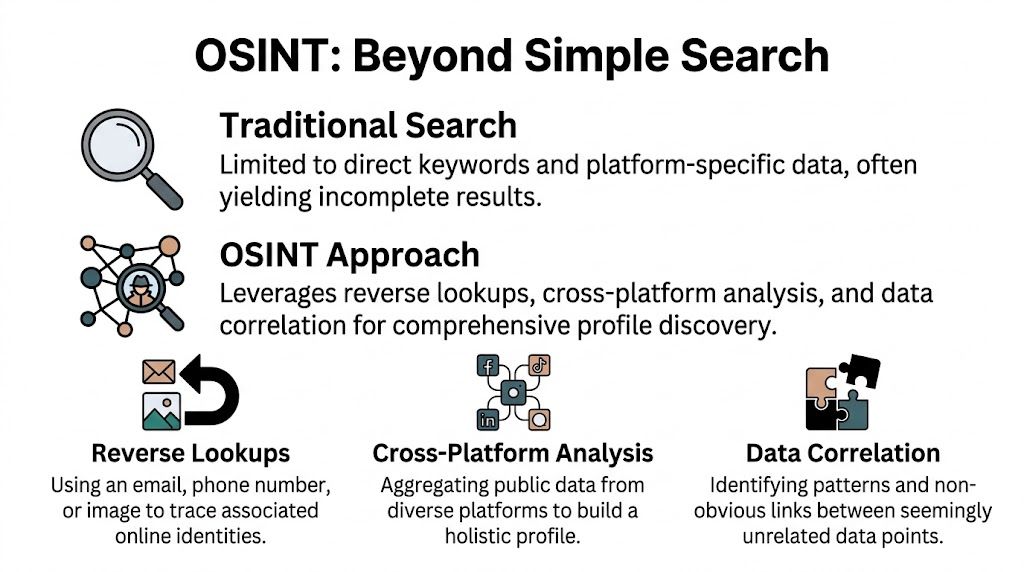
Reverse username searches are often the best starting point
Tools such as Maigret and Sherlock automate this process. They scan many platforms for the same username and return matches for review. According to Authentic8’s OSINT guidance on X and Twitter, these tools can achieve a 60-75% hit rate for active usernames across social media. For Twitter specifically, OSINT benchmarks show around a 40% success rate for linking a profile from a username alone.
Those figures matter because they show a hard truth. If all you have is a username, your chances aren’t perfect, but they’re far better than blind manual searching.
What these tools actually do
Think of them as enumeration tools, not truth machines. They don’t prove identity. They surface candidates.
A practical workflow looks like this:
Collect variants
Start with the exact username, then common changes such as added numbers, dropped vowels, initials, or underscore swaps.Run cross-platform checks
Use Maigret or Sherlock to surface where those variants appear.Review profile consistency
Look for repeated bio phrases, profile images, locations, interests, or links.Return to Twitter with context
Search Twitter using the discovered identifiers, not just the original name.Verify before concluding
Match multiple signals, not just one reused handle.
A reused username is a lead. It isn’t identity proof until other public clues line up.
Email and phone lookups need care
People often ask whether they can find someone’s “secret Twitter” from an email address or phone number. Sometimes public traces make that possible, but in such cases, ethics and restraint matter most.
What works in practice is not magic access to private accounts. It’s correlation. If an email appears in a public profile elsewhere, or a phone number is attached to a public business listing, breach exposure, or forum account, that may lead you to usernames, and those usernames may lead to Twitter.
This is why reverse lookup work usually flows like this:
| Starting point | Common next step | Why it helps |
|---|---|---|
| Email address | Find public usernames linked to that email elsewhere | Usernames are more portable than emails on social platforms |
| Phone number | Check whether it appears in public business or social traces | Numbers sometimes anchor alt accounts or contact pages |
| Username | Enumerate across many sites | Reuse patterns can expose hidden or older profiles |
| Profile photo | Compare visually across public accounts | Some users change names but keep the same image |
A focused reverse username search is usually the safest and most reliable path because it stays in the realm of public identity reuse rather than trying to force contact-based discovery.
What works better than people expect
Several methods outperform plain Twitter search:
- Username reuse across hobbies: gamers, creators, and forum users often reuse a core handle.
- Bio phrase matching: uncommon self-descriptions can connect accounts quickly.
- Profile image reuse: not perfect, but surprisingly helpful when usernames drift.
- Follower and mention overlap: if two candidate accounts share the same niche network, that strengthens the match.
What fails more than people think
Reverse lookup work also has clear failure points:
- Inactive or abandoned accounts: a handle may exist but no longer belong to the same person.
- Username squatting: someone else may hold the expected variant.
- Deliberate compartmentalization: some users keep identities separate on purpose and don’t reuse anything.
- False confidence from one clue: one matching username without supporting context leads to bad conclusions.
That’s why professionals treat OSINT as a correlation exercise. One clue starts the search. Several independent clues make it credible.
A balanced way to think about “hidden accounts”
Most “hidden” accounts aren’t technically hidden. They’re just hard to discover if you rely on names alone. A person may use a nickname on Twitter, a different avatar, and a local in-joke in the bio. Direct search fails. Cross-platform enumeration succeeds because the person reused one small identifier somewhere else.
That’s useful for privacy audits, scam checking, and reputation research. It can also be invasive if the intent is harassment or surveillance. The technique itself is neutral. The use isn’t.
Analyzing Networks with Lists and Follower Exports
Finding one account is useful. Finding the surrounding network is often what confirms identity, risk, or relevance. On Twitter, people reveal themselves through who they follow, who follows them, which lists they appear on, and which communities keep interacting with them.
Lists are still one of the cleanest context signals
Twitter Lists don’t get enough attention in people-search guides. That’s a mistake. Lists often describe a user more clearly than the user’s own bio.
If an account appears in lists named things like “local journalists,” “crypto promoters,” “indie game devs,” or “city council watchers,” that helps you place them inside a community quickly. Public lists can also expose professional affiliations, regional ties, and topic clusters that a profile never states directly.
A practical review of lists can answer questions like:
- Is this person seen as part of a local scene?
- Do other users classify them by profession or interest?
- Are they grouped with colleagues, creators, activists, or niche hobbyists?
Public lists are community-generated labels. They can be wrong, but they’re often revealing.
Follower analysis is where native Twitter hits a wall
Native tools only go so far. That’s why third-party analytics remain important for ethical OSINT work. 72% of marketers use third-party analytics, and tools like Fedica can export a complete list of up to 50,000 followers daily from a public account, with filters for location down to the city level and keywords in bios, according to Fedica’s guide to searching Twitter followers on X.
That matters because network mapping is rarely about a raw follower count. It’s about finding patterns inside that audience.
What follower exports help you do
When you can filter followers by bio keyword or location, a profile becomes a map instead of a page.
Use cases include:
| Goal | What to look for |
|---|---|
| Confirm local identity | Followers concentrated around a city, region, or local niche |
| Map professional circles | Bios containing shared industry terms |
| Identify risk clusters | Repeated ties to spammy, fake, or suspicious communities |
| Understand reputation | Which kinds of accounts engage with or follow the profile |
| Find adjacent people | Followers with similar bios, geographies, or interests |
If you want a practical primer on how teams build and export a targeted Twitter follower list, that workflow is useful because it focuses on filtering for relevance instead of dumping raw account data.
A network-first mindset changes the search
Many manual searches improve with this approach. Instead of asking “Can I find this one person?” ask “What network would this person likely be embedded in?”
For example:
- A recruiter may look for overlap with a known industry circle.
- A parent may look for a teen’s alt account among a friend group.
- A brand safety reviewer may examine whether an account sits near harassment or scam networks.
- A job seeker may audit their own visible network to see what impression it creates.
Follower exports and list analysis are best used as verification tools, not shortcuts to assumptions. A person can follow or be followed by all kinds of accounts for accidental reasons. Patterns matter more than isolated links.
The Ethics of Finding People and Protecting Yourself
A parent finds a second Twitter account tied to their teenager’s old gaming handle. A recruiter spots a profile that looks like a candidate’s alt. A scam target tries to verify whether a “real person” account is part of a fraud ring. The same search methods can serve safety, due diligence, or reputation management. They can also be misused for harassment, stalking, or pressure.
That distinction matters.
Ethical OSINT starts with three limits: purpose, scope, and restraint. Use public information for a legitimate reason. Collect only what you need to answer that question. Stop when you have enough to verify or rule out a match. Public access does not create moral permission for surveillance.

What others can learn about you
Anyone learning advanced Twitter search or reverse-lookup methods should assume the process works in both directions. If a profile can be found through username reuse, old bios, cross-platform matches, public replies, or contact-point leakage, your own account may be just as exposed.
That exposure often comes from correlation, not from any single tweet. A sparse profile can still reveal a lot when it shares the same handle as a Reddit account, uses a recycled avatar, replies to a familiar friend group, or appears next to the same niche communities over time. An investigator does not need private access to build that picture. Public fragments are often enough.
This is why privacy work starts with self-auditing. Before looking outward, review what your profile, replies, lists, and linked identities reveal to someone who knows only one clue about you.
Common self-exposure mistakes
The patterns are usually mundane:
- Reusing usernames across personal, gaming, dating, and professional accounts
- Keeping the same profile photo on multiple platforms
- Repeating the same school, employer, city, or niche interest in bios
- Replying publicly from alt accounts to the same small circle
- Leaving old posts and bios in place after a move, breakup, job change, or rebrand
- Connecting recovery email addresses or phone numbers to accounts you wanted separated
None of these choices is wrong in itself. Together, they make attribution easier and false privacy harder to maintain.
How to reduce your discoverability
If the goal is to lower unwanted visibility, remove the easy links first.
Trim your bio Keep only the details that serve a clear purpose. Exact location, employer, school, and direct contact information make correlation easier.
Separate usernames by use case Use different handles for work, hobbies, dating, and private social accounts if you do not want them tied together.
Stop reusing images Reverse image matching is still one of the fastest ways to connect accounts across platforms.
Review old replies Public conversations often expose identity, location, routines, and relationship patterns more clearly than standalone posts.
Restrict contact settings Limit who can mention, message, or tag you when harassment, impersonation, or spam is a concern.
Check visible connections Public follows, list memberships, and recurring interactions can reveal affiliations even when the profile text says very little.
A good privacy audit is not paranoia. It is account hygiene.
When searching becomes a safety issue
Some use cases justify careful verification. Scam checks. Dating safety. Impersonation reviews. Guardian oversight of a minor’s public exposure. Brand or workplace risk assessments can also be legitimate, but they require discipline.
The trade-off is accuracy versus intrusion. The more aggressively someone tries to confirm identity, the easier it is to cross from verification into monitoring. That is why strong practice includes documenting what was found, separating fact from inference, and avoiding action based on a single clue. A matching handle is not proof. A shared photo is not always proof. A suspicious follower cluster is not proof either.
For employers and HR teams, the standard should be even higher. Public data still needs consistent review criteria, lawful handling, and basic fairness. OSINT can support a decision process. It should not replace judgment.
Turn the method inward before someone else does
The practical lesson is simple. If you can find a person on Twitter through public clues, someone can do the same to you.
That includes recruiters, fraud investigators, former partners, strangers from a group chat, and anyone who still knows an old username, email address, or phone number. If you want to see what public traces connect back to you, a structured audit for hidden social media accounts linked to your identity is a sensible next step.
If you want to see what others can discover about you across social media, gaming accounts, breach exposures, and public profiles, try Digital Footprint Check. Its free checker helps you audit your online presence using the same ethical OSINT principles covered here, so you can spot hidden risks early, protect your reputation, and take control of your digital footprint.