· Digital Footprint Check · Content Marketing · 13 min read
I Keep Getting Spam Calls: 2026 Guide to Stop Them
I keep getting spam calls? Our guide offers actionable steps to stop robocalls now. Find and remove your number online to prevent future calls.
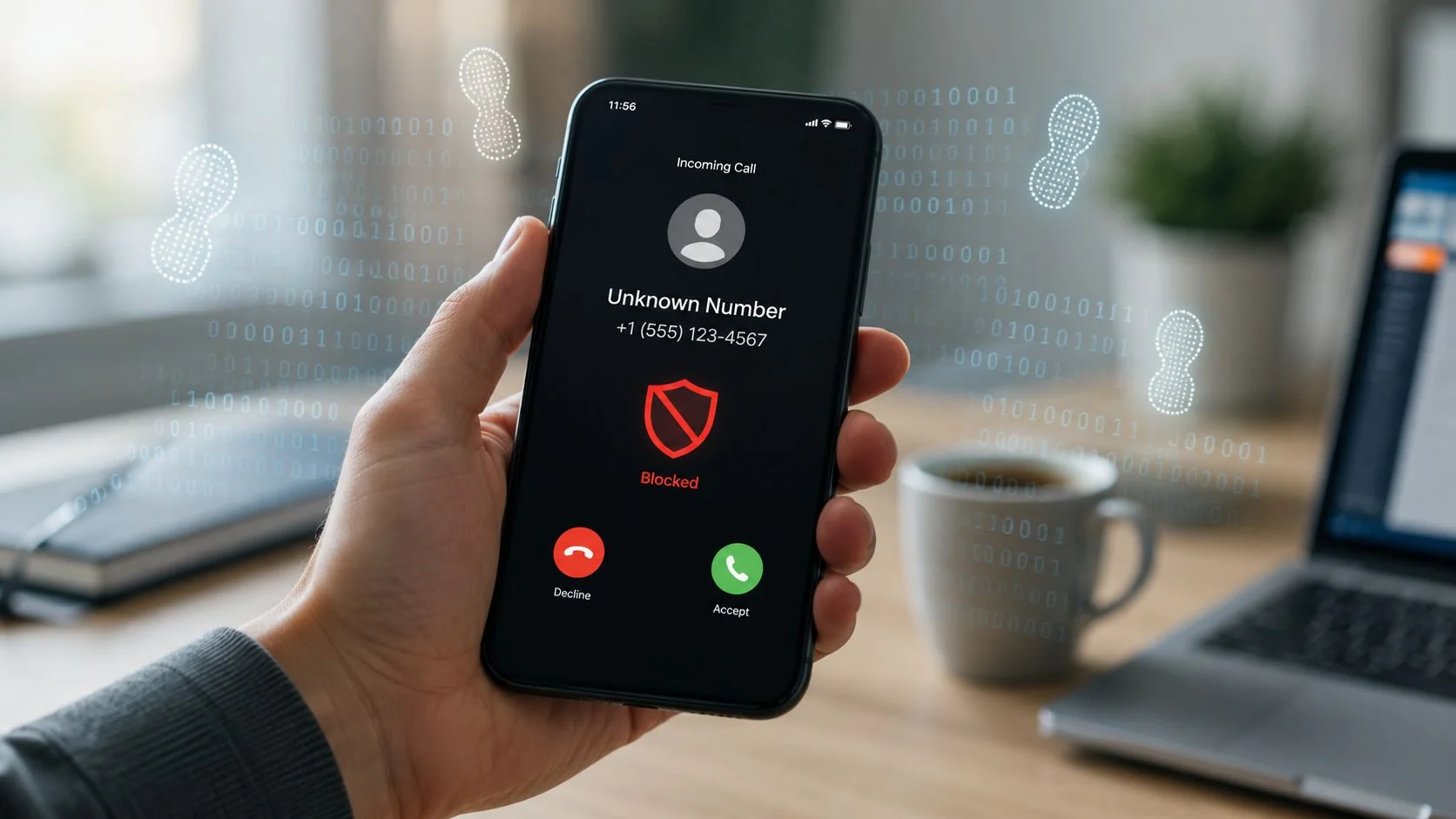
Your phone lights up during dinner. Then again while you’re in a meeting. Then again from a number that looks local, so you answer, and hear a recorded voice about your bank account, your car warranty, or a package you never ordered.
If you’ve been thinking, I keep getting spam calls, you’re not overreacting. You’re dealing with a system built to test, tag, and reuse active phone numbers at scale. The good news is that this problem is manageable when you stop treating each call as a separate annoyance and start treating your phone number like exposed personal data.
A lot of people try to solve this by blocking one number at a time. That helps a little. It doesn’t solve why the calls keep coming back. In many cases, your number is circulating through public listings, old accounts, data broker databases, and scraped profiles. That’s the root cause.
Why Your Phone Wont Stop Ringing
For many people, spam calls don’t arrive as a single event. They arrive as a pattern.
You ignore one unknown number in the morning. A different one calls after lunch. Another appears in the evening with the same first six digits as your own number. After a few days, your phone starts to feel less like a communication tool and more like an open door.
That frustration is understandable. U.S. consumers received an average of 2.56 billion robocalls per month from January to September 2025, the highest level in six years, and about one-third of Americans say they get at least one scam phone call a day, according to CBS News coverage of PIRG and Pew findings.
So when you think, “Why am I getting so many of these?” the answer usually isn’t that you’ve done something unusually wrong. It’s that your number is probably visible, shared, sold, leaked, or repeatedly tested. A guide on whether someone can track you by your phone number demonstrates why a phone number is more revealing than typically assumed, highlighting what can be inferred from a number alone.
Spam calls feel random on your end. They usually aren’t random on the caller’s end.
Scammers and aggressive marketers work from lists. Those lists can come from sign-up forms, old app permissions, public profile details, lead-generation funnels, or records compiled from across the web. Once your number lands on one list, it can spread to others.
That means relief usually comes in two phases. First, reduce the calls hitting your phone right now. Second, find out where your number is exposed and start shrinking that exposure.
Your First Line of Defense Immediate Triage
Start with the basics, but use them correctly. Immediate triage won’t solve the entire problem, but it can lower the noise and reduce the chance that you confirm your number is active.
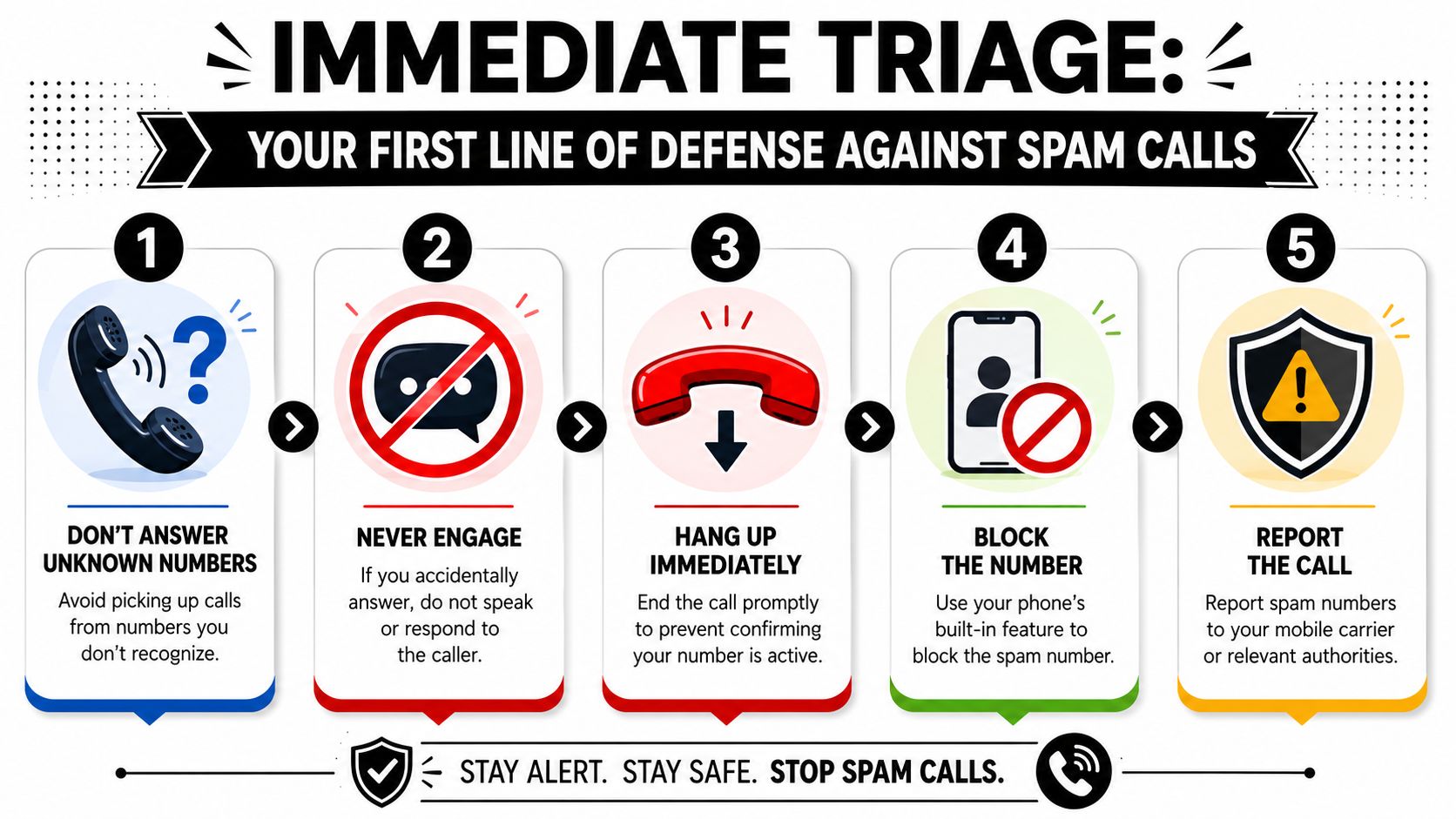
Don’t answer unknown numbers by default
If you don’t recognize the number, let it go to voicemail. A real caller can leave a message or send a text.
This feels awkward at first, especially if you’re waiting for a doctor, recruiter, delivery driver, or school call. But unknown calls are exactly where scammers want your attention.
If you answer by accident, give them nothing
Don’t say your name. Don’t answer “yes.” Don’t press buttons to “opt out.” Just hang up.
One answered call can tell a spam operation that your number reaches a real person. That’s useful to them.
Practical rule: Silence is safer than curiosity.
Block the number, but understand the limit
Yes, block the number. You should still do it. Just don’t expect it to end the campaign.
A key reason spam calls keep returning is call spoofing. Spammers use neighbor spoofing to mimic your area code and reflection spoofing to make calls appear to come from your own number, which is why simple number blocking often feels pointless, as explained in this security overview of why spam calls keep coming back.
If you want to investigate a suspicious caller before engaging, this guide on how to find out unknown numbers can help you sort ordinary missed calls from higher-risk ones.
Report the call through official channels
Reporting matters because it helps carriers and regulators identify patterns.
Use these options:
- Report fraud attempts to the FTC: If the call tried to steal money, credentials, or personal information, file a complaint through the Federal Trade Commission.
- File telecom complaints with the FCC: If you received illegal robocalls or caller ID abuse, submit details through the Federal Communications Commission.
- Forward spam texts to 7726: Most mobile carriers support forwarding suspicious texts to 7726, which spells SPAM.
Keep a small call log
You don’t need a spreadsheet empire. Just note:
- Time of call: Useful if the same campaign keeps targeting you.
- Displayed number: Even spoofed numbers can reveal patterns.
- What they claimed: Bank, tax agency, package delivery, debt collector, job offer.
- Whether you engaged: Important if you’re trying to understand why volume increased.
That log helps you stay calm and precise. It also makes reporting easier if the calls escalate.
Fortify Your Phone with Carrier and Device Tools
A better setup turns your phone from an open receiver into a filtered checkpoint. Your device can screen calls. Your carrier can label suspicious traffic before it reaches you. Third-party apps can add another layer, though they come with privacy tradeoffs.
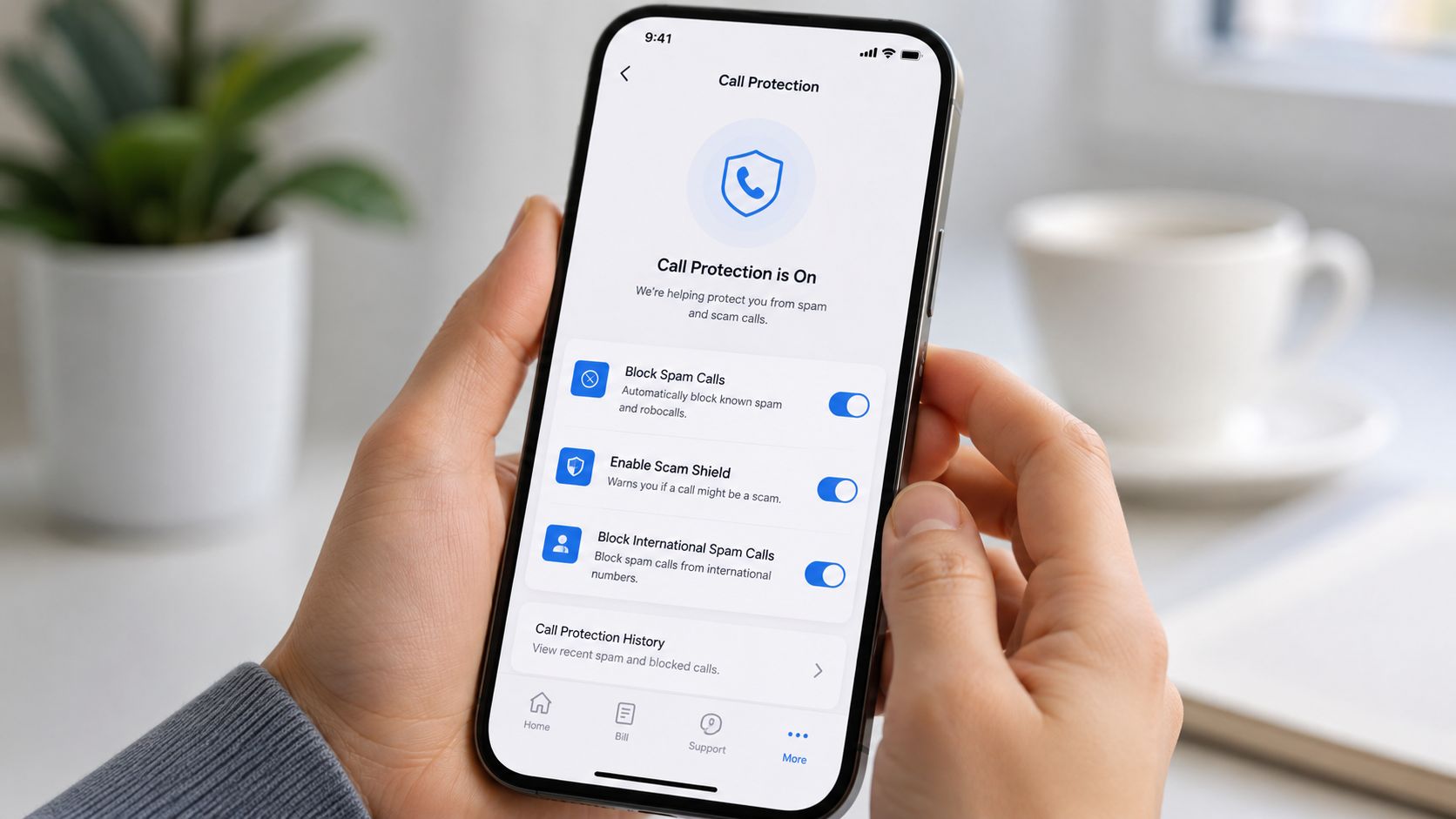
Turn on the settings already on your phone
On iPhone, enable Silence Unknown Callers in the Phone settings. Calls from numbers not in your contacts, recent outgoing calls, or Siri suggestions will go straight to voicemail.
On Android, look in the Phone app settings for spam protection, caller ID, or call screening options. Wording varies by device maker, but many Android phones can filter likely spam calls automatically.
These tools don’t block every bad call. They reduce interruptions, which matters.
Use your carrier’s call protection
Major carriers offer branded call-filtering tools such as Verizon Call Filter, AT&T ActiveArmor, and T-Mobile Scam Shield. They work at the network level, which means they may flag or stop suspicious calls before your phone even rings.
Carrier systems and spam-call apps don’t just rely on one blacklist. They analyze patterns such as call frequency, routing behavior, and in some cases audio fingerprints compared against known scam clusters. At the same time, they have to avoid blocking real calls because only about 1% of unwanted calls in the U.S. were actual fraud in one referenced analysis, which is why filtering systems have to balance protection with false positives, as described in Built In’s overview of how spam-call detection works.
Here’s the tradeoff in plain terms:
| Tool | What it helps with | Main caution |
|---|---|---|
| Phone settings | Reduces interruptions from unknown callers | You may miss legitimate first-time callers |
| Carrier filtering | Flags suspicious calls earlier | Labeling isn’t perfect |
| Third-party apps | Adds community reporting and extra screening | Requires trust and permissions |
If a strange number seems tied to account takeover or identity misuse, don’t ignore your mobile account itself. A SIM cloning warning guide is worth reading if calls, texts, or carrier behavior suddenly seem off.
Decide whether a third-party app is worth it
Apps like Hiya and Nomorobo can be useful for people getting hammered with repeat nuisance calls. They often combine reputation data, user reports, and automated detection.
But pause before granting permissions. Ask yourself:
- What data does the app access?
- Does it need your contacts?
- Does the privacy policy explain sharing clearly?
- Can you get enough protection from your carrier and phone alone?
That decision should be practical, not fearful.
For a quick walkthrough of call-protection basics, this short video is a good companion while you adjust settings:
Using Legal Registries and Official Channels
A lot of people turn to the National Do Not Call Registry and expect the calls to stop. That’s reasonable. It’s also where many people get disappointed.
What the registry is good for
The National Do Not Call Registry is designed to reduce calls from legitimate telemarketers. If your number isn’t on it, adding it is still worth doing. It creates a paper trail and gives you a clearer basis for reporting unwanted sales calls.
For ordinary commercial telemarketing, it’s a sensible step. It’s low effort, official, and part of a layered defense.
What it doesn’t stop
Illegal scammers don’t care about compliance lists. Neither do many spoofed robocall operations.
You may still receive calls from categories that fall outside what people assume the registry covers, such as political outreach, charities, surveys, or companies with an existing relationship to you. That’s why registering can help without solving the deeper problem.
Registering your number is smart. Relying on that alone usually leads to frustration.
When official complaints matter most
Official complaints become more useful when the caller crosses from annoyance into deception.
Pay extra attention if a caller:
- Demands urgency: Claims your account is locked, a payment is overdue, or law enforcement is involved.
- Requests secrets: Asks for passwords, one-time passcodes, full financial details, or identity information.
- Pushes payment methods: Tries to move you toward gift cards, wire transfers, or unusual payment apps.
- Impersonates a trusted entity: Bank, employer, government office, health provider, school.
In those cases, save voicemail, screenshot any related texts, and submit complaints through the proper channels. That won’t always stop the next call, but it creates useful records and supports enforcement.
Use legal tools as one layer, not the whole wall
Think of legal registries as a rulebook for lawful callers. Spam operations aren’t playing by that rulebook. That’s why people often feel trapped in a cycle of block, report, repeat.
To break that cycle, you have to look at how your number became easy to reach in the first place.
Finding the Root Cause Where Spammers Get Your Number
Spam calls often feel personal, but the mechanism behind them is usually industrial. Your number doesn’t need to be famous. It just needs to be available.
That’s where your digital footprint matters. A phone number can spread across public pages, people-search sites, social profiles, old app registrations, newsletter forms, lead forms, breach records, and brokered databases. Once it appears in enough places, list sellers and scammers can keep rediscovering it.
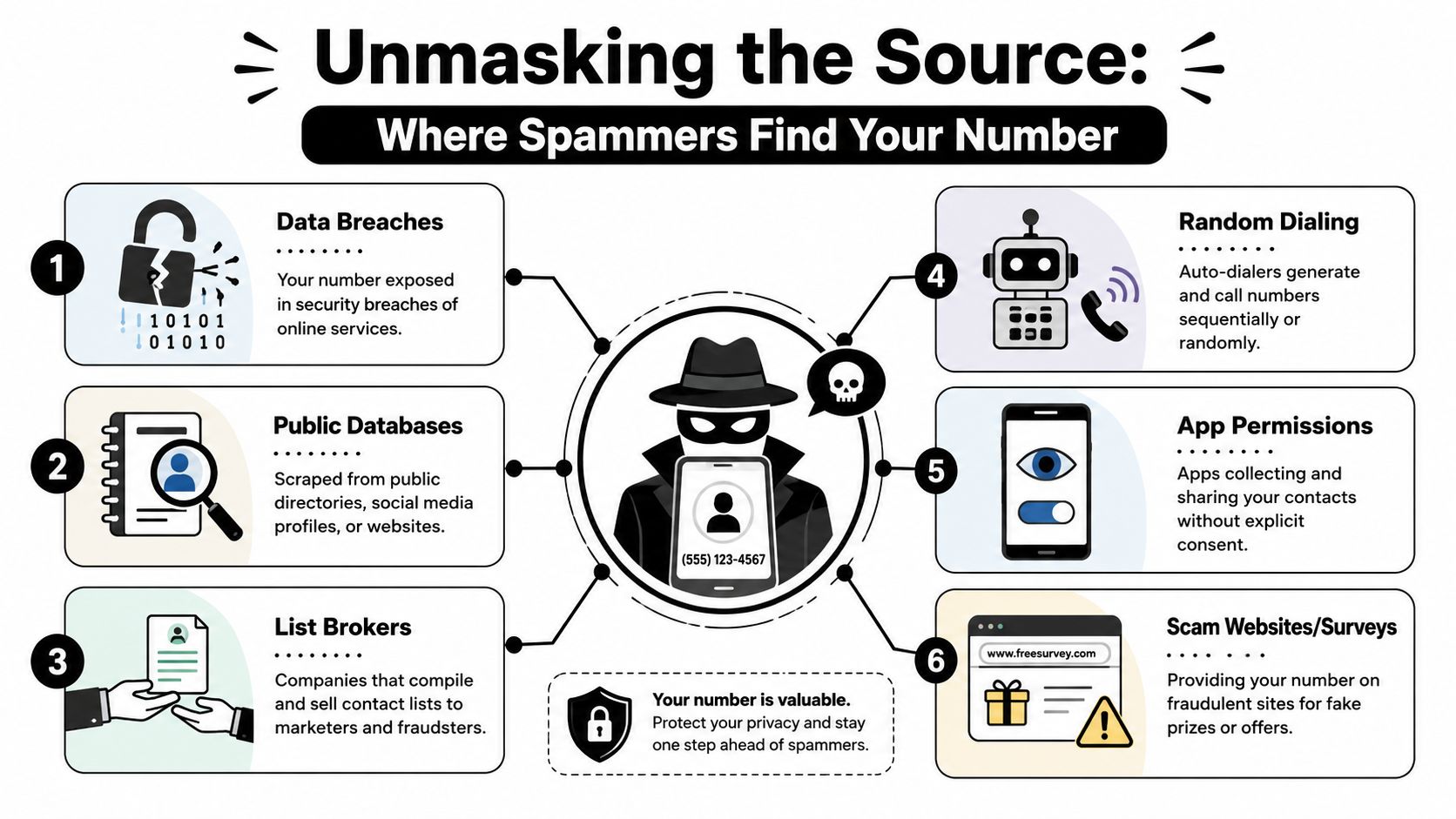
The common exposure paths
Some are obvious after you think about them. Others catch people off guard.
- Old account signups: You gave your number to shops, forums, apps, delivery services, or loyalty programs years ago.
- Public profiles: Marketplace listings, business pages, resume pages, or social bios may show your phone number openly.
- Data brokers: These companies compile identity details from many sources and package them into searchable records.
- Contests and quote forms: “Get a quote,” “win a prize,” and “check your eligibility” forms often collect phone numbers first.
- Shared contact uploads: Some apps request contact access, and your number can circulate through other people’s synced address books.
- Breach fallout: If a service you used exposed customer data, your phone number may have entered wider circulation.
Why the calls keep restarting
People often ask, “Why did the calls slow down and then start again?” Because your number may have been copied, resold, or freshly scraped from somewhere new.
A number can disappear from one campaign and show up in another months later. That’s one reason the problem feels endless. You’re not dealing with one caller. You’re dealing with repeated reuse of the same personal data.
When spam callers rotate numbers, it looks like persistence. When your data keeps resurfacing, it’s exposure.
What OSINT has to do with this
OSINT, or Open Source Intelligence, means finding information that’s publicly accessible or widely obtainable online. In phone privacy terms, it means searching for where your number appears across the open web, people-search sites, public records, leaked profile fragments, and related identity traces.
This is the missing step for many people. They focus on filtering incoming calls but never investigate the source list problem.
A proper audit usually asks questions like these:
| Question | Why it matters |
|---|---|
| Is my number public on social or professional profiles? | Public profiles are easy to scrape |
| Does my number appear on people-search sites? | Brokers make contact details easy to resell |
| Have old listings or posts exposed it? | Forgotten pages often stay indexed |
| Is my number tied to breached accounts or reused identities? | Exposure in one place can spread elsewhere |
If you want to start that process, a useful first step is checking how to find what data brokers have on you. That gives you a more realistic view of how often personal contact details circulate without your direct awareness.
The core point is simple. Spammers usually aren’t guessing. They’re buying, scraping, testing, and reusing available data. If your number is broadly exposed, blocking alone won’t fix the larger pipeline feeding those calls.
Your Proactive Plan for Lasting Phone Privacy
Once you understand the source, the strategy changes. You’re no longer just defending against the next ring. You’re reducing the number of places your phone number can be found, copied, and sold.
Audit your exposure first
Before you remove anything, you need a map.
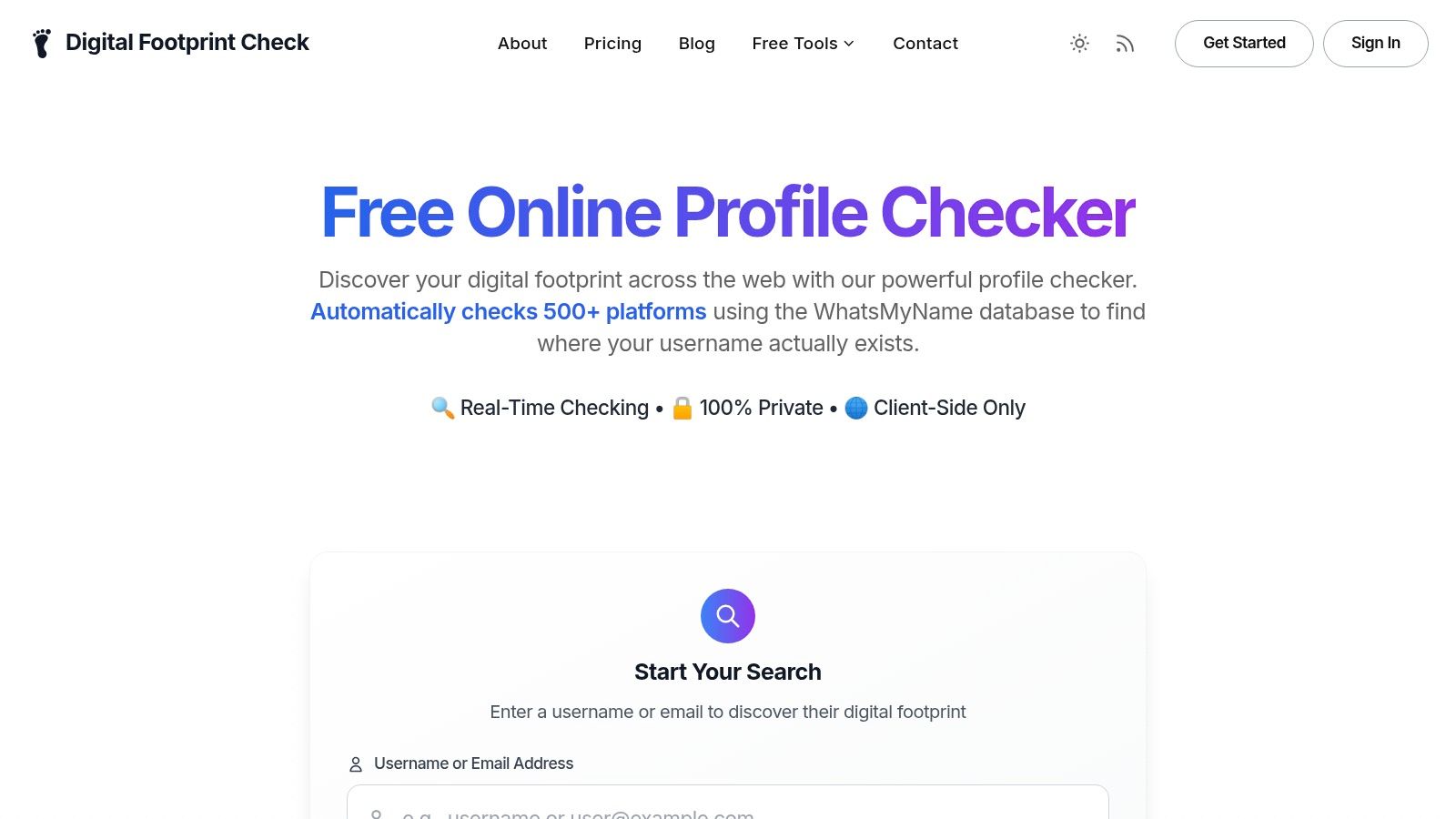
Search your number in quotes. Search old usernames. Check marketplace posts, business profiles, club directories, and archived bios. If you want a broader OSINT-style sweep, Digital Footprint Check offers a free checker that helps identify where personal information appears online so you can spot phone-number exposure faster.
Look for patterns, not perfection. One exposed profile may not matter much. Ten scattered exposures usually do.
Remove what you can control
Start with the easiest wins.
- Social profiles: Remove your number from bios, public contact buttons, and searchable profile fields.
- Old listings: Delete or edit classified ads, event pages, business directory entries, and forum posts.
- App accounts: Review privacy settings and strip out optional contact details where possible.
- Broker listings: Follow opt-out procedures on people-search and data broker sites.
If your home address appears alongside your phone number, that combination raises the privacy risk. A practical example is ContentRemoval.com’s Whitepages guide, which shows how to approach one of the more common public-directory exposures.
For people who want a more systematic cleanup path, a data broker removal guide can help you work through opt-outs in a more organized way.
Change how you share your number going forward
This matters as much as cleanup.
Use one number for trusted personal contacts and consider a secondary number for signups, marketplaces, one-time forms, and public-facing situations. Be selective with any form that asks for a phone number without a clear reason.
Also review this habit carefully: entering your number because the field is there. Many forms don’t need it. If it’s optional, leave it blank.
A quiet phone starts with fewer exposures, not better tolerance for interruptions.
Watch for signs of something bigger
Most spam calls are nuisance-level noise. Some are early warning signs of broader identity misuse.
Take the situation more seriously if spam calls arrive alongside:
- Unexpected verification codes
- Password reset messages you didn’t request
- Carrier alerts or SIM-related issues
- New financial or account notifications
- Calls that reference real personal details
If that starts happening, move beyond call blocking. Review your key accounts, change passwords where appropriate, check financial statements, and consider fraud alerts or credit monitoring based on your situation.
Lasting phone privacy comes from layers. Filter the calls. Limit engagement. Use legal tools where they help. Then do the less glamorous but more powerful work of reducing the digital footprint that keeps feeding your number into circulation.
If spam calls keep finding you, don’t stop at blocking. Use Digital Footprint Check to see where your phone number and other personal details may be exposed online, then start removing the sources that keep putting you back on calling lists.