· Digital Footprint Check · Content Marketing · 12 min read
Whatsapp Privacy Settings: a Complete Guide
Master WhatsApp privacy settings with step-by-step instructions for Android, iOS, and Web. Learn what each control does and how to reduce your digital exposure.
You share a photo in a WhatsApp group, assuming the conversation is private. Someone screenshots it, forwards it elsewhere, and the image eventually appears alongside your name, phone number, workplace, or social profiles. By the time you discover it, changing one setting inside WhatsApp can’t undo the copies already made.
That’s why WhatsApp privacy settings should be treated as one layer of a broader digital exposure strategy. They can reduce who sees your profile, contact activity, status updates, and group invitations. They can’t stop every screenshot, forwarded message, backup exposure, or external search connected to your phone number. The practical objective is risk reduction, not perfect anonymity.
Why WhatsApp Privacy Settings Matter Beyond the App
A private chat can still create a public trail. A group member may recognize your profile photo, save your number, search it on other platforms, or connect your WhatsApp identity with a dating profile, gaming account, professional page, or public record. That linkage is the foundation of OSINT-style profiling, where small pieces of information become more useful when combined.
The same problem appears in business and public-facing environments. A visitor who joins guest Wi-Fi or a messaging group may share personal information across systems without understanding how long that information remains accessible. Guidance on hospitality guest data privacy provides useful context for thinking about consent, collection, and retention beyond a single application.
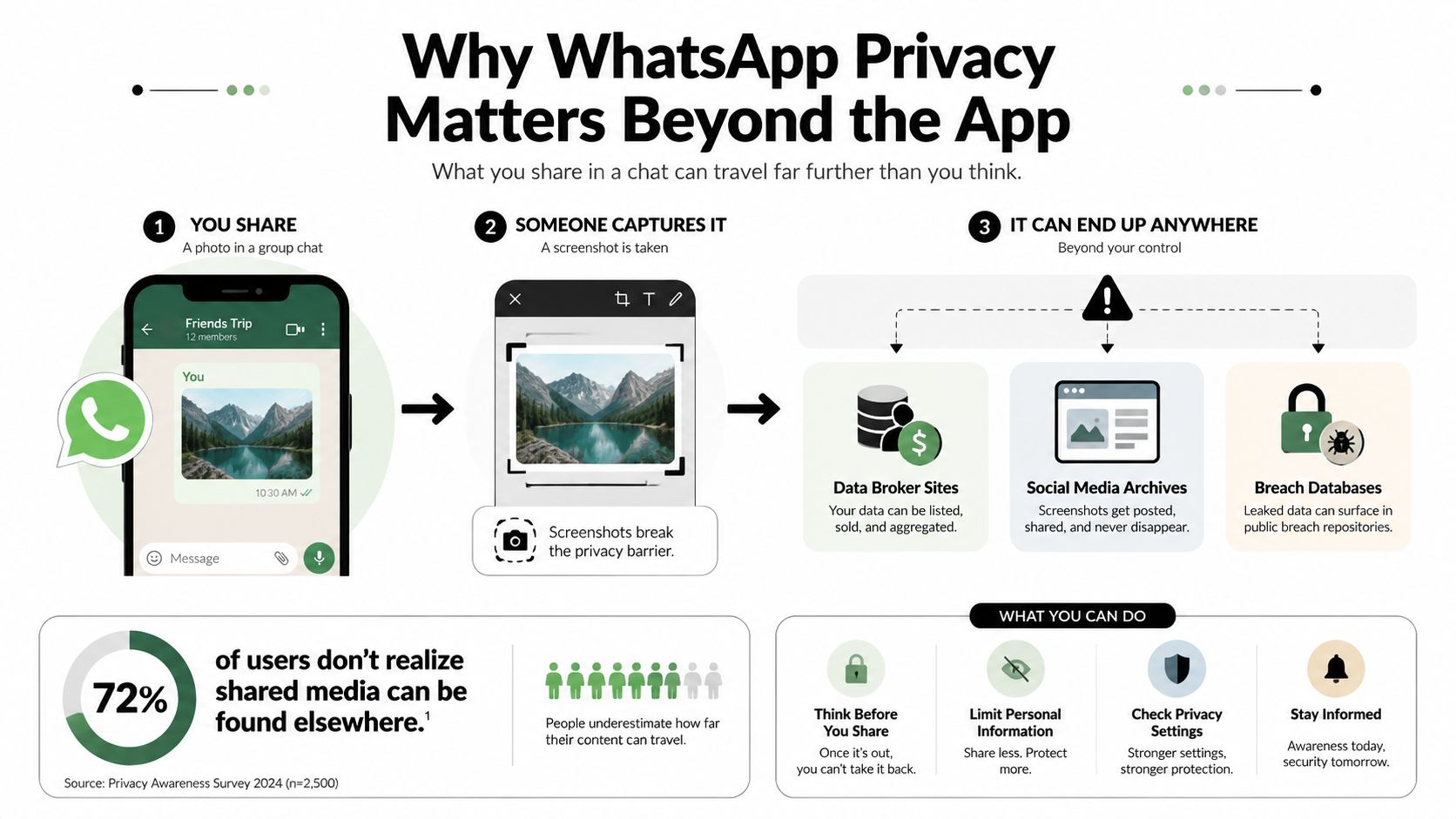
The exposure chain
A typical incident doesn’t require a skilled hacker. It may follow a familiar sequence:
- Group access: An unknown or weakly connected participant sees your name, number, profile photo, and messages.
- Identity matching: That person searches the same number across social networks, breach records, marketplaces, or public directories.
- Content copying: A photo, status update, or message gets screenshotted or forwarded.
- Reputation impact: The material reaches a colleague, recruiter, relative, customer, or someone involved in a personal dispute.
WhatsApp’s controls can interrupt parts of that chain, especially the first step. They don’t control what another person does after viewing your content. A useful broader explanation of this problem is available in understanding the broader implications of your digital footprint.
Practical rule: If a message could harm your safety, employment, relationship, or reputation when copied, don’t rely on a privacy toggle to make it safe.
The platform’s end-to-end encryption protects messages in transit and during delivery, but privacy also depends on recipient behavior, device security, backups, linked devices, and the information attached to your account. Hardening WhatsApp is still worthwhile. It needs to be followed by an external audit of what your number and identity reveal elsewhere.
Understanding the Four-Choice Privacy Framework
WhatsApp organizes many visibility controls around four choices: Everyone, My contacts, My contacts except…, and Nobody. The controls are accessed through Settings > Privacy, and WhatsApp documents them for areas including last seen and online, profile photo, about, status, and group invitations in its privacy settings help documentation.
This model gives users more precision than a basic public-or-private switch. You can keep a profile field visible to saved contacts while excluding selected people, or hide it from everyone. That flexibility matters when someone wants to remain reachable without making personal details broadly available.
| Setting | Available choices | Key limitation |
|---|---|---|
| Last seen | Everyone, My contacts, My contacts except…, Nobody | Hiding your own last seen also removes your ability to see other users’ last-seen information |
| Online | Everyone, or tied to the last-seen rule | Online visibility follows a separate control connected to last seen |
| Profile photo | Everyone, My contacts, My contacts except…, Nobody | A visible photo can help strangers match your number to another identity |
| About | Everyone, My contacts, My contacts except…, Nobody | Text can disclose workplace, location, relationship, or contact habits |
| Status | My contacts, My contacts except…, selected contacts | Status visibility can’t be set to Everyone |
| Group invitations | Everyone, My contacts, My contacts except…, Nobody | Restricting invitations reduces unsolicited contact from unknown numbers |
The important exception is status visibility. It doesn’t offer Everyone as an option, so users must work within the available audience choices. That limitation prevents a common mistake, assuming every privacy category has identical controls.
Before changing settings, decide whether your priority is convenience, reachability, or exposure reduction. A recruiter may need to remain responsive to known contacts. Someone dealing with harassment may reasonably prefer the most restrictive available options, even if that means less visibility into other users.
How to Configure Privacy Settings on Android and iOS
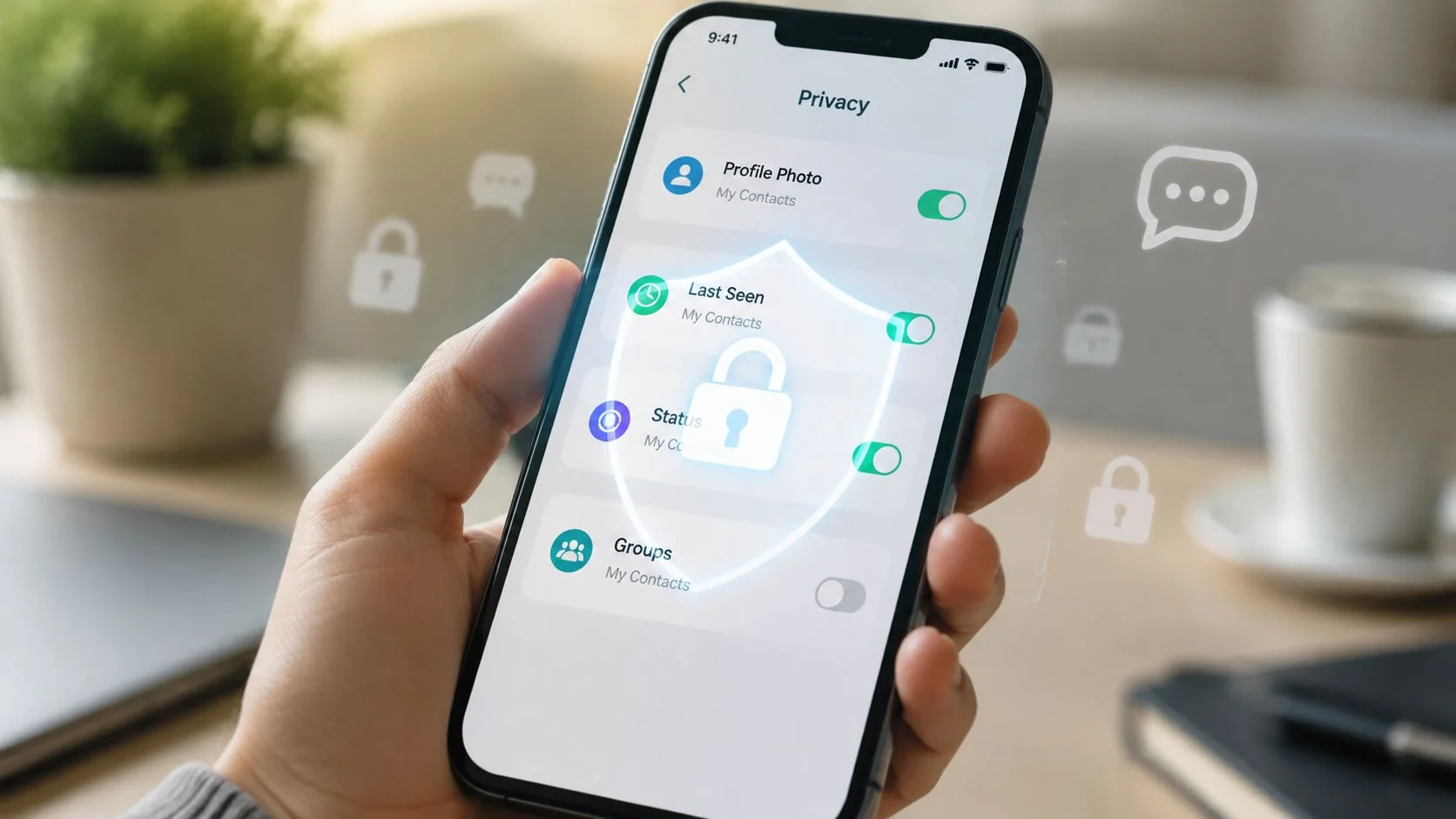
On Android, open WhatsApp, tap the three-dot menu in the upper-right corner, choose Settings, then select Privacy. On iOS, tap Settings in the lower-right tab bar and choose Privacy. The labels can move slightly after app updates, but Privacy remains the central place to review visibility.
Work through the controls in order
Start with Last seen and online. Select the audience for last seen, then choose whether online visibility should be available to everyone or follow the same rule. If you want fewer contact-reachability signals, use My contacts, My contacts except…, or Nobody according to your circumstances.
Next, review Profile photo and About. These fields often reveal more than users expect. A workplace name, political slogan, relationship reference, travel detail, or recognizable personal image can make number-based identity matching easier. Restrict both fields to contacts unless public visibility serves a clear purpose.
Then open Status. Select the contacts who can view updates, exclude specific people, or use the narrowest audience that still supports your routine. Status posts are easy to treat casually, but they can reveal when you’re traveling, where you work, who you’re with, or whether you’re currently active.
Control group access and connected permissions
Review Groups and limit who can add you. Restricting invitations helps prevent unknown numbers from placing you into spam, harassment, political, investment, or scam-related groups. If someone can’t add you directly, WhatsApp can route the invitation through a private request instead of automatically placing you in the group.
Check related phone permissions and linked devices as well. A privacy setting won’t protect an account if an old computer, shared tablet, or unrecognized companion device still has access. A broader app permission management guide can help you review what your phone allows applications to access.
Use the following walkthrough as a visual reference, but verify each option directly in your current WhatsApp build:
Finally, remember what these menus don’t cover. They don’t erase forwarded messages, stop screenshots, govern a recipient’s backups, or remove your phone number from external databases. They reduce visibility at the point where information enters the conversation.
The Hidden Trade-Offs Most Users Miss
The most important trade-off is reciprocity. If you hide your own last seen, you also lose visibility into other users’ last-seen status. That affects people who use presence indicators to judge whether a contact is reachable, but it also removes one signal that strangers may use for profiling or social engineering.
This setting changes how you interpret silence. A missing last-seen indicator doesn’t prove that someone is offline, unreachable, or ignoring you. Treat it as an intentional privacy boundary, not evidence about the other person’s behavior.
Private chats still have exits
Advanced Chat Privacy adds useful friction by blocking chat exports, preventing automatic media downloads, and restricting certain AI features. It doesn’t make a conversation impossible to copy. A participant may still screenshot content, photograph a screen, manually forward information, or use another device to preserve it.
Strict Account Settings offers a more aggressive posture for people facing heightened threats. WhatsApp describes protections such as blocking media from unknown senders, silencing unknown calls, disabling link previews, and tightening selected visibility controls. Those measures reduce common attack and nuisance paths, but they don’t remove metadata inference, compromised devices, recipient behavior, or external harvesting.
| Threat | Can settings prevent it? | What you must do instead |
|---|---|---|
| Unwanted profile visibility | Often reduced | Limit profile photo, about, status, and activity visibility |
| Unknown group additions | Reduced through group controls | Review invitations and avoid questionable groups |
| Chat exports | Reduced in chats with Advanced Chat Privacy enabled | Share sensitive information only with people you trust |
| Screenshots and screen photography | No | Assume anything visible can be copied |
| Forwarding by recipients | No | Minimize sensitive content and verify recipients |
| Phone-number profiling | Not fully solved | Audit where your number appears outside WhatsApp |
| SIM-based account attacks | Not prevented by visibility controls | Follow practical guidance on SIM card cloning risks |
| Backup and linked-device exposure | Not fully prevented | Enable encrypted backups and remove unused linked devices |
Identity exposure may improve as WhatsApp develops a username-based contact model. The company has described a broader username approach for later in 2026, allowing people to be found and contacted by handles instead of phone numbers, as reported by Al Jazeera’s coverage of WhatsApp privacy changes. That is a projected development, not a complete solution available to every user today.
The practical distinction is simple: settings can limit who sees information inside WhatsApp, while they can’t guarantee what happens after someone sees it.
Recommended Settings for Different User Profiles
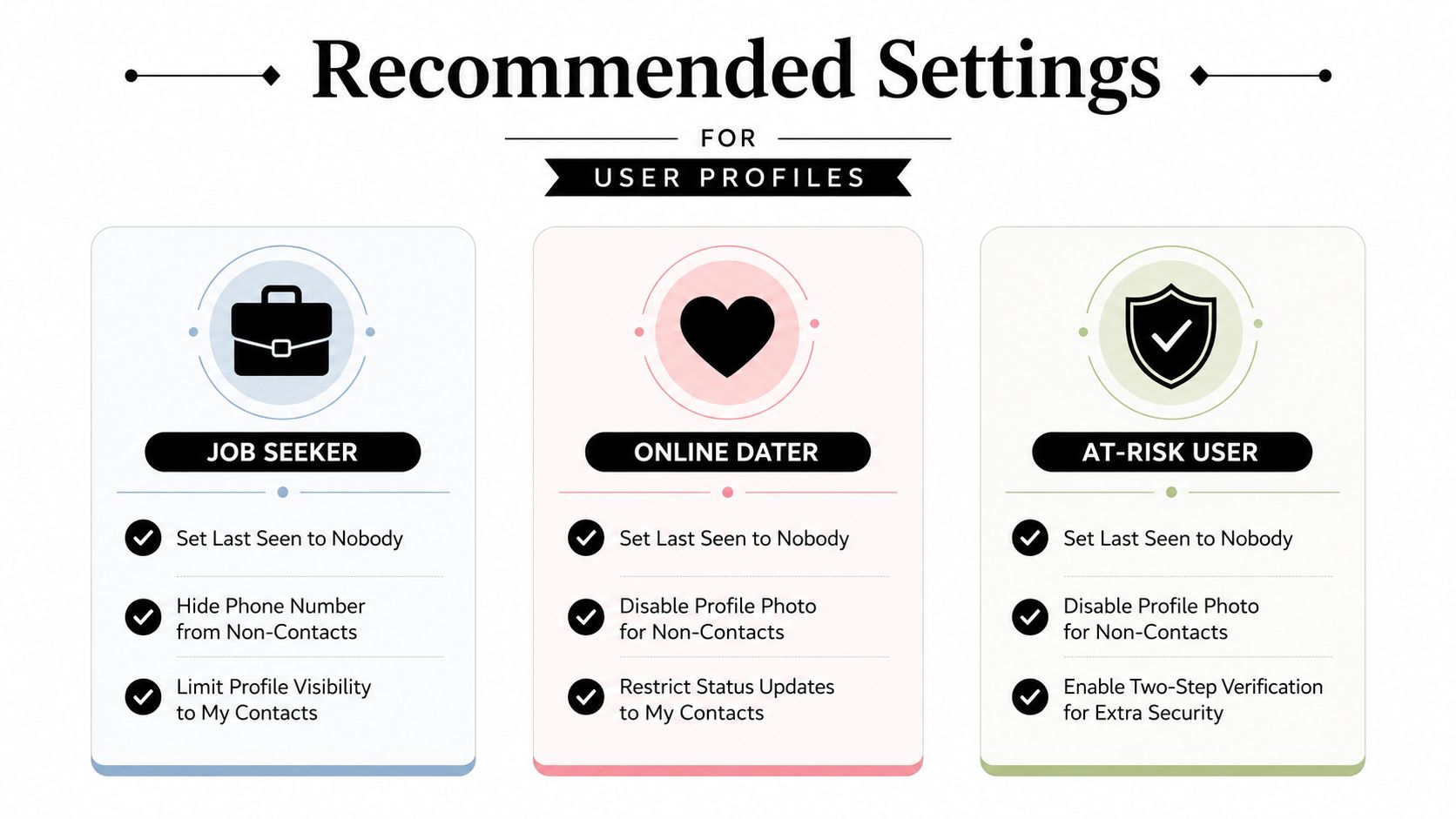
A useful configuration depends on your exposure profile. Someone applying for jobs, dating new people, protecting a gaming identity, or dealing with harassment won’t benefit from identical defaults.
Job seekers and public-facing professionals
Use My contacts for profile photo, about, and status unless public discoverability supports a deliberate professional purpose. Restrict group invitations to contacts, and consider limiting last seen and online visibility to reduce unsolicited outreach while preserving normal communication with people you know.
Keep your profile consistent with your professional identity. A public photo or status can be copied into reputation searches, so don’t post material you wouldn’t want a recruiter, client, or colleague to encounter outside its original context.
Online daters and people managing relationship risk
New contacts often know very little about you, which makes early conversations a poor reason to expose your entire identity. Restrict profile photo, about, and status visibility to contacts, and avoid posting live location, travel timing, workplace details, or identifying family information.
A dating contact who pressures you to reveal private information, move money, share verification codes, or disable safeguards deserves scrutiny. WhatsApp settings can’t detect catfishing by themselves. Check whether profile details, photos, usernames, and phone numbers remain consistent across the person’s claimed identity.
Parents, families, gamers, and at-risk users
Parents and families may prefer Nobody for last seen and strict controls for group additions. That reduces unwanted contact vectors, especially when a number has circulated through school, community, or public event groups.
Gamers should treat WhatsApp as part of the same identity system as their gaming profile. A distinctive profile photo, handle, or status can connect a private number to a public game account, livestream identity, or community username. For users facing harassment or targeted attacks, enabling Advanced Chat Privacy where appropriate and reviewing Strict Account Settings can reduce content sharing and automated contact risks.
The broader principle is configuration by consequence. Choose the setting that protects the information most likely to affect your safety, employment, relationships, or reputation, then monitor what remains searchable outside the app.
Auditing Your Exposure Beyond WhatsApp
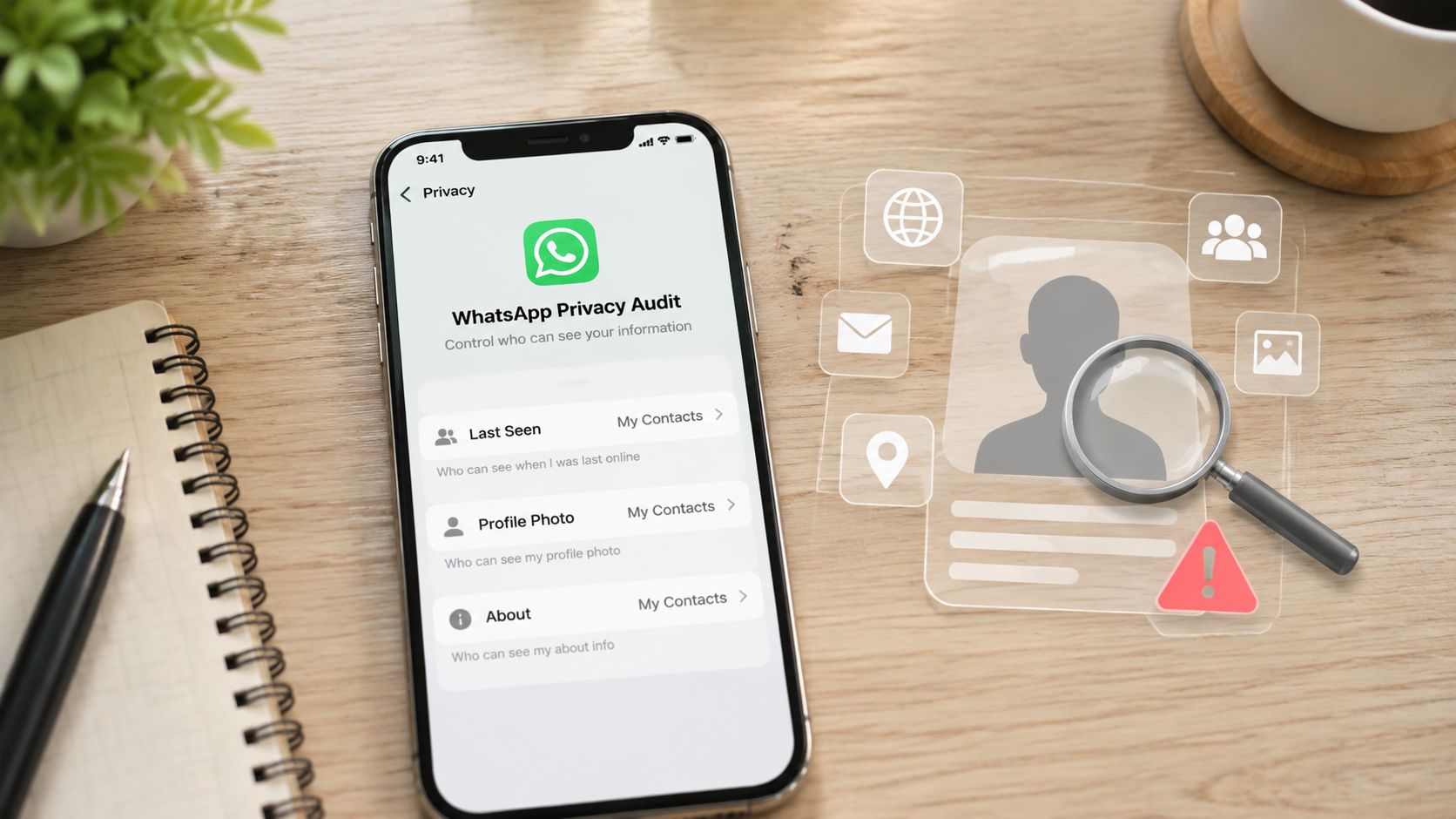
After hardening WhatsApp, search for the identifiers that connect it to the wider internet. Start with your phone number, common usernames, email addresses, profile names, and distinctive images. Look for old social accounts, public posts, gaming profiles, professional pages, breach listings, and data broker records.
A free Digital Footprint Check searches 500+ platforms, including social media networks, data breach databases, gaming profiles, professional networks, and public records. It can show which personal fields remain publicly accessible and whether an old account still connects your identity to a phone number or username.
Read the results as an exposure map
Don’t treat every result as equally urgent. Prioritize findings that combine identity with access or context:
- Phone-number matches: These can connect WhatsApp to other accounts, public listings, or scam databases.
- Credential breach references: Change reused passwords and secure the affected accounts through their official recovery processes.
- Old professional or social profiles: Remove outdated employment, location, family, or contact information.
- Gaming and dating identities: Separate public handles from personal identifiers where practical.
- Reputation-sensitive content: Document inaccurate or harmful listings before requesting correction or removal.
This process resembles a privacy review for any service that collects personal data. Resources on Snyp receipt data privacy can help frame questions about data handling, retention, and responsible processing.
Use this guide to check your digital footprint to create a repeatable review rather than relying on one search. After you identify exposed fields, decide whether to delete an account, change a username, restrict a profile, request removal, or accept the exposure with a documented reason.
A WhatsApp setting has done its job when it reduces unnecessary visibility. The audit tells you whether the same identity is still discoverable through other channels.
Your Ongoing Privacy Protection Workflow
Privacy settings drift. Apps update their menus, new contacts enter groups, old devices remain linked, and information that seemed harmless can become identifying when combined with newer accounts. Treat WhatsApp privacy as a maintenance practice, not a one-time setup.
A sustainable routine can remain simple:
- Review settings periodically. Check last seen and online, profile photo, about, status, groups, advanced privacy controls, and linked devices.
- Reassess after major changes. Review everything after changing phones, joining large groups, dealing with harassment, or installing a significant WhatsApp update.
- Audit external identifiers. Search your number, usernames, email addresses, and distinctive images for new public connections.
- Reduce unnecessary data. Remove old profile details, leave groups that no longer serve a purpose, and avoid posting sensitive context in status updates.
- Protect account access. Use WhatsApp’s available account-security features, secure the underlying email and phone accounts, and treat verification codes as confidential.
Encrypted backups also deserve attention. In October 2021, WhatsApp launched optional end-to-end encrypted backups for chats stored in Google Drive or iCloud. Users could secure a backup with a password or a 64-digit encryption key, and WhatsApp said neither it nor the backup provider could read the backup or access the key in its announcement about encrypted backups.
That protection addresses stored chat history, not every downstream copy. For a broader maintenance approach, consult tools for monitoring your digital footprint and keeping your data safe. The right goal isn’t perfect invisibility. It’s knowing what you expose, limiting what you can, and noticing new exposure before it creates a personal, professional, or security problem.
Digital Footprint Check helps you identify exposed phone numbers, usernames, social accounts, breach references, gaming profiles, professional listings, and public records across the web. Run a free review after tightening your WhatsApp privacy settings, then visit Digital Footprint Check to see which parts of your identity remain discoverable.