· Digital Footprint Check · Content Marketing · 15 min read
App Hack Android: Secure Your Phone in 2026
Concerned about an app hack android? Learn to spot signs, secure your device, & protect identity with our 2026 guide.

Your phone starts acting just a little off. The battery that used to last all day is dying before dinner. A strange ad appears when no app is open. A friend asks why you sent them a weird message from your account, and you know you didn't. Often, these moments are explained away. They blame an old device, a buggy update, or bad reception.
Sometimes they're right. Sometimes they're looking at the early signs of an Android app compromise.
The term app hack Android often evokes a criminal breaking into a phone in a dramatic, movie-style attack. In practice, it's usually less glamorous and more dangerous. The common pattern is deception, weak app security, bad developer decisions, or a harmful app that got onto the device because it looked normal enough to trust.
That matters because the damage rarely stays on the phone. A compromised app can expose passwords, private chats, location history, banking details, gaming accounts, dating app profiles, or the identity breadcrumbs that affect job prospects and personal safety. If you've been wondering whether your phone is behaving strangely, or whether your data might already be circulating somewhere it shouldn't, that concern is reasonable. A good starting point is understanding whether someone can hack your phone and what the warning signs look like.
That Uneasy Feeling Your Phone Has a Secret Life
A typical case starts small.
Someone installs a flashlight app, a game mod, or a “premium enabled” APK from a site they found through search or a chat group. Nothing dramatic happens on day one. The app opens. The phone still works. Then the oddities begin. The device warms up when it's idle. Notifications arrive late. Logins trigger security alerts. Social media starts following accounts the owner has never seen before.
That's why the phrase app hack Android confuses people. It doesn't always mean a person singled you out. More often, it means one of three things happened. You installed a malicious app, you installed a modified copy of a legitimate app, or a legitimate app handled your data so poorly that someone else could access it.
What a compromise usually looks like
For non-technical users, it helps to think of your phone like an apartment building. Android gives each app its own unit and tries to stop tenants from wandering into each other's rooms. Trouble starts when you hand the wrong tenant a master key, or when the building manager leaves the front door open.
A malicious app abuses permissions. A modded app strips out safety checks. A badly built app leaks data into cloud services that were never locked down correctly.
Practical rule: If your phone feels different and your accounts feel different at the same time, treat it as a security issue first and a performance issue second.
Why this hits more than privacy
People often focus on photos, texts, and bank details. That's only part of the picture. Stolen app data can also affect:
- Work and reputation if an attacker misuses your email, social profile, or professional accounts
- Gaming profiles if reused passwords let someone take over platforms tied to purchases or in-game assets
- Dating safety if private conversations, profile details, or images get copied and reused for impersonation
- Identity theft exposure if leaked details get matched with data from other breaches
The most useful response isn't panic. It's clarity. You need to know how these attacks happen, how to spot them early, and what to do before a weird app problem turns into a wider identity problem.
The Anatomy of an Android App Hack
Most Android compromises aren't brute force attacks. They're trust attacks. The attacker doesn't smash through the door. They get invited in, or they find a side entrance the developer forgot to lock.
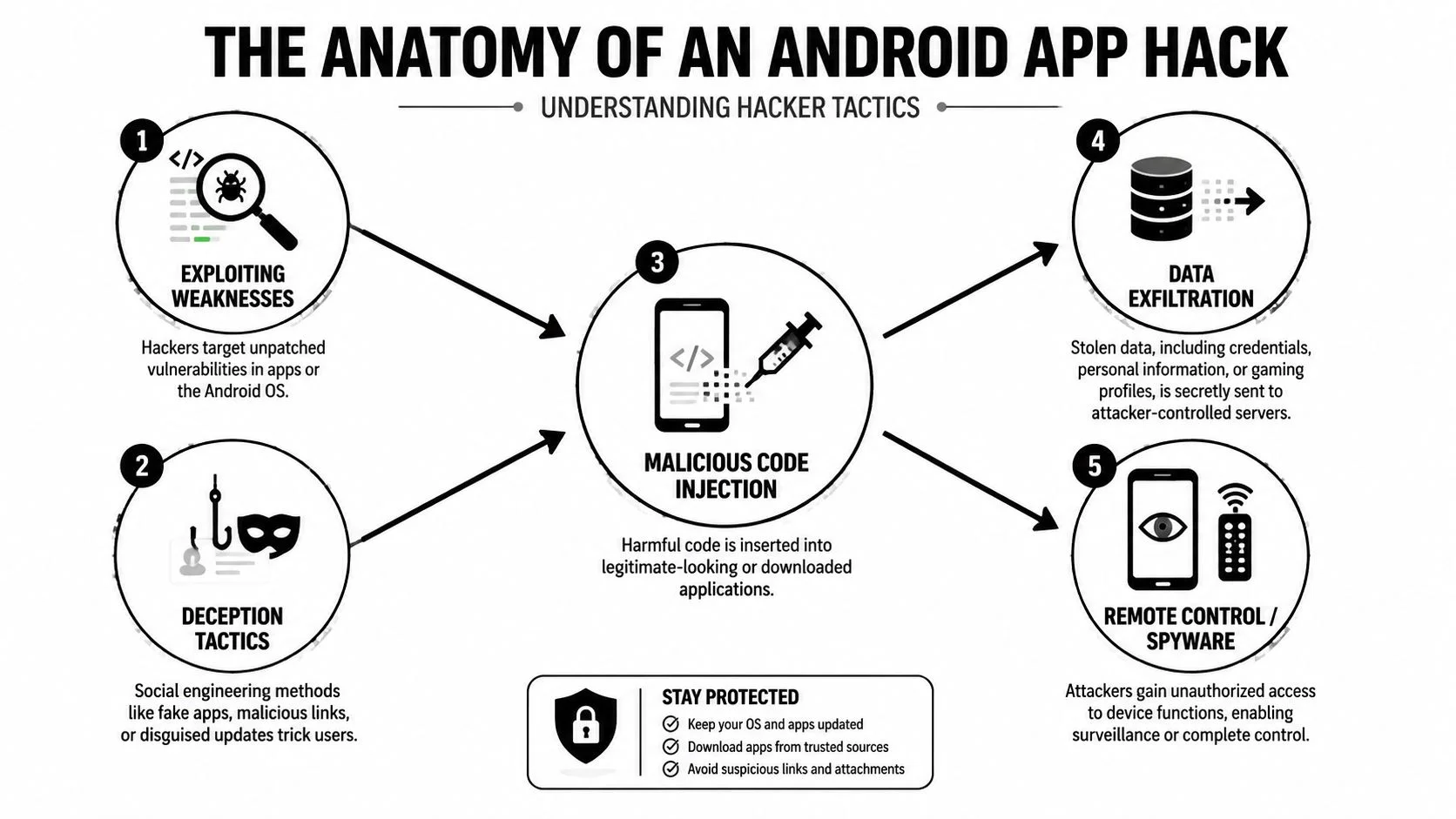
Third-party APKs and fake utility apps
The oldest trick still works because it appeals to convenience. Someone wants a paid game for free, a modified streaming app, or a “cleaner” tool that promises to speed up the phone. They download an APK from outside the official store. That file may include code that spies, steals, or covertly installs more software later.
Third-party apps and APKs from untrusted sources are a known risk because they bypass the stricter controls users expect from official app channels, as outlined in this breakdown of Android malware exposure from third-party app sources.
Malicious code inside normal-looking apps
The more worrying version is the app that looks legitimate. Criminals can embed malicious SDKs into otherwise normal apps and abuse official store processes to slip through review. That means an app can appear safe on Google Play while harvesting sensitive information such as Facebook data or banking credentials, as described in Snyk's overview of Android application security risks.
This is one reason people get confused. They assume “I downloaded it from the Play Store” ends the conversation. It doesn't. It lowers risk, but it doesn't erase it.
For users who worry their phone might be monitored in less obvious ways, it helps to understand how hidden listening risks and phone surveillance concerns show up in everyday devices.
Developer mistakes that expose data anyway
Sometimes the app itself isn't overtly malicious. It's just built carelessly.
A serious example came in May 2021, when researchers found 23 popular Android apps exposing the personal data of over 100,000,000 users because of cloud service misconfigurations, including emails, passwords, private chats, phone numbers, location data, browser histories, and photos, according to The Hacker News coverage of the Check Point findings. Most of the affected developers reportedly failed to fully fix the issue after disclosure.
A lot of “hacking” isn't advanced codebreaking. It's attackers walking through a door a developer left open.
The real attacker mindset
Attackers usually ask simple questions first:
| Attack path | What the attacker wants | Why it works |
|---|---|---|
| Fake or modified app | Install code on your device | The app promises something useful or free |
| Legitimate-looking app with hidden SDK | Harvest data quietly | Users trust the store listing and permissions prompt |
| Misconfigured backend or cloud service | Pull data without touching the phone much | Developers expose keys, storage, or databases |
That's the mindset worth understanding. Criminals don't need to beat perfect security. They look for rushed coding, bad defaults, weak review, reused credentials, and users who think ordinary-looking apps are harmless.
Is Your Android Device Already Compromised
A compromised phone usually leaves clues. None of them proves an infection on its own, but several together should move you from “that's odd” to “I need to check this now.”
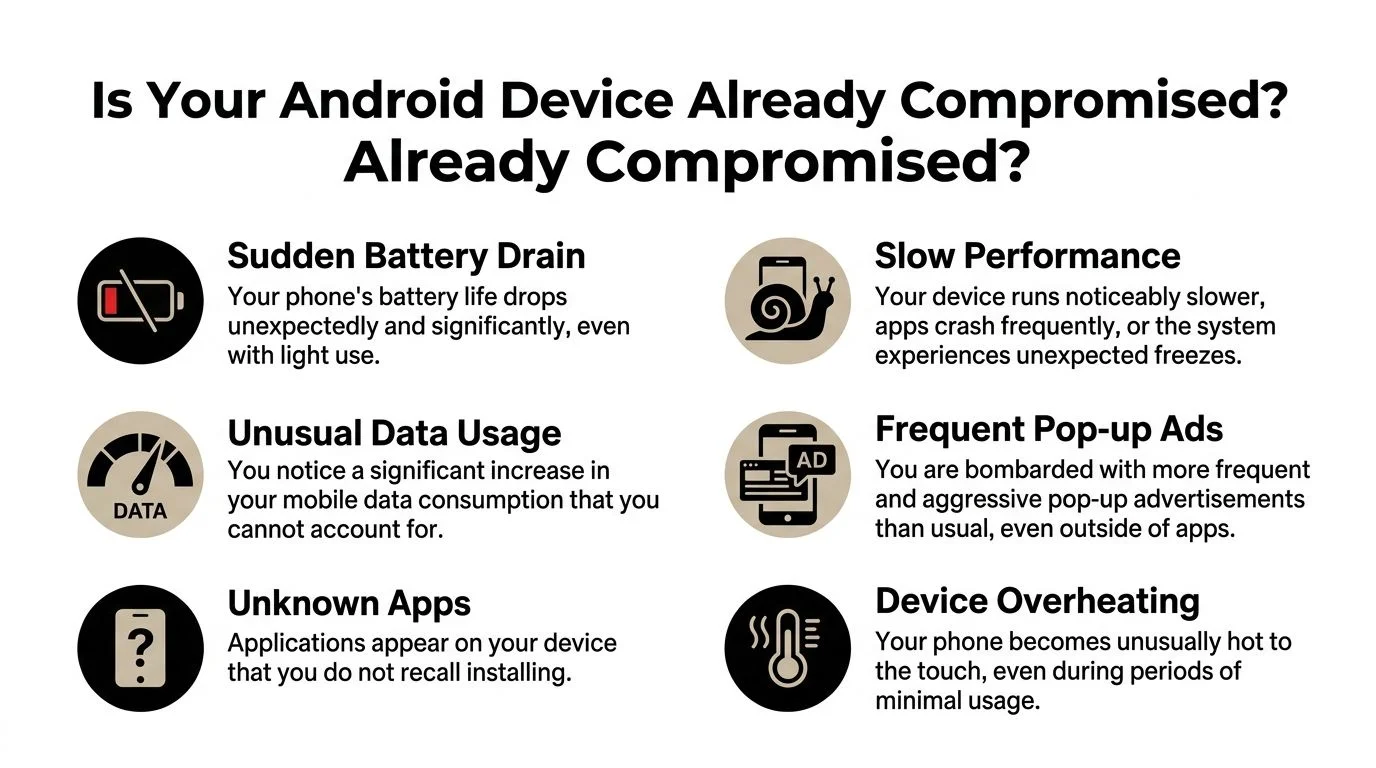
Behavior changes that matter
Start with battery and heat. If a phone loses charge much faster than usual or gets hot while barely in use, a hidden process may be running constantly in the background. Spyware, ad fraud apps, and data-stealing tools often need persistent activity. That drains power and creates heat.
Data use is another useful clue. If your mobile usage spikes and you can't explain it with streaming, updates, or hotspot use, an app may be sending data out. Imagine noticing someone keeps taking boxes out of your house at night. The activity itself is the warning.
What to inspect on the screen
Unexpected changes on the screen are often easier to verify than technical logs:
- Unknown apps appear when you don't remember installing them
- Pop-up ads increase even when you're outside the app that should be showing them
- Performance drops and the phone lags, freezes, or crashes more often
- Settings change and you notice permissions, accessibility options, or default apps altered without your input
A primary mechanic behind these risks is criminals embedding malicious SDKs into legitimate apps so the app passes as safe while stealing sensitive information, as noted earlier in the Snyk analysis.
If an app's behavior and its purpose don't match, trust the behavior.
A quick self-check you can do today
Run through this in order:
- Open battery usage and look for apps consuming power that don't match your normal habits.
- Check mobile data usage by app. Look for anything with unusually heavy background activity.
- Review installed apps and remove anything unfamiliar, duplicated, or recently added without a clear reason.
- Inspect permissions for microphone, contacts, SMS, accessibility, storage, and location access.
- Review account alerts from Google, banking apps, email providers, and social platforms.
When the signs point beyond the phone
Sometimes the phone looks mostly normal, but your accounts don't. You see login alerts, password reset emails, or strange messages sent from your profiles. In that case, the app compromise may have already moved off-device and into your identity layer. That's often where the bigger problems begin, especially for banking, gaming, dating, and work-related accounts.
A slow phone is annoying. A hijacked account can cost you trust, money, or access.
Your Step-by-Step Device Hardening Plan
The best Android defense is boring on purpose. You reduce easy wins for attackers, close the obvious gaps, and make your device harder to exploit than the next person's.
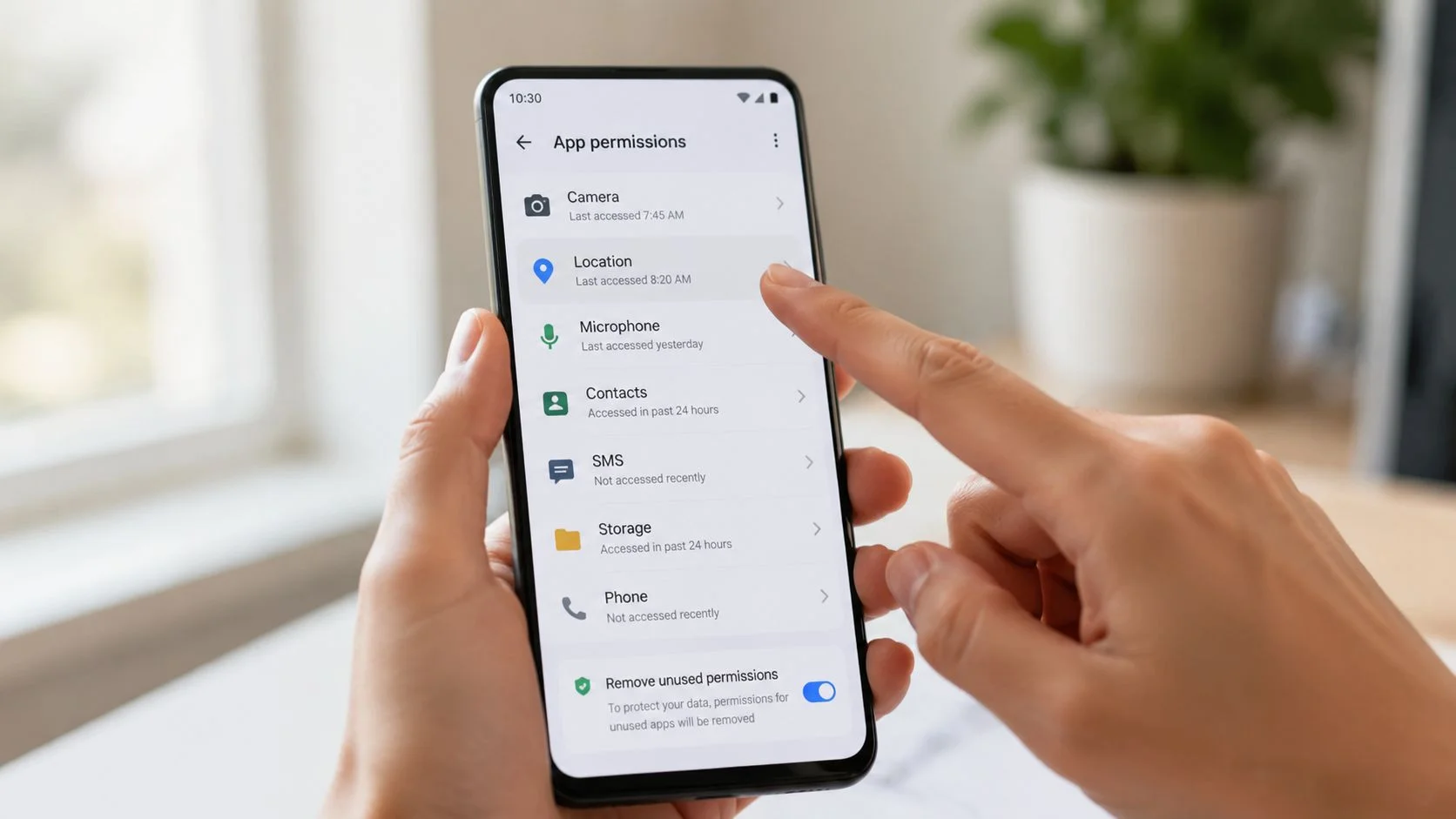
Start with permissions, not panic
Open your app permissions and look at them like a landlord reviewing spare keys. Why does a wallpaper app need microphone access? Why does a simple puzzle game want contacts, call logs, or SMS?
Strip access back to the minimum.
- Remove unnecessary microphone access from games, utilities, and shopping apps
- Limit location permissions to “while using the app” unless there's a clear reason not to
- Review accessibility access carefully because malware often abuses it for control and surveillance
- Check notification access and device admin settings for apps that shouldn't have them
This step won't solve every compromise, but it cuts off a lot of passive data collection.
Update what attackers hope you ignore
Many people delay updates because they don't want a reboot or they're worried a favorite app will change. That's understandable, but outdated software is a gift to attackers. Over 900 million active Android devices have been reported as vulnerable because they lack the latest security patches, creating a huge target pool for malware aimed at passwords and login credentials, as noted in this discussion citing the Android patching gap.
If your phone still receives security patches, install them. Do the same for apps. Those updates often fix quiet security issues, not just visible bugs.
If your device is older and no longer supported, factor replacement into your security planning. Unsupported phones age into risk.
Tighten install controls
Most serious consumer infections still need one thing from the user. Installation.
Disable installation from unknown sources unless you have a specific reason to use it and know exactly what you're doing. If it's already enabled, turn it off after checking which browser or file manager has that permission. That setting is the side gate many malware campaigns rely on.
If you think your phone already has a persistent infection, a guided cleanup can help, including practical steps to remove a virus from your phone.
Lock the accounts that matter most
A compromised app often leads to account takeover attempts. So protect the accounts that access the rest.
Use a strong screen lock first. Then focus on account-level defenses:
- Google account because it anchors backups, email, app installs, and device recovery
- Primary email account because password resets usually flow through it
- Banking and payment apps because fraud moves fast once credentials are stolen
- Messaging and social accounts because attackers use them to scam your contacts
- Gaming accounts because skins, balances, and linked cards make them attractive targets
Enable two-factor authentication wherever it's available. If an attacker gets your password from a compromised app or a leak, 2FA often stops that from becoming a full takeover.
A short walkthrough can make these checks easier to follow:
Know when to use the nuclear option
If the phone keeps reinstalling odd apps, permissions reset themselves, or suspicious behavior survives basic cleanup, consider a factory reset. That's disruptive, but sometimes it's the cleanest way to remove an embedded problem.
Before you do it:
- Back up photos and essential files
- Avoid restoring unknown apps automatically
- Change key passwords from a separate trusted device
- Reinstall only what you recognize and still need
Field advice: A factory reset helps only if you change the passwords tied to the compromised device and stop reinstalling the same risky app set.
Hardening isn't glamorous. It works because it removes the shortcuts attackers count on.
Beyond Your Phone Monitoring Your Digital Footprint for Leaks
You lock down the phone, remove the risky app, change passwords, and the device finally looks clean. Then a fake account appears using your photos, or a login alert hits an old gaming account you forgot you had. That is the part many Android users miss. A phone compromise often turns into an identity problem that keeps spreading after the device itself is under control.
Attackers rarely stop at one app. They collect whatever they can use later. An email address pairs with an old password. A username connects your Reddit account to your gaming profile. A dating profile photo gets reused in impersonation scams. From the attacker's side, this is efficient. They do not need to break in twice if your public traces already map out the rest of your life.
That is why OSINT matters here. Open source intelligence is the practice of checking what is already visible about you across public and semi-public sources. Security teams use it during investigations. Regular users can use the same idea for defense.
Why Android risk becomes identity risk
An infected or abusive app can expose far more than what sits inside that one app. It can reveal contact details, harvest credentials, capture payment information, or give criminals enough context to impersonate you convincingly.
The industry also makes this worse. App stores remove bad apps, but harmful apps still get installed. People reuse passwords across services. Old accounts stay online for years. Recovery email addresses remain attached to accounts nobody checks. Attackers count on those weak points because they are common and cheap to exploit.
A practical response is to check for exposure in four areas:
- Breach-linked email addresses that can feed password guessing and credential stuffing
- Usernames and gaming handles that let someone connect accounts across platforms
- Social or professional profiles that can be copied for impersonation or reputation damage
- Personal details in forums, people-search pages, or old posts that make fraud and stalking easier
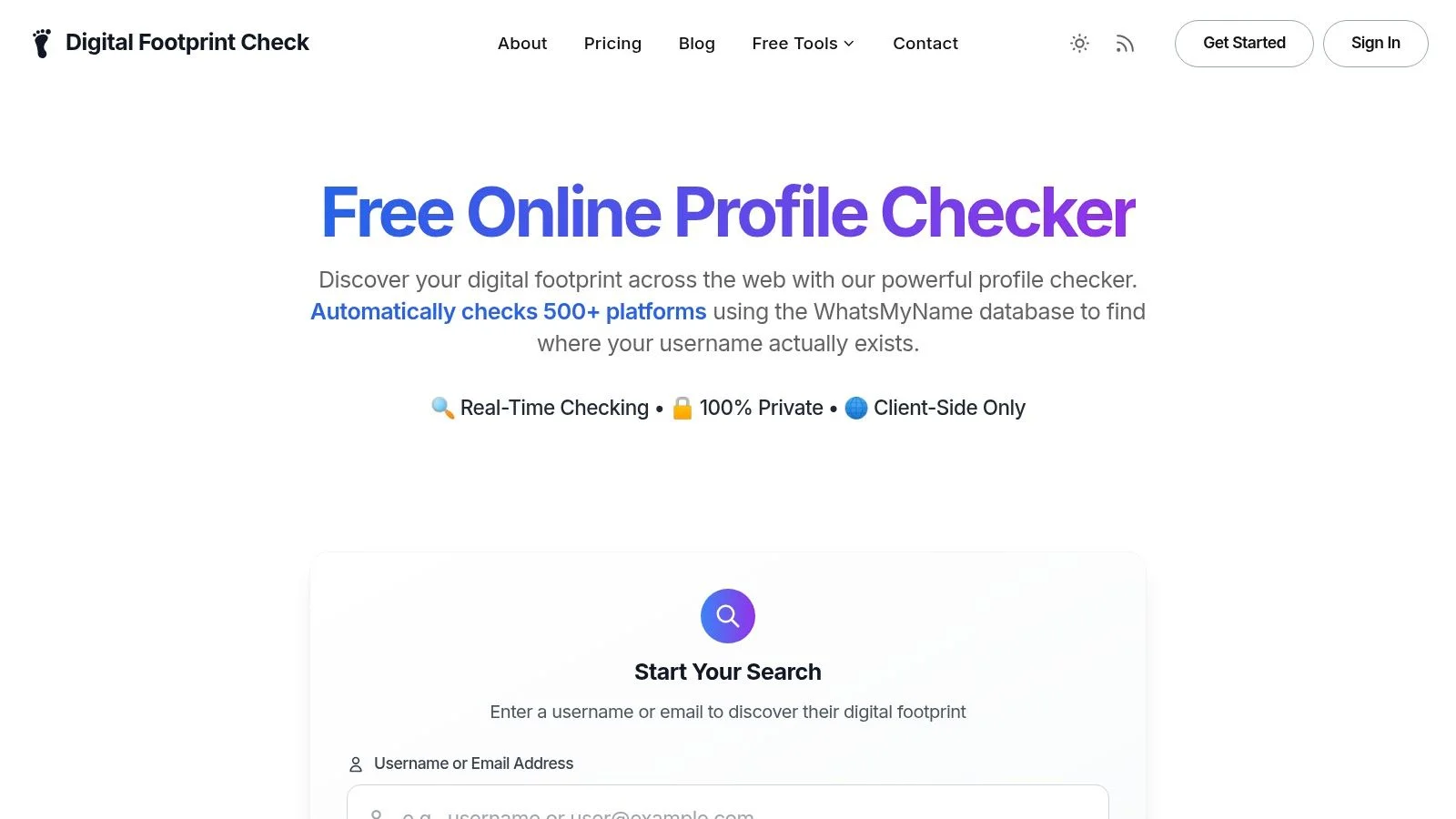
If you want to check whether your identity details are already circulating beyond the phone itself, use a personal data leak checker for public digital exposure.
The habit that closes the visibility gap
Many people only look outward after a clear warning sign. A bank charge. A reset email. Friends asking why you sent them a strange link. By then, the data may have been exposed for weeks or months.
Digital footprint monitoring works like checking a credit card statement. The goal is not paranoia. The goal is catching small signs early, before they turn into account takeovers, impersonation, or financial fraud.
Check on a schedule. Use the same email addresses, usernames, phone numbers, and profile photos you have used over the years, including old ones. That gives you a better view of how an attacker might discover and connect your accounts.
Monitor the data that leaves your phone, not just the phone itself.
Creating Your Personal Incident Response Plan
When you confirm an Android app compromise, speed matters more than perfection. The goal is to contain damage first, then clean up carefully.
First actions in the first hour
Start with account protection.
- Change the password for the compromised account immediately.
- Change any reused passwords on other accounts. Reuse is what turns one bad app into a chain reaction.
- Enable or strengthen 2FA on your email, Google account, social platforms, and banking apps.
- Sign out of other sessions where the service allows it.
If money is involved, call the bank or card provider right away. Ask them to review suspicious activity, freeze cards if needed, and flag your account for fraud review.
Protect people around you too
If a messaging or social account was misused, tell your contacts quickly. That prevents a second wave where friends, family, co-workers, or dating matches trust a malicious message because it came from you.
Use plain language. Tell them your account may have been compromised and to ignore recent links, codes, payment requests, or odd conversations.
Review your wider identity exposure
Check recent logins and device history on key services. Look for unfamiliar sessions, password reset attempts, recovery email changes, or linked devices you don't recognize.
Then think beyond the app itself:
- Work accounts may affect your professional reputation
- Dating profiles may expose private chats or images
- Gaming accounts may hold payment methods and valuable items
- Email accounts can become the master key to everything else
If you need a recovery path after signs of intrusion, this guide on how to get rid of hackers and regain account control is a useful reference.
Build the checklist before you need it
Write down your incident plan now, while you're calm. Keep a note with:
- your bank fraud number
- your main account recovery methods
- which accounts have 2FA enabled
- which email address is your recovery hub
- who you'd need to notify if an account was hijacked
Panic creates delays. A checklist creates decisions.
A personal incident response plan doesn't need to be fancy. It needs to be ready.
If you want a practical way to check what information about you may already be exposed across social platforms, breach databases, professional profiles, gaming accounts, and public web sources, try Digital Footprint Check. You can start with the free tool at www.digitalfootprintcheck.com/free-checker to get a clearer view of your online exposure and spot privacy risks before they turn into identity theft, reputation damage, dating scams, or account takeovers.