· Digital Footprint Check · Content Marketing · 13 min read
Background Check Services for Nonprofits: a Practical Guide
Find the best background check services for nonprofits with this practical guide covering screening types, legal compliance, vendor selection, and cost.

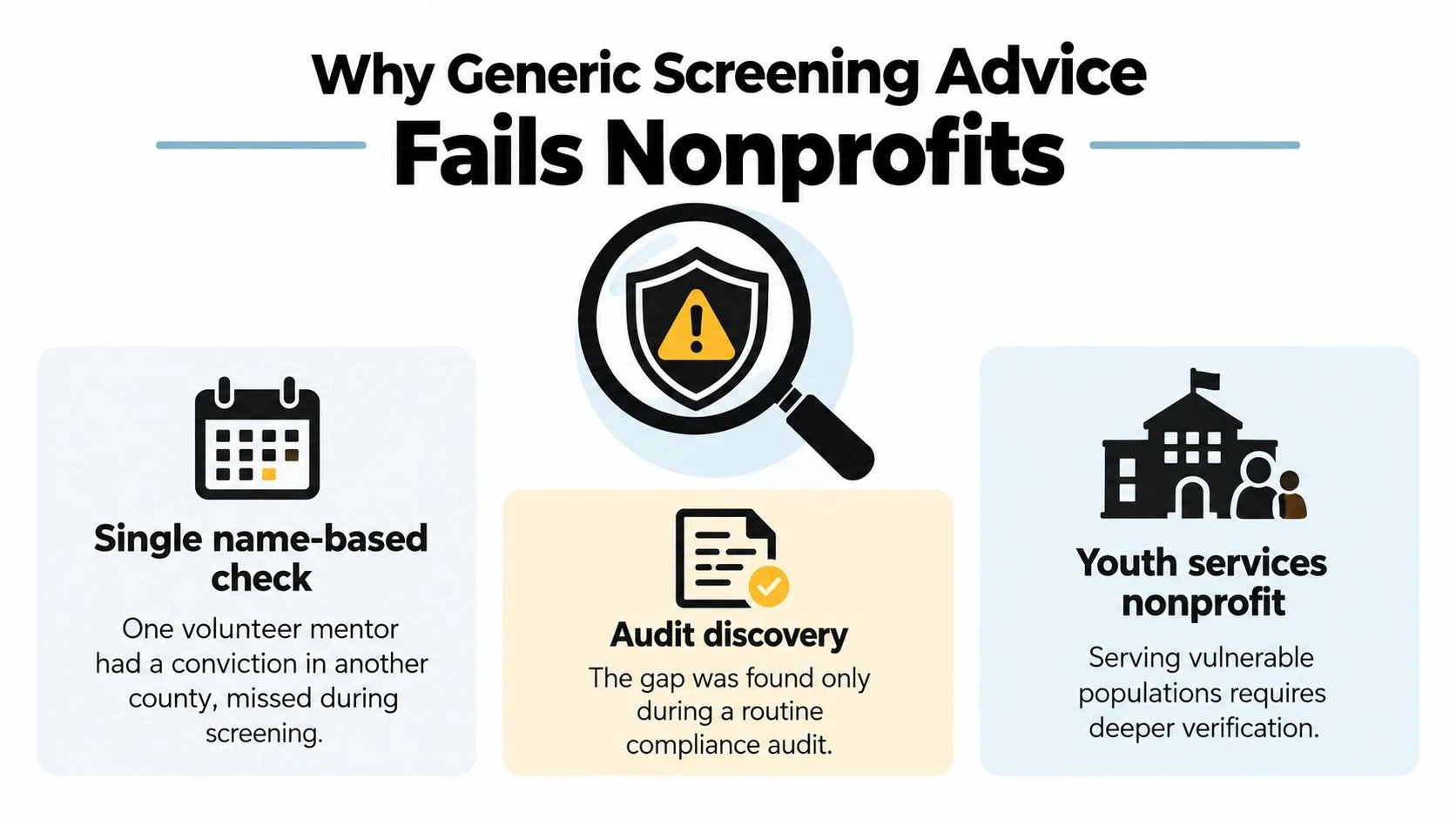
A volunteer coordinator is preparing for an audit and finds that the youth mentor program relies on a single name-based criminal search. The search came back clear, but it didn't cover every jurisdiction where one mentor had lived. The organization now has to explain not only what the report missed, but why its screening policy treated a high-trust role like a routine signup.
That's the problem with buying a background check as if it were a one-click safety product. A report is only one input to a decision. Good background check services for nonprofits support a documented process that matches checks to role risks, protects applicant privacy, and makes room to verify and fairly assess any concerning result.
Why Generic Screening Advice Fails Nonprofits
A weekend event volunteer submits the same packet as an overnight youth mentor. Both return “clear.” One role has short, supervised contact; the other involves private, ongoing access and authority over a child.
Generic advice starts at the wrong end. It asks which search to buy before defining the role's exposure. High-exposure roles then get checks too narrow for their risks, while low-risk volunteers go through searches the nonprofit cannot justify. That slows placements and collects sensitive data the organization does not need.
The record makes the risk concrete. Between 2002 and 2007, a ChoicePoint audit of 3.7 million background screenings for prospective charity employees and volunteers found that more than 189,000 people, over 5%, had at least one criminal conviction, including 651 for murder (historical reporting on charity volunteer screening). The finding does not make every record disqualifying. It shows the need for a consistent way to identify, verify, and assess role-related information.
The report isn't the safeguard
A U.S. survey of 517 nonprofit human-services organizations found 12% reported no volunteer screening, 65% said an allegation of child abuse would make a volunteer ineligible, and only 42% checked state child-protection-service records for such allegations (the nonprofit volunteer screening survey). The written policy sounded firm; the practice did not gather the evidence needed to apply it.
Use that gap to set proportionate screening. Define exposure first: vulnerable populations, supervision, driving, money, medication, data, and authority. Match the checks to those factors. For an online footprint review, use a narrow role-related scope, confirm the account belongs to the applicant, and keep unrelated personal material out of the decision.
If an incident reaches a board, funder, insurer, or auditor, “we ran a check” explains little. The file should show why the sources fit the role, what was verified, how the applicant could respond, and who made the decision.
The standard I use: A clean report proves nothing on its own. The file should prove the decision was proportionate, verified, fair, and documented.
The Four Screening Categories Every Nonprofit Should Know
Before comparing providers, name the searches you need. “A background check” is a bundle of different products with different coverage, and buying the bundle by habit is how nonprofits over-screen low-risk roles and still miss the one record that mattered.

Criminal history
County and state court searches show records in specific jurisdictions. Multistate or national indexes can point to places worth checking, but coverage depends on what local courts contribute, so treat a national search as a map of where to look and verify at the county level for roles with direct contact with vulnerable people. For youth, elder, disability, or client-transport roles, decide whether sex-offender or child-protection sources are lawful, available, and relevant before ordering them.
A name match is not a finding. Confirm identifiers and pull the authoritative court record. A search also has a date and a scope, and it does not predict future behavior.
Identity verification
Identity checks establish that the applicant is the person named in the application and can surface aliases or address history that inform jurisdiction searches. Identity proofing is separate from a criminal check. NIST defines it as verifying a person's association with a real-world identity, with assurance levels that can be selected based on the sensitivity of the service (NIST guidance on enrollment and identity proofing). If the role only needs basic confidence, do not buy higher assurance because the vendor bundles it.
References, credentials, and driving
References add context about reliability and boundaries, but only when you ask role-related questions. Professional-license checks matter when the role legally or practically requires a credential. Driving records belong in the file when volunteers transport clients, children, patients, cash, or organization property. Skip each of these when duties do not touch that exposure; extra data creates review burden and privacy risk without improving the decision.
OSINT and digital footprint reviews
Public online information can help assess a role involving public representation, online access to clients, or sensitive digital spaces. It can also mislead: a username or post may be misattributed, stale, irrelevant, or stripped of context. Keep scope narrow, confirm the account belongs to the applicant, exclude protected or unrelated personal material, and give the applicant a chance to respond before anyone treats a screenshot as evidence.
For a useful overview of how to define scope and evaluate the process, see this guide to background check best practices on structuring a screening program.
Here's a short video to help frame the practical considerations when selecting a nonprofit screening approach.
Matching Screening Intensity to Volunteer Role Risk
Screen the role, not the organization's anxiety. A blanket package for every volunteer wastes resources and can collect information that doesn't help you make a sound decision. Under-screening a youth mentor is just as poor a choice as applying intrusive checks to someone who helps at a supervised, one-time food-pantry shift.
Use a brief role assessment before choosing a package: Who could the volunteer contact? What can they access? How much supervision will they have? Does the role involve money, transport, private data, or unsupervised online communication? Record the answers and the reason for each selected check. That record becomes a practical one-page matrix your coordinator can revisit when duties change.
Screening Intensity by Role Type
| Role | Access Risk | Minimum Checks | Recommended Add-Ons |
|---|---|---|---|
| Youth mentor | Direct contact with children, potentially unsupervised | Identity verification, relevant criminal searches, role-specific consent | Relevant child-protection and sex-offender sources where lawful and available, references, safeguarding training, supervision plan |
| Food-pantry weekend volunteer | Public-facing, usually supervised, limited access | Identity confirmation and references appropriate to the role | Add checks only if duties expand to transport, unsupervised client contact, or sensitive records |
| Remote grant-writing contractor | Access to internal documents and possibly donor or program data | Identity verification, references, credential checks if claimed expertise is essential | Limit account permissions; consider a proportionate digital review if public representation is part of the work |
| Board treasurer | Financial authority and access to confidential records | Identity verification, references, role-relevant criminal and credential checks | Documented financial controls, separation of duties, and further checks justified by the organization's legal and operational context |
This isn't a risk score that automatically approves or rejects someone. It's a way to explain why two volunteer roles get different treatment. A supervised pantry shift may need less screening than a mentor who meets a child alone, while the treasurer's financial authority calls for strong internal controls as well as any appropriate checks.
For a structured way to compare screening tiers against role exposure, use this guide to background check levels. Reassess when a volunteer takes on new responsibilities. If a role gains unsupervised contact, driving, financial authority, or access to sensitive systems, update the checks and safeguards rather than relying on the original application.
Legal Requirements, Consent, and Data Handling
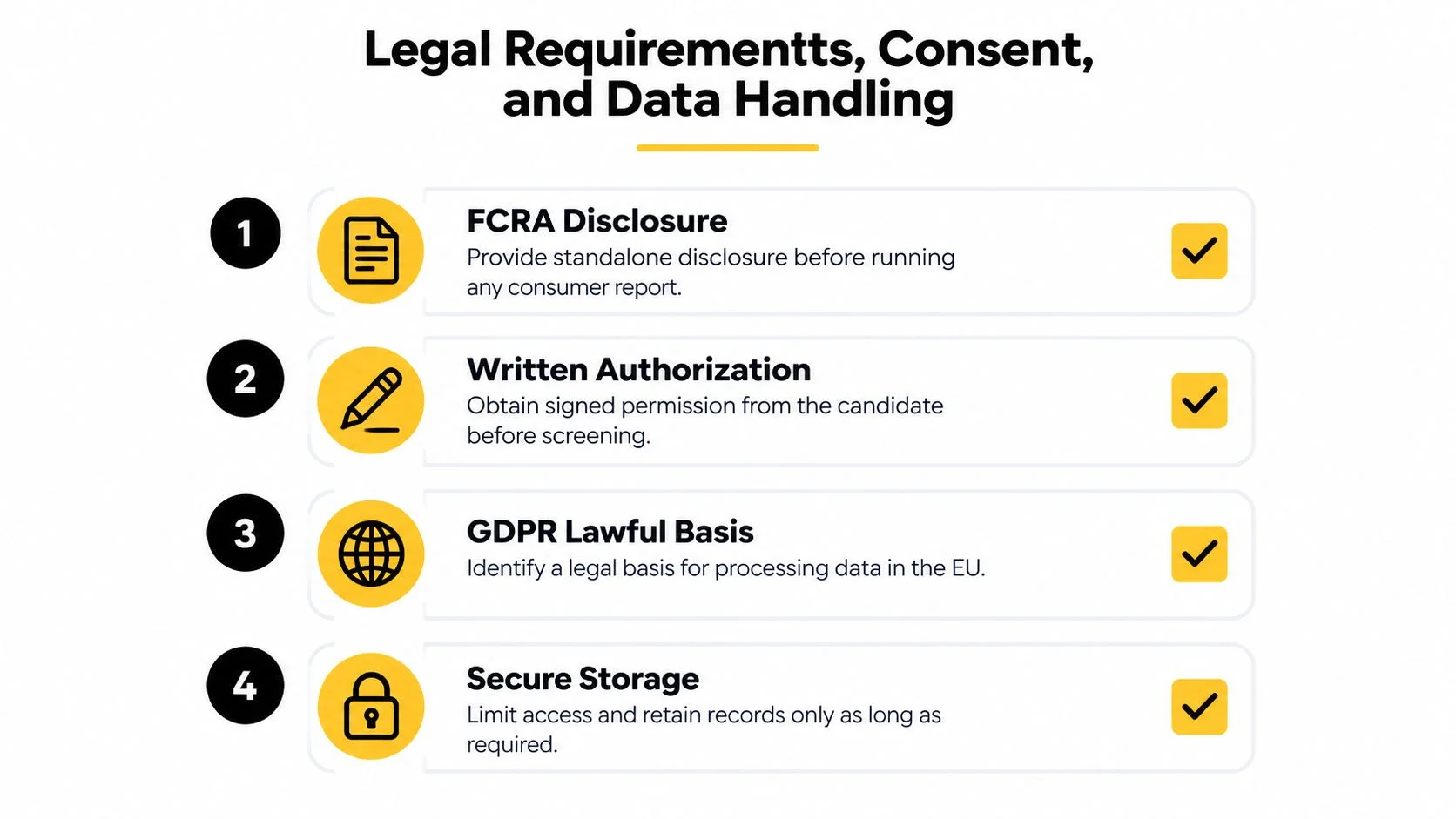
A nonprofit should settle consent and data handling before ordering a report, not after a concerning result appears. Rules vary by jurisdiction and by the type of service used, so get legal guidance for your organization's locations and screening setup. At minimum, define what you'll request, why the role needs it, who can review it, and how applicants can question inaccurate information.
In the United States, using a consumer-reporting agency can trigger Fair Credit Reporting Act duties. These can include a standalone disclosure and written authorization, followed by required pre-adverse-action steps and notices if the organization may make a decision based on the report. Don't bury screening permission in a general volunteer application or assume your vendor has taken over every legal duty.
Build a small, usable compliance file
For each screened role, keep the job-related screening rationale, the disclosure and authorization documents, the source and date of each check, the decision criteria, and any required notices. If a report raises a concern, verify the underlying record, give the applicant the required opportunity to respond or dispute it, and document the final reasoning. Don't treat an arrest, an unverified match, and a conviction as interchangeable.
UK and EU nonprofits need to identify an appropriate lawful basis and processing condition for handling criminal-record data under applicable data-protection rules. Requirements depend on the context. A blanket statement that “volunteers consented” isn't a substitute for establishing the organization's lawful basis and following local rules.
Keep sensitive information on a short leash
Collect only what the role requires. Limit access to staff who need the information to make or review the screening decision, protect stored records, and set a retention schedule consistent with legal obligations and the organization's purpose. Have a breach-response process and a clear route for correcting inaccurate information.
A short guide to HolyJot sensitive info protection can help teams think through practical data-handling safeguards. For a starting point on U.S. legal issues that may apply to employee screening, review this overview of employee background check laws, then confirm requirements with counsel for your specific use case.
In one nonprofit-sector survey, 47.17% of organizations reported checking every volunteer before onboarding; 53.61% used an external provider, 26.31% went directly to government sources, and 15.98% screened in-house (survey of nonprofit screening practices). Whatever route you choose, assign a person to own the process and its records.
Using OSINT and Digital Footprint Reviews Ethically
Open-source intelligence can add context, but it doesn't earn a place in a volunteer decision just because information is public. A social post can be outdated, satirical, misattributed, or unrelated to the work. A username search may uncover accounts that belong to someone else. Decide in advance what sources you'll review and what kind of information is relevant to the role.
NIST's identity-proofing framework offers a useful distinction: verifying a claimed real-world identity is not the same as reviewing that person's online presence. Match the strength of identity checks to the sensitivity of the role and the systems involved. Neither a background report nor an online profile should automatically authorize access to donor records, children's information, or case files.

Set boundaries before anyone searches
For a senior spokesperson or volunteer representing the organization publicly, a limited review may be relevant to role expectations. For a supervised, behind-the-scenes volunteer, a broad trawl through social accounts can be invasive without improving safety. If you do review public information, record the source, date, identity basis, and job-related reason for considering it. Give the person a chance to explain a questionable match, and apply the same standards consistently.
A written social media screening policy should spell out who may search, what sources are allowed, what information is out of bounds, and how findings are reviewed. Avoid collecting sensitive personal details that don't relate to the volunteer role. Don't use social media to infer protected characteristics or to make assumptions about reliability, health, or character.
Public visibility is not proof of relevance, accuracy, or fairness.
Use OSINT as a narrow supplement, not a replacement for verified records, references, appropriate supervision, or sound access controls. If you can't explain how a finding relates to the role and how you confirmed it, don't rely on it.
Evaluating and Selecting a Screening Vendor
A low quote isn't a good deal if the report leaves your team to verify coverage, resolve disputes, and manage compliance alone. Evaluate what happens before and after the search, not just how quickly a PDF arrives.
Ask each provider for a written description of its sources and coverage. Which counties and state repositories are searched? Are national indexes used as pointers or represented as complete? How does the vendor verify identity and resolve matching names? Who handles candidate disputes, and what support will your staff receive when a report is unclear?
Compare the operating model
| Provider type | Useful when | Questions to ask |
|---|---|---|
| Consumer-reporting agency | You need a structured process and reports that may trigger FCRA obligations | What disclosures, authorization, dispute, and adverse-action support do you provide? |
| Nonprofit-focused specialist | Volunteer roles and onboarding workflows are central to your program | Can checks be tailored by role, and can staff get help interpreting results? |
| Direct government sources | Your team can manage source-by-source searches and documentation | Which repositories are available, how current are they, and who verifies identity? |
Include source coverage, turnaround expectations, support, dispute handling, data security, integration needs, and clear pricing in your request for proposals. Ask which charges are per applicant, which are recurring, and whether additional searches cost extra. Check whether any advertised flat rate hides add-on fees. Treat automatic pass/fail decisions, unclear jurisdiction coverage, or no clear correction process as red flags.
There isn't a reliable current price benchmark in the information available here, and a historical cost figure shouldn't be used as a present-day quote. Get written, role-specific pricing from more than one provider, then compare total administrative work as well as the invoice.
For a procurement discussion example from a community-focused organization, see the HELP Now AZ nonprofit tag. You can also compare the workflow features of pre-employment screening tools, while keeping volunteer-specific rules and role risks in view.
Operational Workflow and Re-Screening Cadence
Put the policy into a repeatable workflow that starts before onboarding and continues when responsibilities change. Don't promise a fixed re-screening interval unless your risk assessment, applicable law, and budget support it. A universal annual schedule sounds decisive, but it can produce unnecessary checks for low-risk roles while failing to address the safeguards that matter every day.
- Classify the role. Document contact with vulnerable people, financial authority, driving, data access, supervision, and online duties.
- Explain and authorize. Give the candidate a clear description of checks, required disclosures, and a way to ask questions.
- Verify and search. Confirm identity, choose sources that fit the role, and log what was searched and when.
- Review before access. Verify potentially relevant hits, apply written criteria, and complete required notices and dispute steps before a decision.
- Onboard with safeguards. Pair screening with references, interviews, role-specific training, supervision, and limited system permissions.
- Reassess. Review the role when duties change, and set any periodic re-screening based on documented risk and legal requirements.
A changed role, a credible safeguarding concern, or a new responsibility involving money, transport, or sensitive records should prompt a review of whether the existing screening and controls remain appropriate. Don't let a completed check grant automatic access to every system. NIST's guidance on identity, authentication, and lifecycle management reinforces the practical distinction: confirm the person, provide only the access their role needs, and manage that access as responsibilities change.
Use this employee background check process as a reference point for organizing steps, then adapt it to volunteer roles and local requirements. Screening is one safeguarding control. It can't replace supervision, training, incident reporting, or thoughtful role design.
Digital Footprint Check helps people and organizations review publicly accessible online information across social, professional, gaming, and other platforms, with free profile checking and more detailed reports. If you're deciding whether a digital review belongs in your nonprofit's screening process, visit Digital Footprint Check to explore the service and its privacy-focused approach.